Continia Document Capture for Dynamics 365 Business Central
Automate Your Accounts Payable Workflow with AI
Continia Document Capture brings AI-driven automation inside Dynamics 365 Business Central so your team can work with clarity, speed, and accuracy.
Continia Document Capture Overview
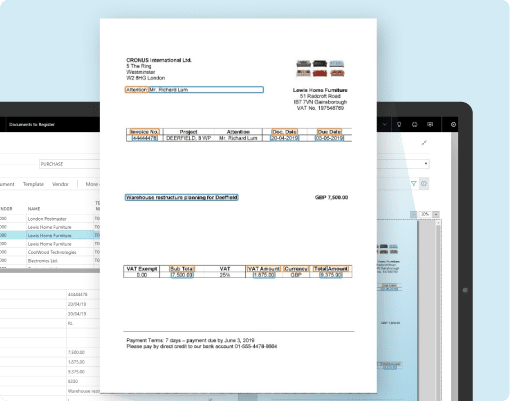
Continia offers several automation tools built for Business Central. One of them is Document Capture. Continia Document Capture reads documents with OCR, routes approvals, matches purchase orders, and stores files safely. It helps finance teams handle invoices with steadier and more predictable steps.
Key highlights:
- Intelligent OCR that captures key invoice data
- Automatic approval routing
- Automatic contract insights
- Secure digital archive
- Full order matching
- Support for XML, PDF, and Peppol formats
Dynamics 365 Business Central Overview
Dynamics 365 Business Central is an all-in-one ERP for finance, purchasing, operations, inventory, and reporting. When paired with Continia Business Central extensions, it becomes a complete AP automation environment.
Why firms start a Business Central Implementation
- One system for finance and purchasing
- Clear audit trails
- Strong integration with AP automation tools
- Easy adoption for growing teams
Why Use Continia Document Capture
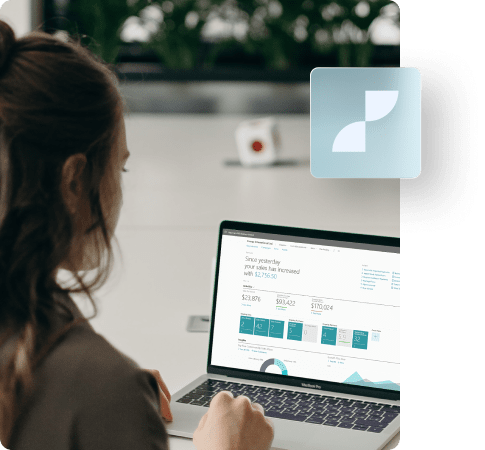
Continia Document Capture helps your team move through AP tasks with fewer delays. This helps finance teams that are dealing with a steady flow of invoices and manual entries, which slow everything down.
Reasons firms prefer Continia Business Central Integration:
- Save 10 hours each week with AI invoice capture
- Achieve 95 percent accuracy with automatic three-way matching
- Process invoices 80 percent faster
- Reduce manual effort by two-thirds
- Start seeing value from day one
- Faster invoice registration
- AI-supported data capture
- Web and mobile approvals
- Clear PO and receipt matching
- Strong fraud checks
- Better contract visibility
- Smooth document handling across vendors and partners
Explore Continia Document Capture Packages
Find out what’s included, compare capabilities, and choose the right fit for your business.
Explore Business Central Pricing
Key Capabilities of Continia Document Capture
Each feature reduces manual work and helps teams handle invoices with confidence. These capabilities work inside Business Central without any external screens.
Data Capture and OCR
Continia’s OCR feature removes manual entry by recognizing details from PDF or XML files and placing them inside Business Central.
- Auto capture of invoice numbers, dates, amounts, tax, vendor data
- Support for PEPPOL BIS 3, UBL, EHF, Finvoice, and several other formats
- Split and merge PDF invoices
- Create vendors, customers, and ship-to records directly from source files
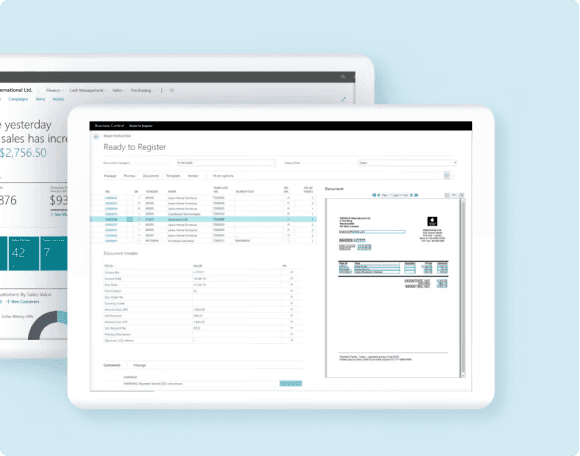
Approval Workflow Automation
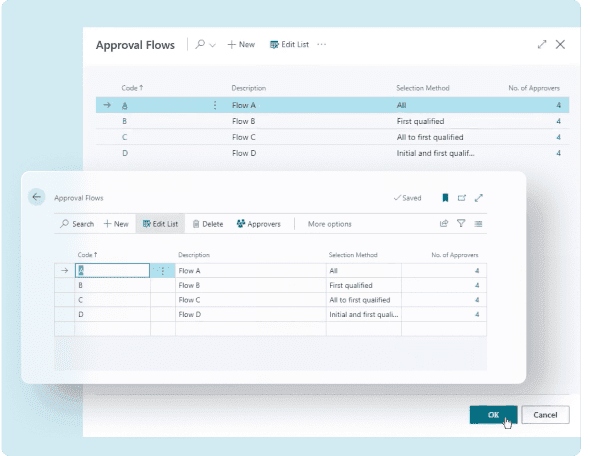
Approvals move more smoothly when flows follow clear routing rules that guide each document through the correct reviewers in a timely manner.
- Unlimited approval flows
- Web Approval Portal for all employees
- Four-eyes checks
- Automatic approvals within set limits
- Forwarding and substitute handling
- Email reminders and alerts
- Full audit trails
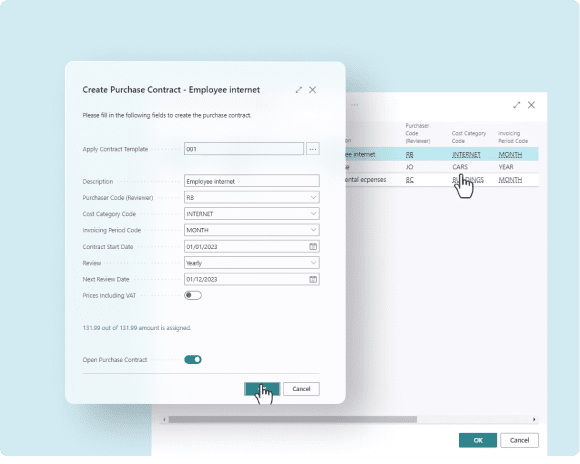
Purchase Contracts
Recurring costs become easier to monitor with contract insights that provide teams a clearer view of renewal dates, spending patterns, and supplier commitments.
- Track renewals and subscription periods
- Auto-detect contract patterns
- Auto approve recurring charges within limits
- Store contract history and related files
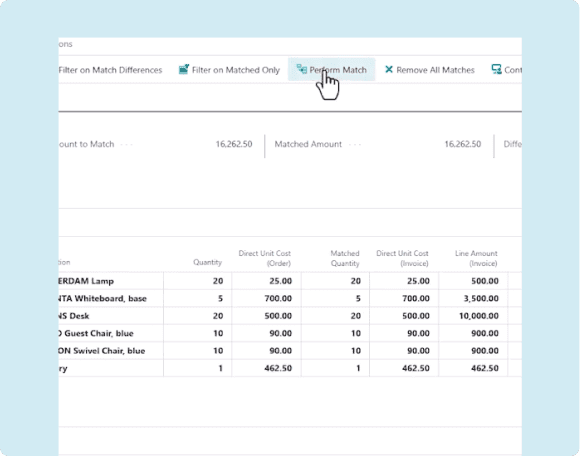
Order Matching
Matching removes confusion during posting by providing clear links between invoices, purchase orders, and receipts, giving teams confidence in every approval decision.
- Three-way matching with high accuracy
- Match by totals or line level
- Handle unit and cost variations
- Highlight vendor updates
- Match across several receipts
Continia eDocuments and Delivery Network
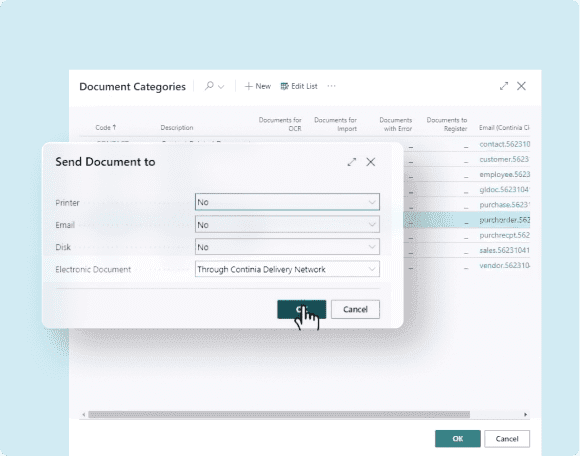
Electronic document exchange becomes simple with Peppol-based delivery by guiding invoices and credit memos through a secure channel that keeps every transfer clear and consistent.
- Receive XML invoices directly in Business Central
- Auto-send eDocuments on posting
- Resend eBilled files when needed
- Onboard suppliers quickly through partner checks
Secure Archive
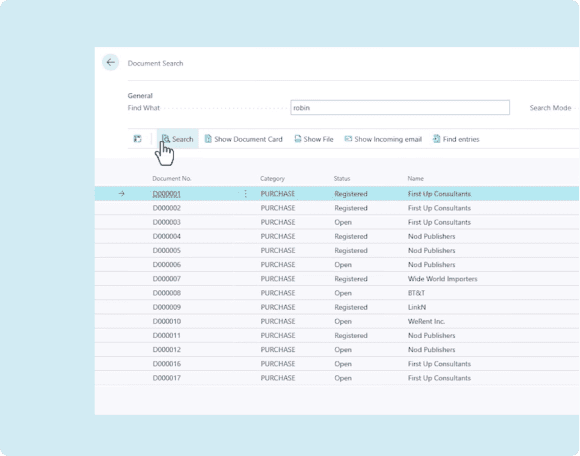
Safe storage ensures quick retrieval and audit support by keeping documents organized, accessible, preserved, and protected with strong integrity throughout.
- Find documents in seconds
- Export for audits
- GDPR-compliant cleanup rules
- Checksum-based integrity control
Integration with Business Central
Continia Document Capture works inside Dynamics 365 Business Central with native pages, actions, and menus. The experience feels natural for finance teams, as every step fits directly into existing Business Central workflows without extra windows or switching between systems.
Key aspects of Continia and Business Central integration:
- Runs fully inside Business Central without external platforms
- Moves data without sync delays or broken connections
- Supports cloud and on-premises environments with steady performance
- Works smoothly with other ISVs such as Tasklet and Insight Works
Continia Document Capture Benefits for Finance and AP Teams
Continia Document Capture supports finance and accounts payable teams by reducing repetitive work and guiding each invoice through a clear sequence of steps. The system reads key details through intelligent OCR, manages approval flows, matches documents with purchase orders, and stores files securely. This creates a calmer working rhythm where teams can focus on checks, decisions, and control rather than manual entry.
With Continia working inside Dynamics 365 Business Central, finance teams experience steady improvement in accuracy and visibility. Audit trails stay complete, documents remain easy to locate, and approvals move with far fewer delays. These gains help build confidence across the entire AP process.
Key benefits for finance and AP teams include:
- Lower manual entry
Continia reduces manual entry through intelligent OCR that captures invoice data accurately and places it inside Business Central with steady consistency.
- Clear approval flow
Approval steps move through defined routes that guide each document to the right reviewer, helping teams finish work with fewer delays.
- Better compliance
Complete document records, version tracking, and secure processing help teams maintain compliance with audit requirements and internal financial control standards.
- Secure file handling
All documents remain stored in a safe archive that protects integrity, preserves originals, and supports quick retrieval during daily work.
- Fewer errors in posting
Accurate matching and validations catch issues before posting, helping teams process invoices with confidence and steady accuracy across the AP cycle.
- Strong audit readiness
Continia provides full visibility of each document’s journey, giving finance teams clear trails that help with internal checks and external audits.
Industries That Benefit from Document Capture and Business Central
Many firms use Continia & Business Central together to bring better control to their accounts payable process. The combination of intelligent OCR, automated approvals, contract insights, order matching, and secure archiving supports teams that work with frequent invoices, recurring costs, and supplier interactions. Continia helps these firms handle daily AP tasks with clarity and fewer manual steps.

Manufacturing
Manufacturers handle large volumes of supplier invoices for materials and services, and Continia helps keep posting and matching steady and accurate.
Know More
Wholesale
Wholesalers manage frequent deliveries and receipts, and automated matching helps teams process invoices that connect to high-volume purchase orders.
Know More
Professional services
Service firms deal with subscription costs, contractor bills, and project charges, and contract insights help teams track these expenses with confidence.
Know More
Retail
Retailers receive many recurring invoices from vendors, and automated approval flows help keep processing times predictable across multiple locations.
Know More
Construction
Construction firms handle staged billing, supplier updates, and changing orders, and Continia helps teams track these details with steadier document control.
Know More
Non-profits
Non-profit organizations work with grant spending rules and donor reporting, and secure archiving helps keep financial records clear and compliant.
Know MoreReady to Automate Your AP Processes with Continia Document Capture?
Talk to our experts and get a tailored deployment plan that fits your goals, timeline, and budget.
Claim Your Free Consultation Today
Integrate Continia Document Capture with Business Central
The team at Dynamics Square helps firms deploy Continia Document Capture inside Dynamics 365 Business Central with a smooth and structured approach. We configure the system around your AP process, your document volume, and your approval style, so your team can start working with confidence from day one.
What we deliver during deployment:
Frequently asked questions
Continia is a set of automation tools that work inside Dynamics 365 Business Central. It helps teams handle invoice capture, approvals, order matching, and document storage without switching systems.
Business Central is an ERP system that supports finance, purchasing, inventory, operations, and reporting. CRM tasks usually connect through Dynamics 365 Sales.
Continia Expense Management is an expense tool that works inside Business Central. It helps employees submit expenses through a mobile app and helps finance teams review and post these entries with clear audit trails.