Tasklet Mobile WMS for Business Central
A simpler way to manage every warehouse task
Tasklet WMS in Dynamics 365 Business Central helps warehouse teams complete daily work with better accuracy and fewer delays. It helps deliver real-time data and support for all major warehouse activities.
Tasklet for Business Central Overview
Tasklet Factory delivers a Mobile WMS solution that supports key warehouse functions through a clear interface that works directly with Business Central. The ISV add-on system gives warehouse employees accurate data, smooth navigation, and the option to extend features inside Business Central for unique processes.
Key highlights:
- Supports all core warehouse processes in Business Central WMS
- Works online and offline without losing data
- Easy to install and scale across warehouse teams
- Offers customisation directly inside Business Central
- Provides a user-friendly interface for faster task handling
- Connects to Microsoft AppSource for quick access
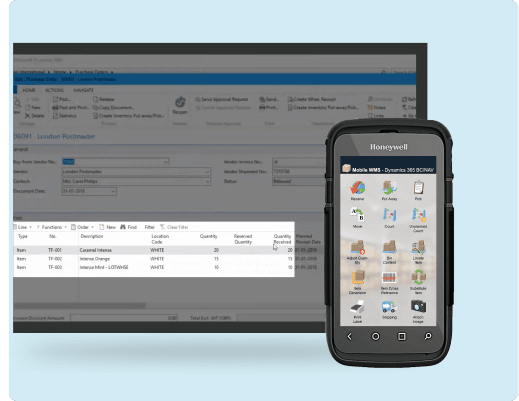
Dynamics 365 Business Central Overview
Dynamics 365 Business Central gives companies a stable way to handle finance, sales, purchasing, and warehouse tasks. Tasklet Factory fills the operational gap by extending warehouse functionality through mobile handling and guided processes.
Business Central strengths:
- Supports daily operations through one ERP system
- Provides smooth integration with Mobile WMS Business Central
- Helps teams manage inventory and item data
- Improves process control across warehouse stages
- Offers reporting tools through Dynamics 365 Business Central
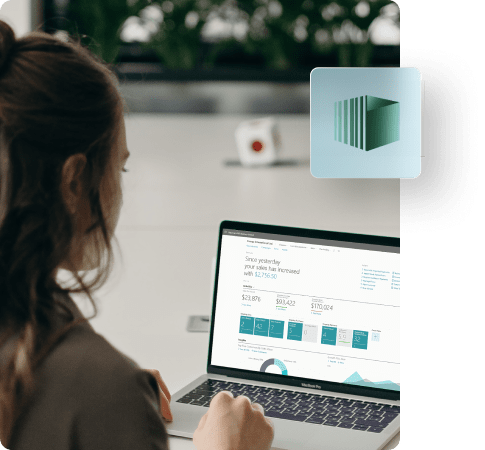
Why Use Tasklet for Business Central?
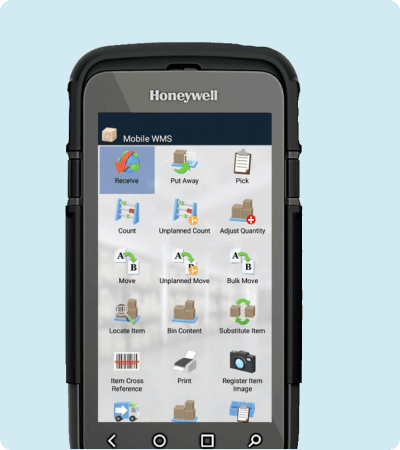
Mobile WMS & Business Central helps warehouse teams complete tasks faster with accurate data and clear guidance. It covers receiving, put away, picking, movement, counting, adjustments, shipping, and production-related updates through an interface built for simple use.
Key highlights:
- Works offline to keep activities running during weak Wi-Fi
- Gives real-time updates inside dynamics 365 Business Central
- Supports lot and serial numbers during receiving
- Helps assign bins accurately for put away
- Guides picking for single or consolidated orders
- Handles planned and unplanned item movements
- Supports planned and unplanned counts for inventory
- Prints labels directly from the mobile device
- Captures images during work processes
- Helps report production and assembly updates
- Supports pack and ship steps from the device
- Works in over 15 languages for global warehouses
See How Tasklet Mobile WMS Supports Daily Warehouse Work
Learn how mobile handling improves receiving, picking, counting, and movement inside Business Central.
Explore Tasklet Mobile WMS
Key Capabilities of Tasklet Mobile WMS
Most businesses want to know: How Mobile WMS supports warehouse operations. Tasklet Factory provides Mobile WMS capabilities that cover every major warehouse step through simple screens and accurate data directly connected to Business Central.
Key features of Tasklet Mobile WMS:
Receiving
This capability helps warehouse staff register delivered items with reliable tracking of quantity, lot numbers, serial numbers, and expiry dates.
Key aspects:
- Register received items
- Track lot numbers and serial numbers
- Record expiry dates
- Improve data accuracy
- Send updates directly to Business Central
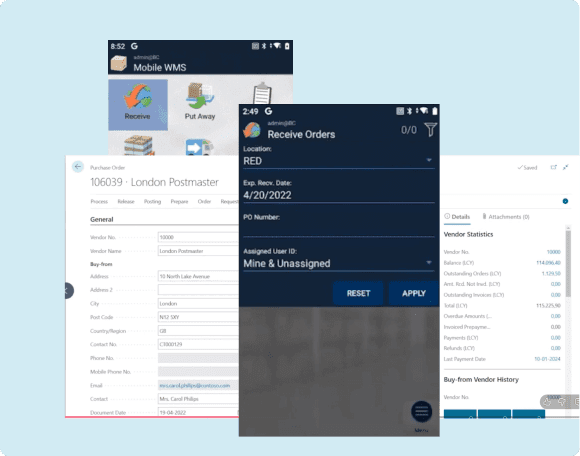
Put Away
Employees assign bins to received items through guided steps that ensure items reach the correct storage location.
Key aspects:
- Assign bins easily
- Reduce misplaced stock
- Guide users through correct placement
- Update Business Central instantly
- Keep storage sequences accurate
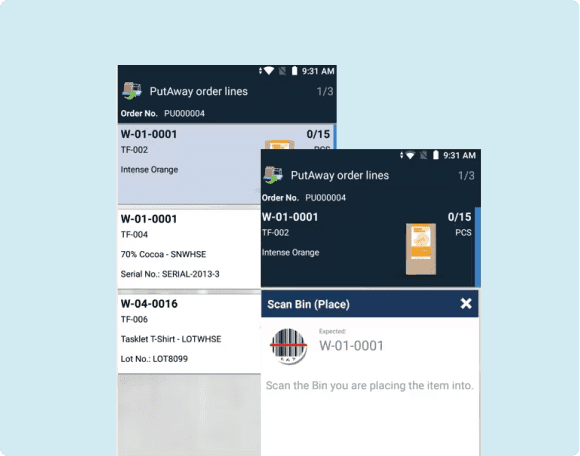
Pick
Teams can pick single or consolidated orders through clear screens that reduce mistakes and improve order readiness.
Key aspects:
- Support for single picks
- Support for consolidated picks
- Quick visibility of required items
- Smooth navigation for pickers
- Instant data sync to Business Central
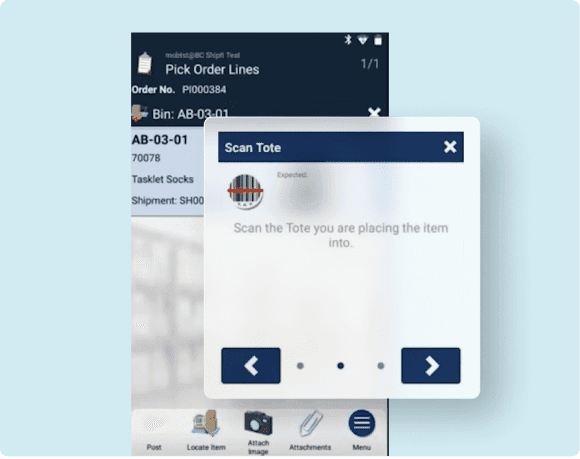
Movement
Movement tasks help employees shift items between bins or locations through planned or unplanned actions.
Key aspects:
- Perform planned moves
- Perform unplanned moves
- Support bulk movement
- Reduce manual paperwork
- Maintain accurate bin data
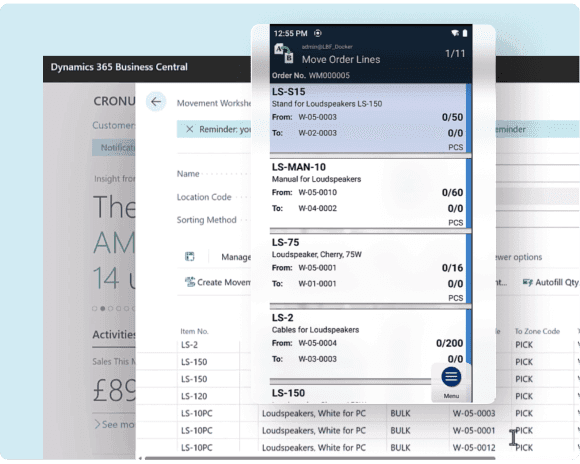
Count
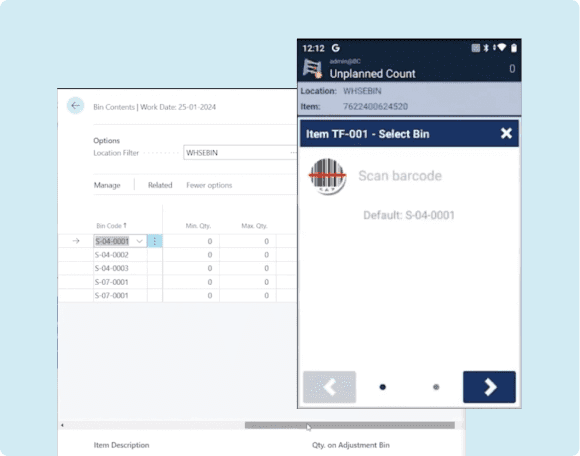
Mobile counting helps teams complete planned and unplanned counts with steady accuracy and system updates.
Key aspects:
- Complete planned counts
- Complete unplanned counts
- Reduce variances
- Improve cycle count accuracy
- Sync results with Business Central WMS
Shipping and Production
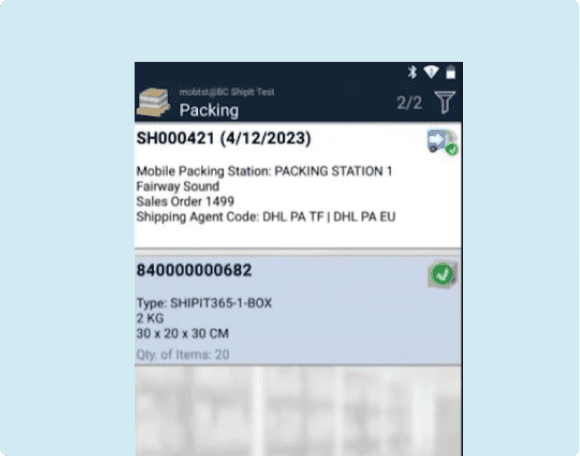
Warehouse teams can complete shipping steps or report consumption and output on production orders from the device.
Key aspects:
- Perform shipment tasks
- Report production consumption
- Report production output
- Manage assembly order updates
- Capture each step on the mobile device
Tasklet Mobile WMS Integration with Business Central
Tasklet Mobile WMS integrates directly with Dynamics 365 Business Central to provide warehouse teams accurate data during receiving, movement, counting, shipping, and production stages. The ISV system supports simple configuration, extensions inside Business Central, and real-time processing of every warehouse action.
Key highlights:
- Direct integration with Business Central
- Simple setup for companies of any size
- Supports custom logic inside Business Central
- Works with Business Central supported versions
- Helps teams maintain accurate warehouse visibility

Key Benefits of Tasklet Mobile WMS
Tasklet Mobile WMS gives warehouse teams a steady way to manage daily work with higher accuracy and better visibility.
The ISV system works offline, supports simple screens, and sends updates directly to Dynamics 365 Business Central. It reduces errors, improves item tracking, and helps teams move faster across receiving, picking, counting, and shipping.
Key benefits for businesses:
- Offline capability
It lets warehouse staff continue receiving, picking, counting, and moving items during Wi-Fi dropouts while the device safely stores every action and sends complete updates once connected again.
- Easy installation
It allows warehouse teams to begin with essential tasks like receiving, picking, and counting, then gradually add other features as staff gain confidence and operations stabilize.
- User-friendly design
It helps warehouse users complete daily tasks with clear screens, simple icons, and guided steps that reduce mistakes and keep every activity steady across the floor.
- Customisation options
It supports specialized warehouse flows by allowing companies to adjust Mobile WMS actions inside Business Central, helping teams follow their exact receiving, picking, or movement requirements.
- Accurate data entry
It reduces warehouse errors during receiving, bin assignment, movement, counting, and shipping by capturing item details directly from the device and sending clean updates to Business Central.
- Support from experts
It gives warehouse teams skilled help from Tasklet Factory specialists at Dynamics Square, guiding setup, training, and ongoing mobile use so users stay steady and confident during daily operations.
Industries That Benefit from Tasklet Mobile WMS
Tasklet Factory supports companies that depend on accurate inventory handling, timely movements, and reliable warehouse visibility. Mobile WMS & Business Central helps businesses that deal with frequent stock changes, regular counts, and steady inbound or outbound activity.

Manufacturing
Helps manufacturing teams track production consumption, output, and material handling across the shop floor with steady accuracy, giving workers clear mobile guidance for every step.
Know More
Distribution and trading
Supports distributors and trading businesses with accurate receiving, picking, bin assignment, and shipping, helping teams manage frequent warehouse activity with simple mobile screens and reliable data.
Know More
Retail
Helps retail teams maintain correct quantities, item references, and stock movement for store supply with mobile tools that make daily warehouse tasks steady and easy to follow.
Know More
Logistics
Supports logistics operations with smooth item movement, packing, and label printing, helping teams manage busy warehouse workflows through clear mobile instructions and real-time Business Central updates.
Know More
FMCG
Helps FMCG businesses track expiry dates, item dimensions, and storage details through mobile guidance that keeps fast-moving stock organized, visible, and ready for timely handling across the warehouse.
Know MoreTake Your Warehouse Operations Ahead with Tasklet Mobile WMS
Connect with our team to plan your setup and support your warehouse processes.
Speak To Our Team
Tasklet & Business Central Integration with Dynamics Square
Dynamics Square supports companies during Business Central implementation by guiding setup, configuration, and integration of Tasklet Mobile WMS. The team handles installation, feature setup, user training, and connection of warehouse workflows with Business Central for smooth operation.
What Dynamics Square does:

Frequently asked questions
Tasklet Mobile WMS is a mobile warehouse solution that supports receiving, movement, counting, shipping, and production tasks directly inside Dynamics 365 Business Central.
Yes, the system saves data during Wi-Fi dropouts and uploads it automatically once the device reconnects.
Yes, you can extend the system through custom logic directly inside Business Central.
Tasklet supports Microsoft Dynamics 365 Business Central and multiple earlier versions of Microsoft Dynamics NAV.
Tasklet Mobile WMS supports label printing and attaching images through the mobile device.