Are you tired of managing your inventory in notebooks or Excel sheets and looking for a system that can automatically track your inventory?
If so, you’re not alone. This article is precisely what you need.
Table of Contents
- Overview of Inventory Tracking Software
- Why Small Businesses Require Inventory Tracking Software
- How to Track Inventory for Small Business
- Top Inventory Tracking Software for Small Business
- Benefits of Using Inventory Tracking Software for Small Business
- Key Features of Inventory Tracking Software for Small Businesses
- How to Choose the Right Inventory Tracking Software for Small Business
- How Dynamics Square Can Simplify Your Inventory Management Journey
- Final Thoughts
As we all know, in a small business, each customer counts. Their needs, their expectations, as well as their buying experience are extremely critical to your success. That is the reason why most small businesses use advanced software on inventories.
By implementing inventory tracking software for small businesses, you can see in real time what you have, what you need to replenish, and the products that are moving faster as opposed to the guesswork or manual updates that are being made.
However, another common challenge soon arises: there are many options in the market, but which solution is truly right for your business?
This is what this blog is going to make you realize. Some of the most trusted inventory tracking system for small businesses will be discussed, along with their features and the ways they can make your daily activities easier.
Hopefully by the end, you will have a clear idea of which system suits your business needs and growth strategies best.
Table of Content
Overview of Inventory Tracking Software
An inventory tracking system for small businesses is a software that assists you in tracking, recording, and controlling your stock in real-time. It tells you:
- What items do you have in stock
- How many units are left
- The location of inventory
- The things that are selling quickly or slowly
- When it’s time to reorder
In other words, the small business inventory tracking system automatically updates the stock as opposed to manual updating at the end of each sale or purchase. You sell online or in a store, a marketplace, or a warehouse; your inventory will remain correct.
Once you understand what it does, the next question is obvious: Why is it so important for small businesses specifically?
Why Small Businesses Require Inventory Tracking Software
As we know, paper lists or Excel sheets are used by most small business owners. However, with increasing products, customers purchase goods on the Internet, at shops, and in markets, and it is difficult to keep track of them manually. And this is why inventory management software is important. It offers:
Real-Time Updates: Rather than assuming the number of products you have, intelligent software keeps the inventory updated immediately as sales and purchases occur.
Eliminate Stockouts and Overstocking: Selling out of popular products is the finest killer of sales, and holding excessively slow inventory is the finest killer of cash flow. Software instructs on reorder time and quantity to maintain a healthy cash position.
Accuracy: Errors are prone to occur in the process of counting by hand. Inventory Tracking Program that includes automation and barcode scanning is designed to provide accuracy in stock counts.
Better Decision-Making: Inventory reports indicate what is selling quickly, what’s not, and the coming month's planning. This knowledge will save you money and increase it in a better way.
Sync Across Channels: Inventory management software ensures that the quantity of your stock is coordinated across all locations in case you sell face-to-face and in marketplaces such as Amazon or Etsy.
Now, it’s time to understand the best way to keep track of inventory for small business.
How to Track Inventory for Small Business
Tracking inventory does not necessarily need to be hectic and overwhelming. Stocks can be handled even by small companies with a small number of staff members in case they follow a few smart steps, which are mentioned below:
Begin With Clean Records of Items: Give each product a proper name, SKU, and category to eliminate confusion and ease the tracking process.
Use Barcodes or QR Codes: Integrating warehouse scanning system speeds up the inventory updates and drastically minimizes human errors when it comes to sales or taking in of stores.
Set Minimum Stock Alerts: Specify the levels of reorder to allow your system to alert you in time and prevent stockouts.
Look At Daily or Weekly Reports: It also makes sense to regularly review reports to get to know the demand, fast-moving products, and low-selling products.
Choose the Right Software: The best inventory tracking software for small businesses will be able to count, update, and give notifications, which will save time and enhance accuracy.
Note: As you do the following, you will find that the management of inventory is predictable and organized. You do not waste time in counting stocks but in doing business.
Top Inventory Tracking Software for Small Business
Here are the some of the renowned inventory tracking software for small business:
Dynamics 365 Business Central
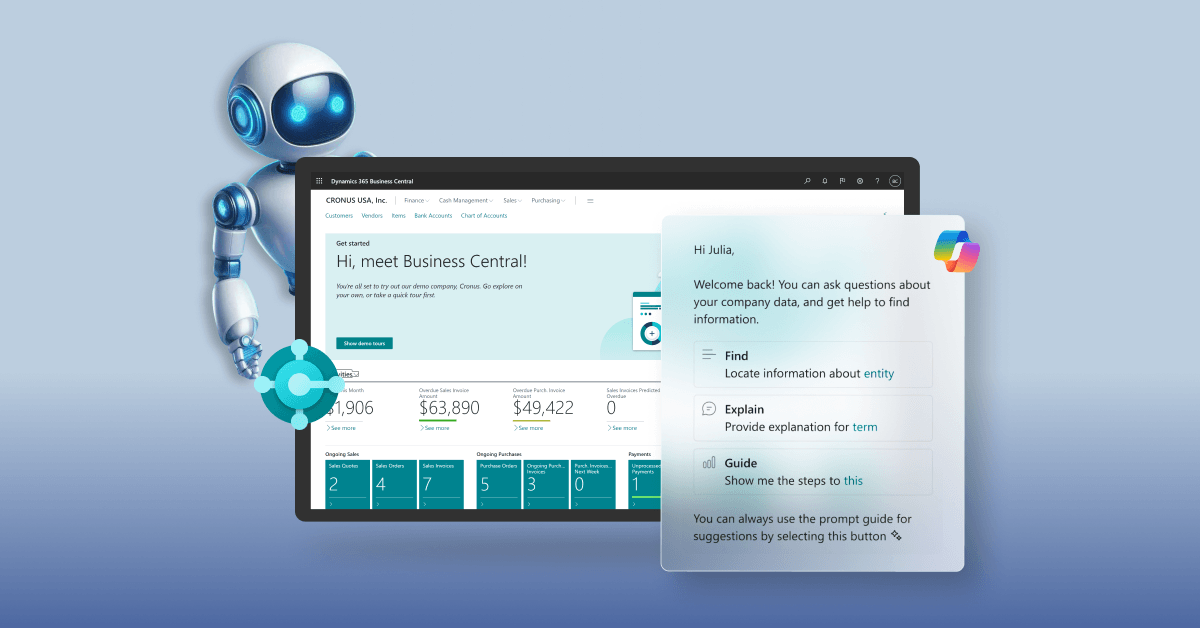
Business Central is more than inventory software; it is a complete Microsoft ERP system that integrates inventory, orders, sales, finance, and warehouse management into a single system.
Features:
- Real-time inventory and multi-location management: Keeps records of stock and transfers.
- Automated replenishment and forecasting: Minimizes stockouts and overstocking.
- Serial/lot tracking and barcode scanning: Enhances accuracy and traceability.
- Deep reporting and analytics: Empowers better business decisions.
- End-to-end ERP environment: Integrates inventory, accounting, and sales.
Best For: Small companies that intend to have long-term growth and control of their operations.
Zoho Inventory
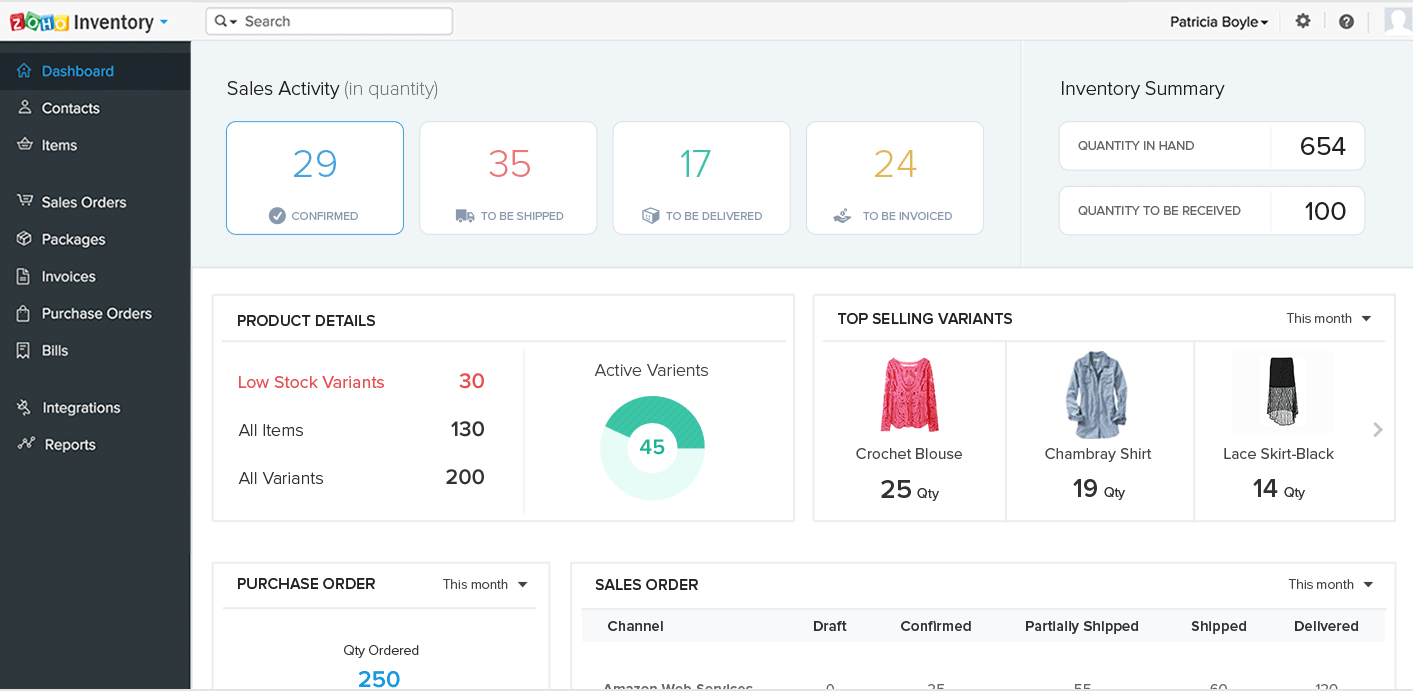
Zoho Inventory is very popular among small and emerging businesses. It is cloud-based and user-friendly, as well as includes features that most startups require at the very beginning.
Features:
- Real-time inventory updates: Stocks automatically update with each sale and purchase.
- Multi-warehouse management: Track inventory in many warehouses without manual labour.
- Barcode and serial tracking: Support inventory tracking programs that enhances accuracy and increases the speed of handling stock.
- Automation of order and invoicing: Eliminates repetitive data and errors.
- Well-integrated: Connects easily with accounting and ecommerce platforms.
Best For: Companies who require an easy-to-use and scalable inventory system.
QuickBooks Commerce
.png&w=3840&q=90&dpl=dpl_bppXUF3qvomyWFE2cZRfMEVY6fzf)
QuickBooks Commerce integrates finance, sales, orders, and inventory. It works especially well if you already use QuickBooks for accounting.
Features:
- Centralized stock visibility: Monitor inventory in all the sales locations.
- Accounting synchronization: Inventory movements reflect directly in financial data.
- Order management tools: Manages sales, fulfillment, and backorders easily.
- Sales performance information: Assists in determining fast-moving products.
- Multi-channel support: Best suited to e-commerce activities.
Best For: Businesses who are already using QuickBooks to do their accounting.
Inflow Inventory
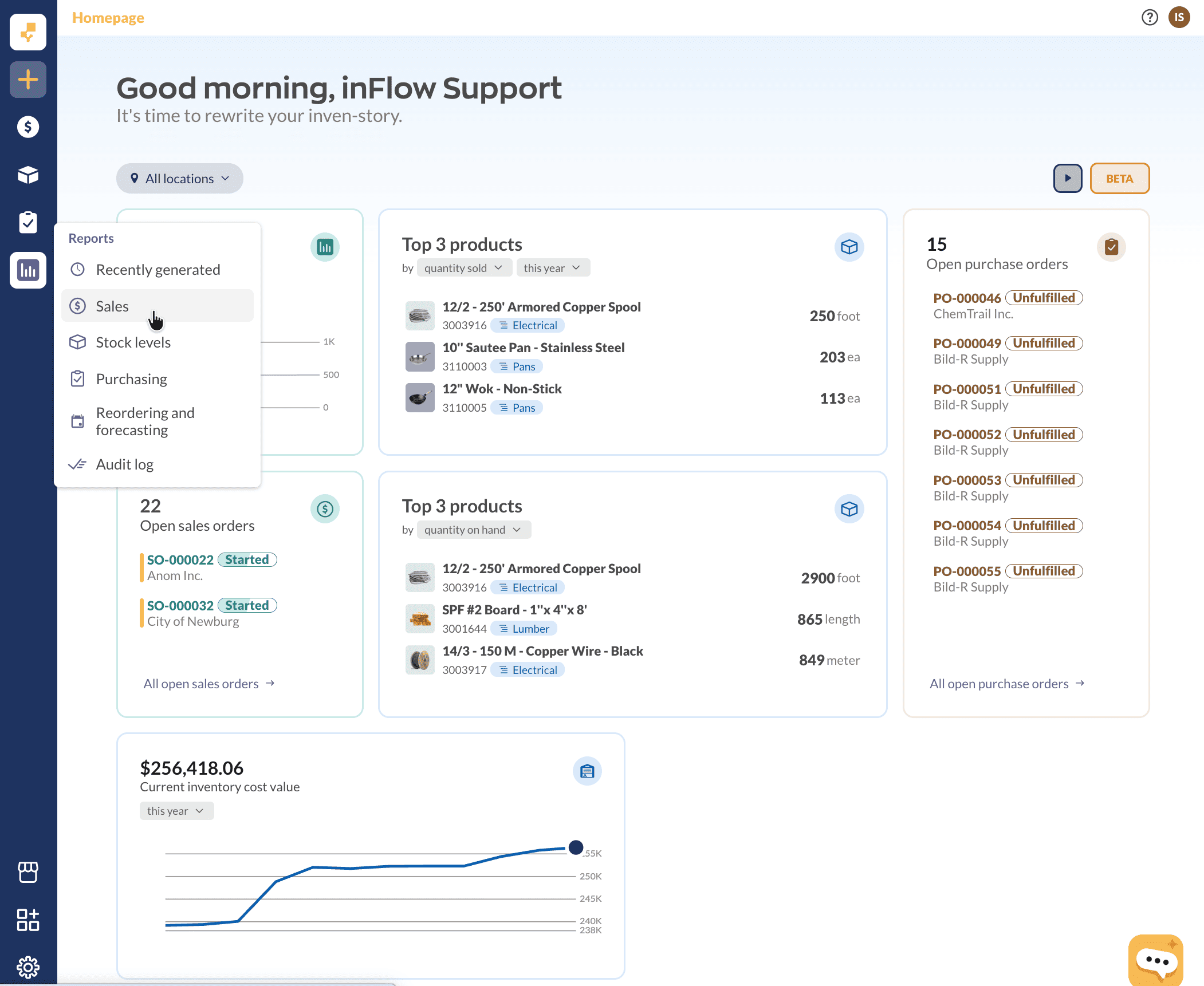
Inflow is an easy-to-use yet powerful inventory software, which is used by manufacturing, wholesale, and retail companies. It is supposed to get rid of spreadsheet headaches.
Features:
- Tracking using a barcode: This enhances faster inventory updates and minimizes any errors.
- Multi-location inventory: The system is effective in terms of transfer and inventory movement.
- Purchase and sales processes: Streamlines order processing.
- Reporting and stock valuation: Enhances decision-making.
- User-friendly interface: Small teams can learn with ease.
Best For: Small manufacturers, retailers, and wholesalers.
Sortly
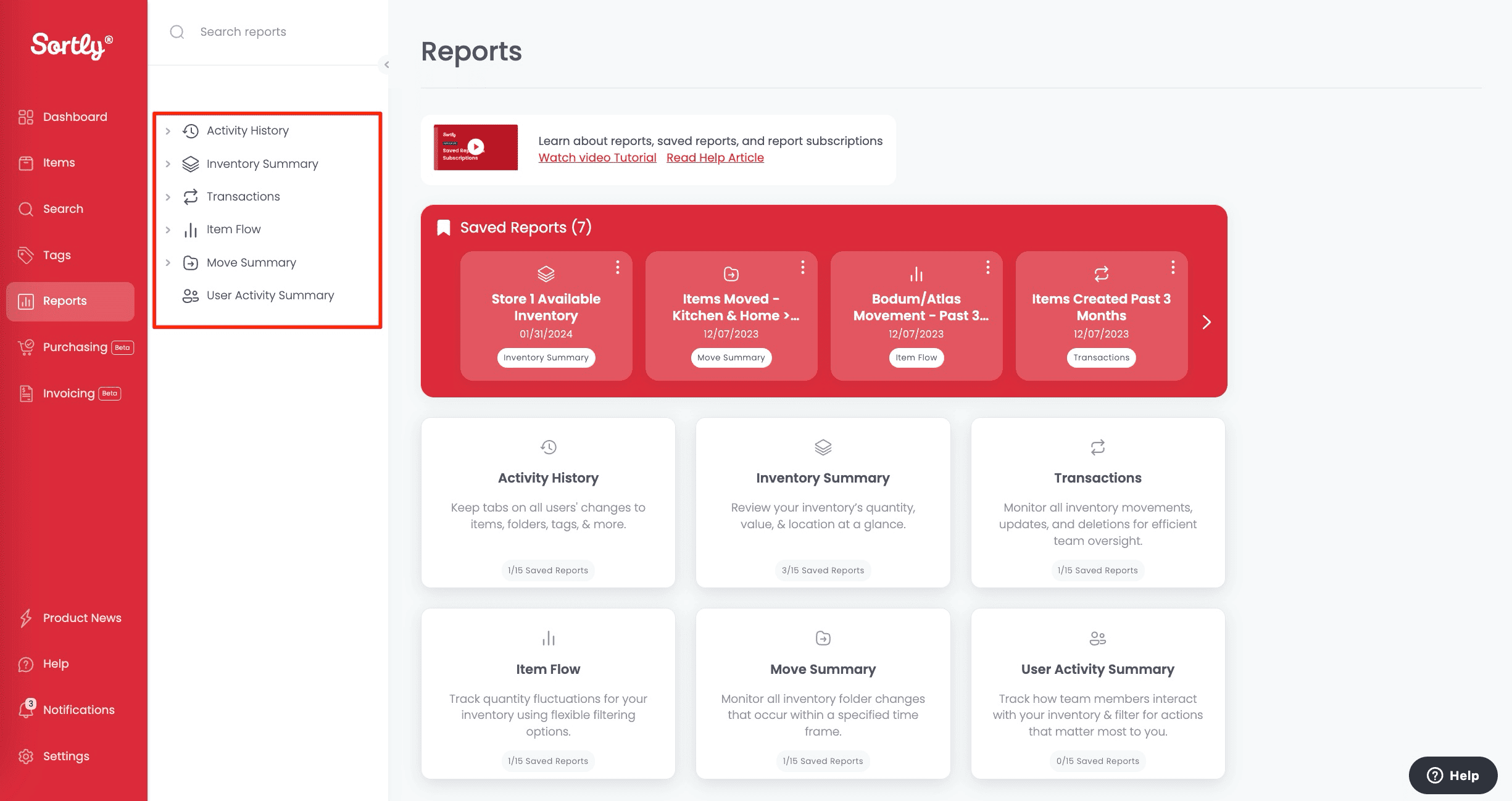
Sortly simplifies inventory management to be visual and easy to use. In simple words, you can see things with photo cards and then know what is stock without having to read anything.
Features:
- Visual inventory dashboard: Products are shown with photos so that they can be identified easily.
- Mobile scan support: Scan inventory fast through smartphones.
- Cloud synchronization: Data stays updated across devices.
- Basic quantity monitoring: Perfect when simple inventory is required.
- Low initial setup work: Easy-to-use design.
Best For: Mobile-first teams and very small businesses.
Cin7
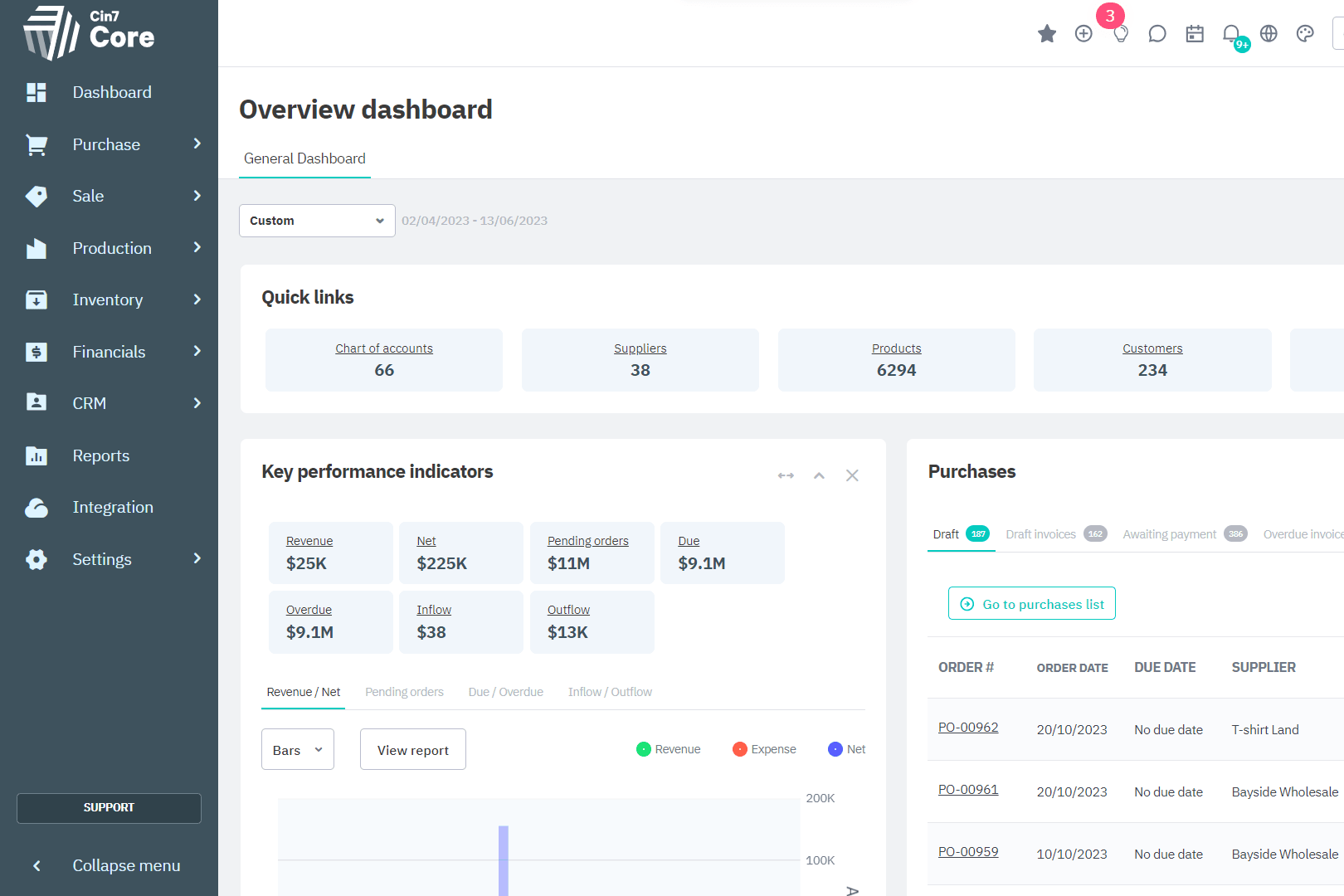
Cin7 Core is more advanced and integrates inventory with order flow, fulfillment, and supply chain automation.
Features:
- Unified inventory engine: Maintains stock in harmony in the channels of sale.
- Automation tools: Eliminates manual stock changes.
- Demand forecasting: Helps in avoiding stockouts and overstocking.
- Extensive integrations: Integrates with e-commerce and shipping.
- Scalable workflows: Helps expand business.
Best For: Growing retail and e-commerce brands.
Odoo Inventory
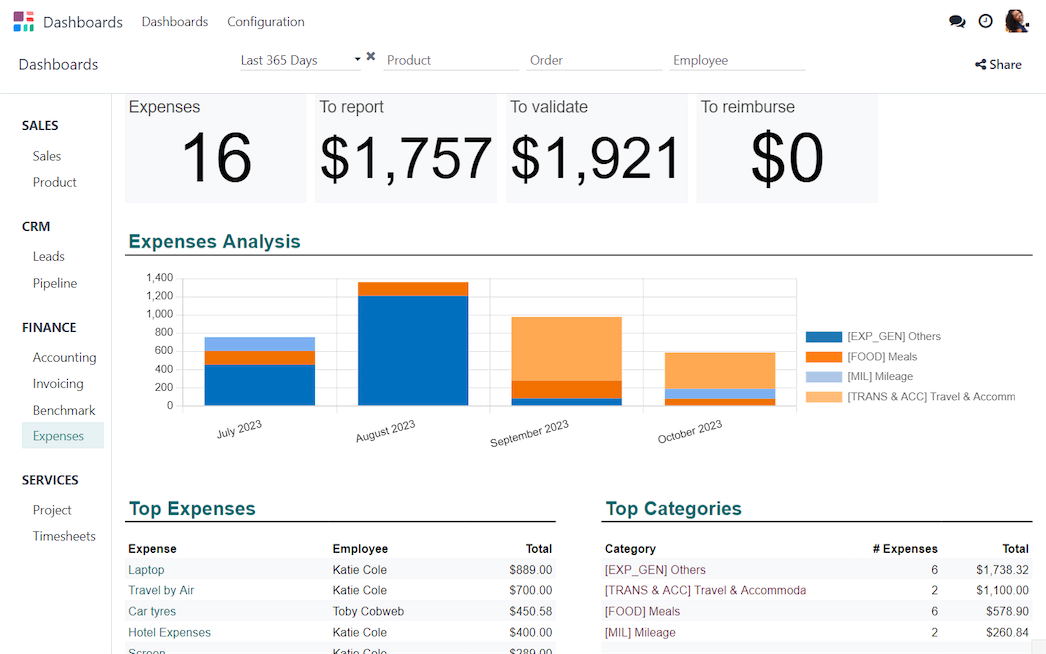
Odoo is an open-source business software. The inventory module is used to monitor stock and give you the opportunity to add additional apps such as CRM, accounting, or e-commerce.
Features:
- Modular system design: Add apps such as CRM and accounting on demand.
- Intelligent replenishment rules: Automates restocking decisions.
- Barcode operations: Enhances efficiency in the warehouse.
- Multi-warehouse flows: Manages complicated stock movement.
- Workflow customization: Adapts to business operations.
Best For: Businesses need flexibility and customization.
Also Read: Odoo Alternatives
Fishbowl Inventory
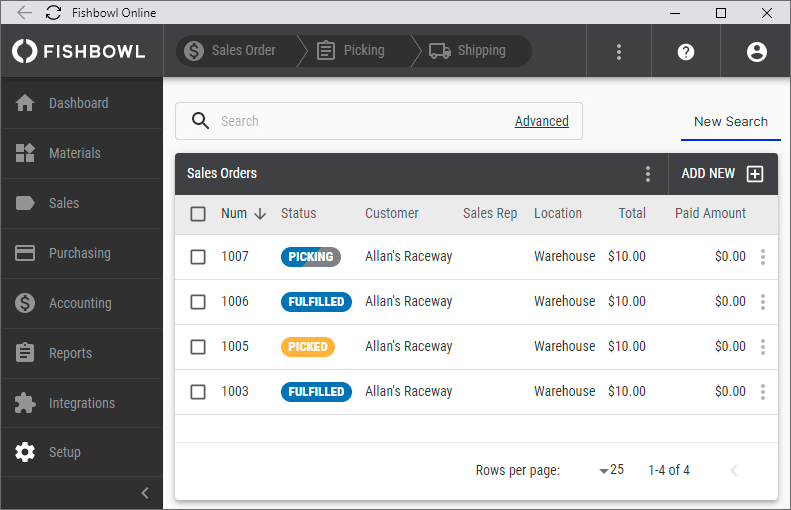
Fishbowl is strong on warehouses and manufacturing inventory, particularly when it is combined with QuickBooks or Xero.
Features:
- Comprehensive monitoring of the warehouse: Better visibility and precision of stocks.
- Bill of materials support: Ideal support for production facilities.
- Barcode automation: Less pick-up and receive mistakes.
- Work order management: Assists production planning.
- Accounting integrations: Syncs with financial systems.
Best For: Manufacturers and warehouse-based businesses.
Square
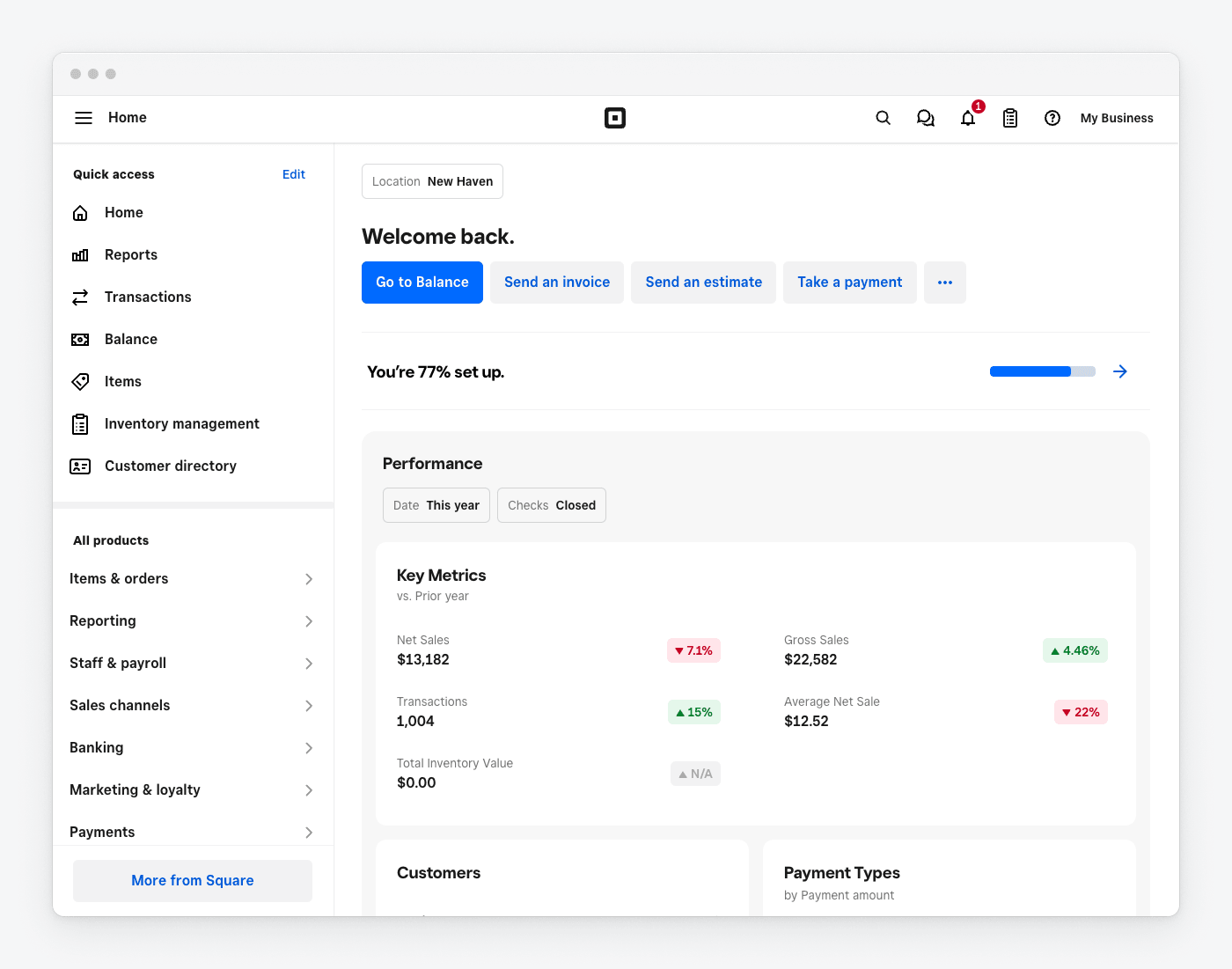
The stock tracking of Square lies within its point of sale (POS) platform, and thus, sales and inventory are continuously updated in real time.
Features:
- Automatic stock changes: Inventory changes in real-time as the sales go on.
- Integrated POS system: Sales and stock are kept in harmony.
- Product and supplier management: Simplifies purchasing processes.
- Sales analytics and reporting: Recognizes the best-selling products in a short time.
- Quick setup process: Designed for small retailers.
Best For: Physical shops and retail outlets.
Qoblex
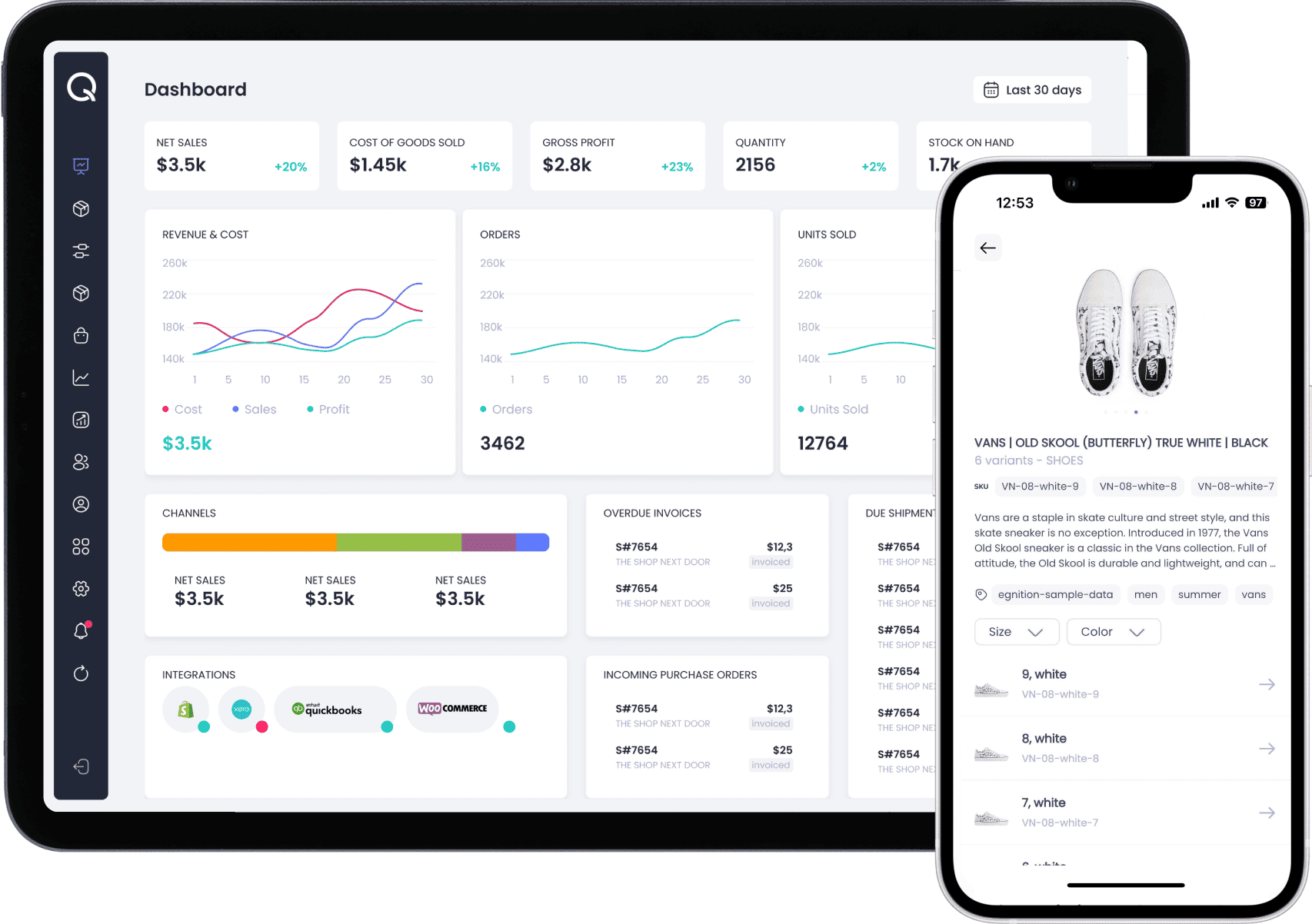
Qoblex is a newer cloud-based inventory and order management tool designed for SMBs. It combines inventory management with sales and procurement reporting.
Features:
- Real-time inventory visibility: Data on stock is updated in real time.
- Purchase and sales processes: Track stock movement easily.
- Cloud accessibility: Control inventory anywhere.
- Integration-friendly design: Connects with e-commerce tools.
- Performance dashboards: Helps make smarter decisions.
Best For:
Small e-commerce and trading businesses.
Benefits of Using Inventory Tracking Software for Small Business
We all know small business is in itself a difficult task. Stock management is an added burden of unnecessary stress, error, and losses. But using inventory tracking software proves to be extremely beneficial. It includes:
- Better Precision: Automation of tracking eliminates human errors, miscounts, and wrong stock in the records.
- Real-Time Stock Visibility: You always know what is on hand, what is running low, and which ones require restocking.
- Prevents Stockouts and Overstocking: Smart alerts always enable the maintenance of the appropriate levels of inventory.
- Improved Cashflow Management: These avoid the need to tie up money in slow-moving or excess inventory.
- Simplified Audits and Reporting: Digital records facilitate tracking, valuation, and reconciliation.
- Supports Business Growth: Scalable systems can support growing products, locations, and transactions without difficulty.
Note: The right inventory tracking system for small business is that which substitutes sporadic guesswork with clarity and control.
Key Features of Inventory Tracking Software for Small Businesses
The following are key features of inventory tracking system for small businesses:
- Low-Stock Alerts and Reorder Points: This helps to avoid the shortage of high-demand products.
- Barcode/QR Code Scanning: Accelerates stock management and increases accuracy.
- Product Categorization and SKUs: This is because it categorizes inventory to be searched and reported easily.
- Multi-Location/Warehouse Management: Monitors inventory across multiple stores or warehouses.
- Purchase & Sales Order Management: Automates the procurement and fulfillment process.
- Inventory Valuation and Reporting: Gives an insight into stock value, turnover, and performance.
Together, these features transform a basic stock list into a smart small business inventory tracking system.
How to Choose the Right Inventory Tracking Software for Small Business
The choice of the best inventory tracking software for small businesses is about the ability to find a system that enhances accuracy, makes work easier, and helps the business to grow.
The best practices in the industry always focus on some important points. Including:
- Real-Time Inventory Tracking: Select software that adjusts stock levels in real-time to eliminate overselling and stock mismatches.
- User-friendliness: The system must be user-friendly and easy to navigate, which will result in fast adoption by your team.
- Integration Capabilities: Make sure that it integrates with accounting, POS, and e-commerce systems to prevent duplicate data entry.
- Core Automation Features: Seek barcode scanning, low stock notifications, and reorder points to minimize manual work.
- Scalability: The software should be able to support increased products, transactions, and locations as your business expands.
- Reporting and Insights: Strong analytics will be used to determine fast movers, slow sellers, and inventory value.
- Multi-Location Support: This is essential when operating more than one store or warehouse.
- Cloud and Mobile Access: They enable inventory tracking and updates at any location.
- Budget Fit: Should be value-driven and feature-based instead of being complexity-based.
- Vendor Reliability & Support: Reliable support is a guarantee of the ongoing operations in case of any problems.
How Dynamics Square Can Simplify Your Inventory Management Journey
The choice and implementation of an inventory tracking system for small business is hardly ever a software issue; it must be a matter of matching technology with your business processes.
That is why growing companies often choose Dynamics Square Canada, a Microsoft partner to guide their inventory management and system adoption journey.
Instead of imposing a one-size-fits-all solution, Dynamics Square assist you in Dynamics 365 implementation after the analysis of already existing workflows, inventory issues, and reporting requirements. Regardless of whether a business has a problem with stock visibility, demand planning, or multiple location control, our solution tends to revolve around the more real-life operational configuration.
Moreover, balance between technical capability and business knowledge is important to clients. Since the first consultation and solution design to deployment and post-implementation support, the focus is on simplifying the inventory processes, making them more precise and easier to scale up.
Final Thoughts
As we discussed, profitability, customer satisfaction, and operational efficiency are all things that can be directly affected by effective inventory management. Although spreadsheets and manual tracking can be effective in the short term, growing businesses tend to find purpose in specialized warehouse scanning systems that automate and organize and offer real-time information.
In addition, the right inventory tracking software for small business assists in minimizing expensive errors, stockouts, better forecasting, and the release of valuable time. The key is to select a solution that fits your size of business, complexity, and future growth strategies.
When technology, processes, and guidance are put together, inventory management stops being a frustrating issue for a business and becomes an organized, foreseeable operation of the company.
For more information, you can call us at +1 778 381 5388 or you can also drop a mail at info@dynamicssquare.ca.
People Also Ask:
What is the 80/20 Rule in Inventory?
In inventory management, the 80/20 rule (Pareto Principle) tends to imply that 80% of your sales are attained by 20% of products. The experience gained by most of the small businesses is that a few popular products make most of the sales, as the others are slower. That is why the knowledge of the items of greatest importance will enable you to reorder more wisely and save inventory.