Microsoft Dynamics NAV
Microsoft Dynamics NAV Support, Upgrade, and Migration to Business Central in Canada
Still running on Dynamics Nav software? If your version is aging, support is limited, or your system feels restrictive, it is time to act. The last version, NAV 2018, is already on a fixed support timeline, with extended support ending around 2028.
Our NAV professionals in Canada can help you protect your system, lower your risk, and switch to Dynamics 365 Business Central without any operational disruption. In one focused conversation, you are likely to get clear on expenses, timing, and next steps.
What Is Microsoft Dynamics NAV?
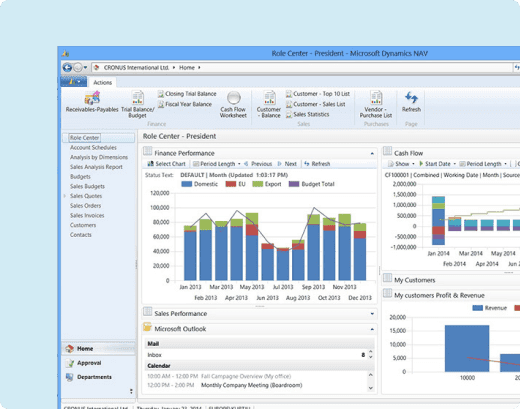
Microsoft Dynamics NAV, previously known as Navision (or MS Navision), is an enterprise resource planning system built for small and mid-sized firms. Dynamics NAV software helps companies manage finance, inventory, sales, purchasing, warehousing, manufacturing, and reporting in one easy-to-use connected system. Many firms in Canada used this Navision software to bring structure and visibility to daily operations.
However, NAV today poses risk from outdated infrastructure, manual upgrades, and limited innovation. In contrast, Dynamics 365 Business Central offers a cloud-first ERP with 99.99% uptime, automatic updates, and capabilities.
 99.99% uptime
 Automatic Updates
 Built-In AI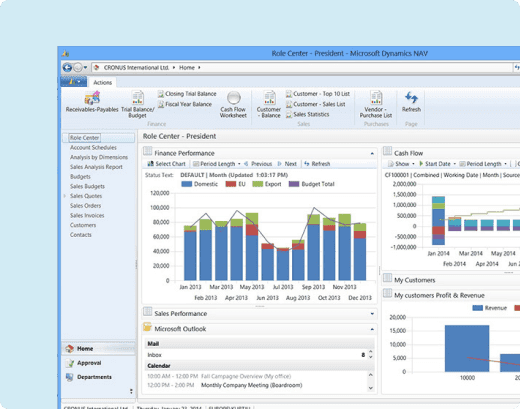
Speaking of its popularity, over 550K businesses worldwide have used NAV to run their operations. Today, many are moving to Business Central which is a cloud-based successor to Dynamics NAV software.
Dynamics 365 Business Central is everything that Dynamics NAV is but with AI-powered and stronger automation and integration capabilities.
Why NAV to Business Central Migration Is Needed?
Navision or Dynamics NAV is a product that Microsoft has already moved beyond. Mainstream support for most versions of Microsoft Dynamics NAV (or Navision) has ended, and extended support is scheduled to phase out in the coming years. This means limited security updates, no innovation, and rising long term risk.
Microsoft is investing fully in Dynamics 365 Business Central. All new features, cloud capabilities, AI-powered features, and integration improvements are being built there, not in legacy NAV.
The Real Risk of Staying on NAV

NAV runs primarily on on-premises infrastructure, increasing risks of hardware failure, data mismatch, and limited scalability

Extended support ends in 2028, after which long-term sustainability depends entirely on external partners

Compliance updates (such as VAT or regional regulations) often require manual customization

No access to Microsoft’s AI roadmap or continuous product innovation

So, here are some practical reasons for Nav to Business Central migration:
- • No new feature development beyond NAV 2018
- • Increasing security and infrastructure risk due to on-premises dependency
- • Business Central offers 99.99% uptime backed by 150+ global Microsoft data centres
- • AI-powered automation across finance, sales, and inventory
- • Built-in disaster recovery with cross-region data replication
- • Native integration with Microsoft 365 (Outlook, Teams, Excel, OneDrive, SharePoint, etc.)
- • Automatic updates ensure continuous compliance without manual intervention
- • Flexible cloud scalability from 1 to 10,000+ users
- • Reduced reliance on internal IT and legacy infrastructure
- • Lower long-term operational and maintenance costs

Staying on NAV increases operational limitation. The decision of moving from NAV to Business Central improves agility, security, and scalability. In essence, this is not a technical upgrade but a strategic business decision.
Of late, we have successfully delivered a project wherein a North American flooring provider upgraded from NAV 2005 to NAV 2018. This helped the company improve its system speed, inventory visibility, and reporting accuracy while enabling smoother operations and better Microsoft integration across daily business functions.
NAV vs Business Central Comparison
| Area | Dynamics NAV | Dynamics Business Central |
|---|---|---|
| Support Lifecycle | Extended support ends around 2028 | Continuous Microsoft investment and roadmap |
| Deployment | Primarily on-premises. Hybrid possible. | Cloud first. Also available on-premises. |
| Updates | Manual upgrades. Major version upgrades require projects. | Automatic updates with zero disruption. No large upgrade projects required. |
| Licensing Model | Perpetual license with enhancement plan. | Subscription-based monthly or annual licensing. |
| Customization | Heavy code customization common. | Extensions model. Easier upgrades with controlled customization. |
| Integration | Integrates with Microsoft tools but often requires configuration. | Native integration with Microsoft 365, Power BI, Power Platform, and Teams. |
| User Interface | Traditional Windows style interface. | Modern web-based interface with simplified navigation. |
| Mobile Access | Limited without additional setup. | Full browser and mobile access by default. |
| AI Capabilities | No built-in AI capabilities. | Embedded AI features (AI agents) including Copilot capabilities. |
| Reporting | Standard reporting. Advanced reporting needs setup. | Built-in Power BI integration and improved real time insights. |
| Scalability | Scaling requires infrastructure upgrades. | Cloud scalability without server expansion. |
| Security | Depends on internal IT and server setup. | Microsoft cloud security with built-in disaster recovery and 99.99% uptime SLA. |
| Cost Model | Upfront license plus server and maintenance cost. | Predictable subscription cost with reduced infrastructure expense. |
| Future Roadmap | Limited innovation focus from Microsoft. | Active Microsoft investment and continuous feature development. |
| Microsoft Innovation Focus | Legacy product. | Primary ERP focus within Microsoft ecosystem. |
Business Central is not a separate product built from scratch. It is the evolution of NAV in a modern cloud framework. If you want stability, continuous innovation, and long-term growth, Business Central is the future-ready version of NAV.
Unify ERP and Sales into One Connected System
See how a solar distributor streamlined sales, finance, and support by integrating Business Central with Dynamics 365 Sales
Key Features and Capabilities of Dynamics 365 Business Central
Dynamics 365 Business Central is the modern version of Dynamics NAV software. It keeps the strong financial foundation of NAV while adding cloud flexibility, AI capabilities, automation, and deeper integration across the Microsoft ecosystem.
Here is what businesses gain after upgrading:
- Cloud-based deployment with automatic updates
- Advanced financial management with real-time visibility
- Multi-company and multi-currency support
- Built in budgeting, forecasting, and cash flow insights
- Seamless integration with Microsoft 365 and Teams
- Native Power BI reporting for data-driven decisions
- Workflow automation to reduce manual work
- Inventory and warehouse optimization
- Manufacturing and project management capabilities
- Secure remote access from any location
- Embedded AI features including Copilot assistance
- Role-based dashboards tailored to each user
If you are planning to modernize your ERP, Business Central is where Microsoft is investing its full innovation focus.
When Should You Consider a NAV Upgrade?
Many businesses in Canada continue running Dynamics NAV software because it still works. The real question is whether it is working efficiently, securely, and cost effectively.
You should seriously evaluate an upgrade if the following issues sound familiar:
- Your NAV version is nearing or past end of support
- Server maintenance and infrastructure costs keep increasing
- Remote access is limited or difficult to manage
- Reporting feels slow or requires manual effort
- Teams rely heavily on spreadsheets and manual workflows
- Integrating with modern tools is complex or unstable
- Security updates and compliance requirements are a concern
If two or more of these apply to your business, delaying the NAV upgrade may increase operational risk and long-term cost.
NAV to Business Central Migration Process
Migrating from NAV to Business Central does not have to be disruptive. With the right structure and planning, the transition can be controlled, secure, and predictable. Our approach focuses on business continuity, data accuracy, and compliance at every stage.
It is important to understand that upgrading from NAV to Business Central is not a one-step migration. Due to version differences (NAV 2009, 2013, 2016, 2018), upgrades must follow a structured, step-by-step approach to ensure all data, objects, and customisations are correctly transitioned.
Why Most NAV Upgrades Fail (And How to Avoid It)
ERP upgrades are not technology projects. They are people-driven projects. Most failures are not due to the product, but due to poor execution by the implementation partner.
Common reasons include:


A successful upgrade requires strong technical expertise combined with real business understanding.

Why Choose Dynamics Square Canada?
Choosing the right ERP partner directly impacts the success of your NAV upgrade or migration. You need experience, structure, and long-term commitment.
Dynamics Square brings:
- Ability to deliver upgrade projects 35% to 40% more cost-efficiently compared to traditional local partners
- 14+ years of ERP implementation experience
- 500+ successful projects delivered globally
- Dedicated specialization in Microsoft Dynamics solutions
- Strong presence supporting businesses across Canada
- Deep expertise in NAV upgrades and Business Central migrations
- Structured data migration and customization mapping approach
- Ongoing support services to ensure system stability
- Experience across manufacturing, distribution, retail, and services
- Combination of on-site business analysis and global delivery capability for faster and more cost-effective execution
Our team focuses on predictable execution, transparent communication, and measurable outcomes. We work as a long-term technology partner, not just an implementation vendor.

NAV Pricing and Licensing
Before getting into the details of NAV pricing and licensing, it is important to get clarity on what actually changes when you move to Business Central from NAV.
Key Licensing Change from NAV to Business Central
perpetual and concurrent licensing model
NAV used a perpetual and concurrent licensing model (shared licenses across users)
named user subscription model
Business Central uses a named user subscription model, where each user requires a dedicated license
Device-based licensing
Device-based licensing is available for shared environments such as warehouses
Essential and Premium tiers
Business Central offers Essential and Premium tiers, with Premium including manufacturing capabilities
So, understanding NAV pricing requires clarity on licensing structure and long-term cost. Pricing is not one size fits all. It depends on your version, deployment model, and business complexity.
Here is how licensing typically works:
Perpetual License Model
A one-time license purchase with annual enhancement and support fees. Common for on premise NAV deployments.
Subscription Model
Monthly or annual user-based pricing. More common when moving to Dynamics 365 Business Central in the cloud.
Starter and Extended Packs
The Starter Pack covers core financials, sales, purchasing, and inventory. The Extended Pack includes manufacturing, warehouse management, and advanced capabilities.
Frequently asked questions
It is important to understand that NAV is an ERP, not a CRM. It manages core business processes, while it can integrate with CRM tools for customer management.
Yes, Navision was the original name. After Microsoft acquired the product, it was renamed Microsoft Dynamics NAV.
Microsoft rebranded Dynamics NAV as Dynamics 365 Business Central in 2018. Business Central is the cloud-based advancement of NAV.
The old name for Microsoft Dynamics NAV was Navision.
NAV has primarily been deployed in two ways:
- On-premises deployment on company owned servers
- Hybrid deployment combining private servers and cloud components
Today, cloud deployment is delivered through Business Central.
Support depends on the NAV version. Most older versions are under extended support, with limited updates. Microsoft is focusing its development and innovation on Business Central.
Navision and Dynamics NAV refer to the same product. Microsoft renamed Navision to Microsoft Dynamics NAV after acquisition.
Navision is used to manage core business operations such as accounting, inventory, purchasing, sales, manufacturing, project management, and reporting within a single ERP system.