Accounting Software for Small Business in 2026 | Dynamics Square Canada
Most of the small business owners would simply wish to know three things: Is my money under control? Am I compliant? And shall I depend upon these figures to decide? And modern accounting software makes all this possible.
Accounting software for small businesses is designed to handle daily accounting operations in the background silently, such as recording transactions, managing invoices, tracking expenses, and maintaining accurate records. At the same time, it provides a clear picture of your financial activities, helping you make informed decisions and support long-term business growth.
Furthermore, as business grows, the number of invoices increases, expenses become harder to track, and compliance requirements become more demanding. In such situations, accounting software becomes a boon for your organization. That is why the selection of accounting software must be practical and reassuring rather than being technical or daunting.
This blog explains the key factors that help you to choose the best accounting software for your business. You will also explore the top accounting and bookkeeping software for small business, their core features, and how to identify the solution that truly fits your business needs.
Table of Content
What Does Accounting Software Do?
Accounting software is created to help businesses to record, manage, and examine their monetary operations in a well-organized and trustworthy manner. Rather than using manual bookkeeping or spreadsheets, ERP accounting software brings all financial information into one system and enables business owners to retain accuracy, control, and compliance in their operations as they expand.
Below we mentioned what accounting software for Canadian small business does
- Records and Catalogue Financial Transactions
- Deals with Invoicing and Billing
- Tracks Expense and Control Costs
- Prepares Taxes, Tax Compliance
- Customizes Payroll Processing
- Secures Financial Data
How to Set Up Accounting Software for Your Small Business
Setting up accounting software for a small business does not necessarily have to be sophisticated. It becomes a process that is well organized and can be handled when done in phases. It includes:
1. Choose Between the Accounting Methods
Businesses are generally subject to two forms of accounting:
Cash Accounting: Transactions are recorded when money is received or paid.
Accrual Accounting: Income and expenses are recorded when they are earned or incurred, regardless of payment timing
2. Open a Dedicated Business Bank Account
It is important to separate personal and business finances because they are critical in:
- Proper financial monitoring
- Easier tax filing
- Audit readiness
3. Select the Right Accounting Software
This decision must be grounded on:
- Business size and business growth plans.
- Industry requirements
- Compliance needs
- Budget and scalability
4. Integrate Payments and Payroll
An effective system must be able to support:
- Online invoicing and online payments.
- Payroll processing
- Automated tax calculations
This saves on the manual work and enhances precision.
5. Reporting and Expense Processes
Your small business accounting software must create real-time reports such as:
- Profit & Loss
- Balance Sheet
- Cash Flow Statement
Proper categorization of expenses helps in easy tax compliance, as well as improved financial understanding.
Best Accounting Software for Small Businesses in Canada 2026
Below are 8 trusted accounting platforms used by small and mid-sized businesses:
Dynamics 365 Business Central
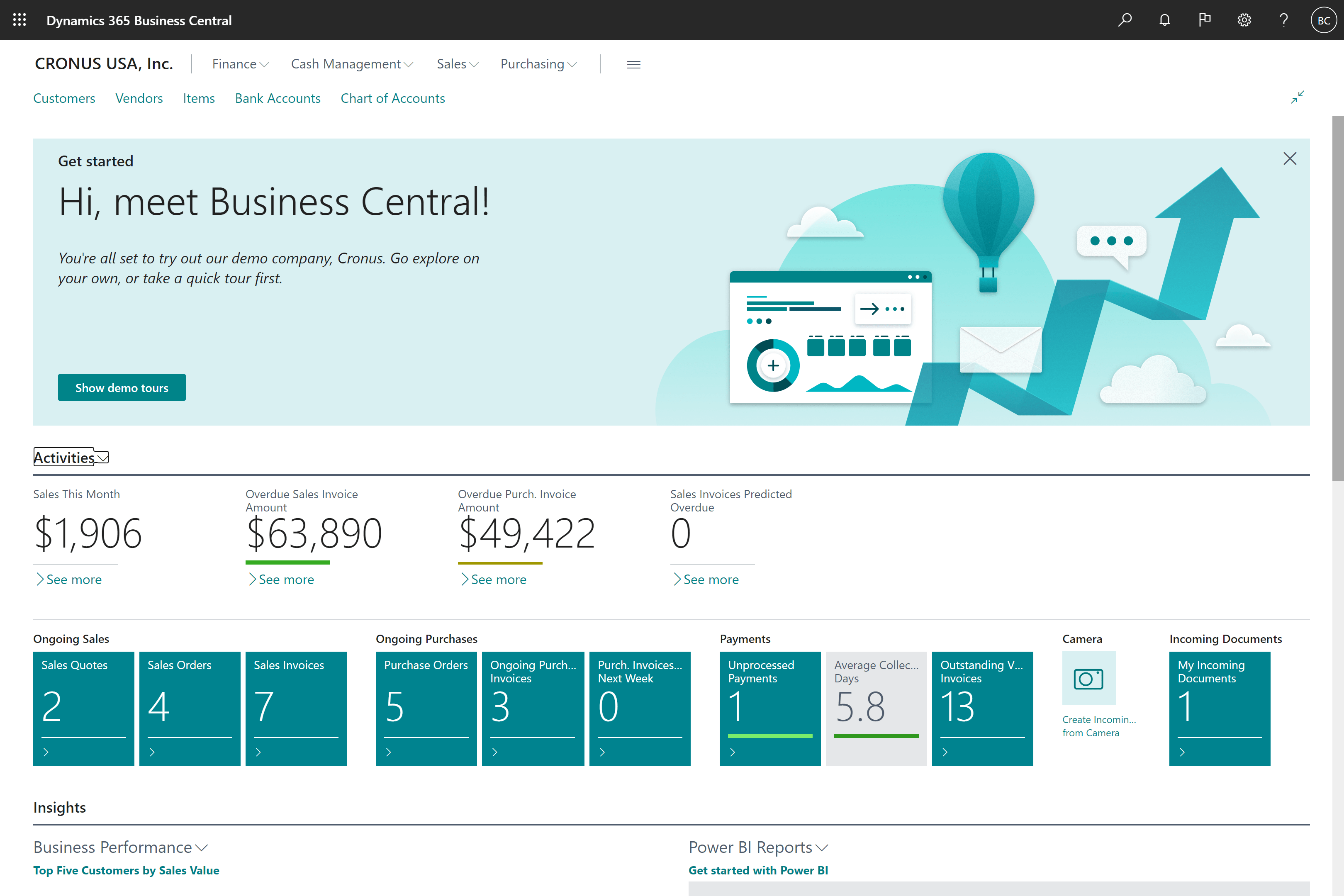
Dynamics 365 Business Central is a complete ERP accounting solution that is targeted to SMBs that require the full control of their finances and business in a single platform. It integrates accounting with inventory, purchasing, sales, and reporting. It expands with your business since it does not require a change of systems in the future.
Key Features
General ledger and financial management: Full management of the journals, chart of accounts, budgeting, dimensions, and financial controls to keep proper records.
Accounts receivable and payable: Automated processing and tracking invoices, monitoring payment, vendor management, customer balances, and credit controls.
Taxation and compliance support: The functions are aimed to help in regulatory reporting and calculation of taxes in various geographical areas.
Financial reporting and analytics in real time: Built-in financial reports, cash flow, profitability analysis, and custom dashboards.
Deep integration with Microsoft tools: Seamless integration with Excel, outlook, and power BI to do reporting, analysis, and collaborate.
Best for: Expanding Canadian businesses that require a long-term ERP system rather than autonomous accounting packages.
Note: As your small business scales and financial processes become more advanced, Dynamics 365 Finance by Microsoft can be a strong next-step solution. It delivers deeper financial controls, intelligent automation, and enterprise-grade capabilities designed for growing and mid-sized organizations.
Sage 50cloud
.png)
Sage 50cloud is a hybrid of desktop accounting and cloud-related capabilities. It provides excellent management of financial information and provides access to reports and backup via the cloud. It is more organized compared to the entry-level accounting tools.
Key Features
Core and general accounting: Full control of financial transactions, account structures, and period-end processing.
Advanced inventory tracking: Product costing, monitoring stock level, purchasing planning and valuation control.
Payroll and tax management: Payroll employee payment functions, statutory deductions, and tax reporting functions.
Cloud backup and access remotely: Protection of accounting data and access to financial information as required.
Personalized financial statements: Detailed reports to management analysis and business decisions.
Best for: Small businesses that want to use desktop accounting with reports that are cloud-enabled.
FreshBooks

FreshBooks is easy-to-use and simple accounting software that is primarily aimed at service-oriented companies. It places excessive emphasis on invoicing, time tracking, and expense management, but not on complicated accounting or inventory.
Key Features
Automation of professional invoicing and billing: Generating of branded invoices, recurring billing, and automated payment reminders.
Time and project tracking: Tracking the billable hours, project costs, and service profitability.
Expense and receipt management: Categorization, document association, and cost tracking simplification.
Basic financial reporting: Access to key summaries including profit and loss, expense reports, and revenue trends.
Online payment facilities: Accelerated payment of clients via online payment gateways.
Best for: Freelancers, consultants, and service-based small businesses.
QuickBooks Online
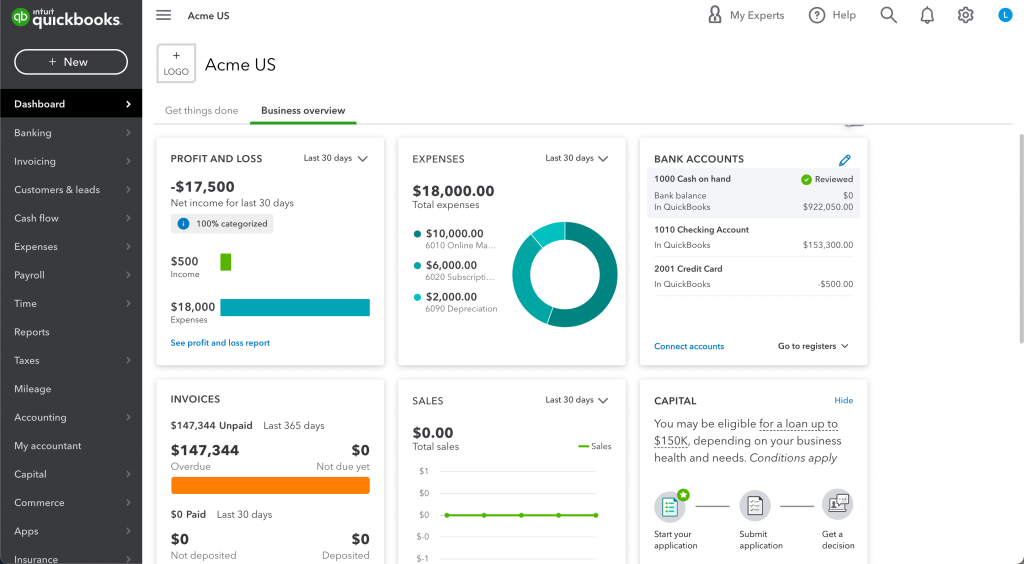
QuickBooks Online is cloud-based small business accounting software known for its ease of use and quick setup. It is focused primarily on bookkeeping, like invoicing, expense tracking, and simplistic reporting. Small businesses are attracted to the platform, as it does not need a lot of accounting expertise.
Key Features
Invoicing and billing management: Customer invoicing, recurring transactions and tracking payment.
Expense tracking and categorization: Recording costs in the business with simplified classification.
Bank feeds and reconciliation: Automatic matching of bank transactions and balance matching.
Essential financial statements: Standard reports such as profit and loss, cash flow, and expense statements.
Multi- device accessibility: Availability of accounting information on desktops and mobile devices.
Best for: Small businesses, freelancers, and start-ups with straightforward accounting and bookkeeping requirements.
Also Read: QuickBooks Alternative
SAP Business One
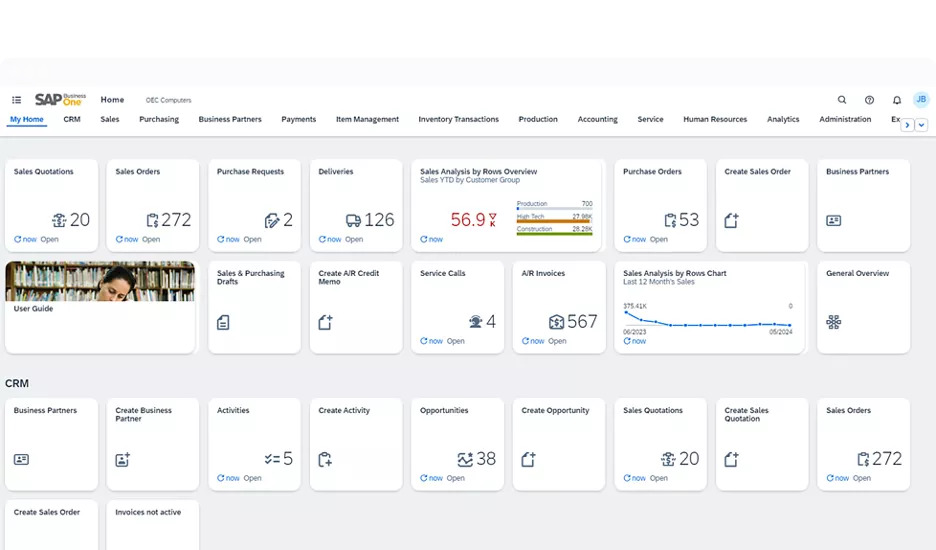
SAP Business One is an ERP for small business. It unites accounting, inventory, sales, and purchasing into a single system, which gives enhanced visibility and control between departments.
Key Features
Integrated financial management: General ledger, payables, receivables, and fixed asset management.
Sales and purchasing coordination: Management of orders, vendor transactions, and document flows.
Inventory and warehouse oversight: Real-time stock visibility, valuation, and movement tracking.
Business intelligence and analytics: Data-driven reporting tools for performance evaluation.
Flexible deployment opportunities: Availability on both the cloud and on premises.
Best for: SMBs that seek structured ERP accounting with global features.
Also Read: SAP Alternatives
Wave Accounting

Wave Accounting is free small business accounting bookkeeping software. It offers simple bookkeeping services with no fees to subscribe to, which is suitable for firms with small budgets.
Key Features
Income and expense control: Easy tracking of revenue and cost of operation.
Invoicing and payment collection: Simple client billing tools.
Receipt scanning and recordkeeping: It includes digital storage of supporting documents.
Bank connectivity: Automatic import of financial transactions.
Core reporting tools: Overview of financial performance using simplified reports.
Best for: Small businesses and sole proprietors with low accounting needs.
Zoho Books

Zoho Books is a cloud-based small business accounting bookkeeping software that is a part of the bigger Zoho business ecosystem. It offers powerful invoicing, expense, and compliance automation and has a smooth integration with Zoho CRM and other Zoho products.
Key Features
Automated bank reconciliation: Matching transactions and maintaining accuracy of balances.
Invoicing and receivables management: Customer billing, reminders and tracking payment.
Monitoring of inventory and stocks: Product-level tracking and valuation management.
Taxation and compliance support: Tools to help the calculation and reporting of tax.
Integrated with Zoho applications: Smooth connection with CRM and operation software.
Best for: Small businesses that are already users of Zoho applications.
Odoo Accounting
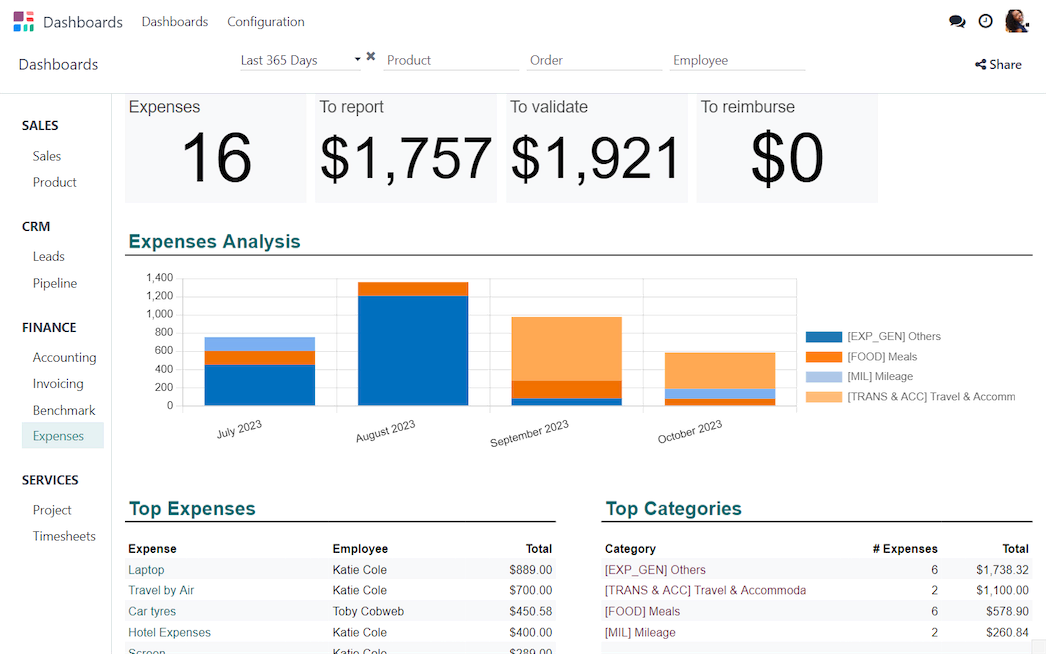
Odoo Accounting is an Odoo ERP application that features flexible accounting by a modular design. Businesses can begin with accounting and then add CRM, inventory, or additional modules of ERP as they are required to.
Key Features
Detailed financial accounting: Journals, ledgers, payables, and receivables management.
Invoicing and billing processes: Customer and vendor transaction processing.
Expense and cost tracking: It involves the recording and tracking of the operational expenses.
Bank reconciliation and synchronization: Automated matching and updates of transactions.
Expansion of the ERP modules: Ability of integrating CRM and inventory among other business modules.
Best for: Companies desiring to have flexible and expandable accounting systems with ERP expansion capabilities.
How to Choose the Right Accounting Software for Your Business
The selection of the right accounting software for a small business is a strategic move that has a direct impact on financial accuracy, compliance, and long-term growth.
The following are the points that will assist you in choosing the right accounting platforms to use in your business.
1. Be Specific on your business needs
The first thing you should do before you consider any accounting software is to write down what your business needs now and what it will need within the next 3–5 years.
Ask questions such as:
- How many monthly transactions do you process?
- Do you require just accounting or complete financial management?
- Are inventory, payroll, or project accounting required?
- Will the system be accessed by more than one user?
2. Think of Business Size and Growth Plans
Basic accounting software might be sufficient in the case of extremely small companies but can fail as the company expands. You need to select the software capable of supporting:
- Higher transaction volumes
- Multi-user access
- Multi-Entity or Multi-Location operation
The use of scalable accounting software will avoid migrations that are expensive in the future.
3. Secure Regulatory and Tax Compliance
The best accounting software for small business should be capable of accommodating local taxation and reporting standards. To Canadian businesses, this includes:
- Accurate calculation of GST/HSP
- Audit trails
Financial reports that are compliance ready
4. Search Real-Time Reporting and Insights
The accounting software of today must offer real-time financial performance. This will enable business owners to make decisions that are informed with current data as opposed to using old data.
5. Check Integration Facilities
Accounting is not a solitary business. The best accounting software for small business must be able to work well with:
- Inventory management
- Sales and CRM systems
- Procurement and payroll
The end-to-end integration to remove data silos and enhance operational efficiency.
6. Prioritise Security and Data Control
Monetary information is very confidential. Your small business accounting bookkeeping software must have critical security controls like:
- Role-based access control
- Data encryption
- Automatic backups
These security measures ensure that businesses are not affected by data loss, fraud, and cyberattacks.
7. Evaluate Vendor Support and Partner Expertise
Software alone is not enough. You need to collaborate with certified implementation partners like Dynamics Square that offer:
- Industry-specific guidance
- Best practices of implementation
- Continuous support and training
This will make the system provide long-term value, as opposed to initial setup.
8. Compare Total Cost of Ownership (TCO)
In addition to the cost of licensing, you must evaluate:
- Implementation costs
- Customization
- Support and upgrades
The objective is not the lowest price-related solution but the one that will provide a sustainable ROI.
Accounting Challenges Faced by SMBs
The following are the main accounting challenges encountered by SMBs:
Lack of Cash Flow Visibility
Most SMBs cannot clearly see the amount of money flowing in and out. It is not easy to plan on how to conduct day-to-day activities, as well as future investments, because of late payments, expenses that are not tracked, or unclear receivables.
Paper-based Accounting and Mistakes
Using spreadsheets or entering data manually is more prone to errors. The mistakes in data entry, even in minor cases, may make wrong financial statements, cause tax problems, and lead to bad decision-making.
Delayed Payments and Invoicing
In the absence of a systematic invoicing system, companies tend to issue invoices late or do not pursue overdue invoices. This has a direct effect on cash flow and the stability of the business.
Tax Compliance and Regulatory Pressure
It is not easy to comply with tax regulations, GST/HST, and tax reporting, particularly for small businesses based in Canada but operating in more than one province. There are penalties or audits that might be caused by any mistake.
Payroll Complexity
Payroll management involves making the right tax deductions, paying the correct amount and salaries, and adhering to the labour laws. This is a risky undertaking for SMBs that do not have dedicated payroll personnel.
How do SMBs Address These Challenges Using Accounting Software?
Best small business accounting software is specifically developed to help overcome the challenges SMBs are confronted with. Here’s how it resolves challenges:
Enhanced Cash Flow Control
Due to accounting programs for small business, one can have visibility of cash flow, invoices owed, and expenses to be incurred in real time. The business owners can easily identify where the money is held and move on to enhance the liquidity.
Automation and Accuracy
Manual data entry will be eliminated through automation. Bank account transactions are directly synchronized, invoices are automatically generated, and calculations are taken up by the system, and this will go a long way in lowering human errors.
Faster Invoicing and Collections
With built-in invoicing and payment reminders, SMBs can send invoices on time and follow up automatically. This shortens payment cycles and improves overall cash flow.
Built-In Tax Compliance
The small business accounting bookkeeping software is also updated to the current tax laws. To the Canadian SMBs, it comprises correct GST/HST calculations, audit trails, and compliance-ready reports—minimizing the chances of penalties.
Streamlined Payroll Processing
Payroll modules automate the calculation of salaries, deductions, and the filing of tax returns. This will make the employees receive their pay correctly and on time and make the business maintain its regulations.
Note: Many of these financial and compliance challenges are not limited to businesses alone but are also common in nonprofit environments. A structured Accounting Software for Nonprofit helps manage funds, reporting, and accountability with greater clarity and confidence.
How Dynamics Square Can Help
Dynamics Square is a trusted Microsoft Dynamics partner that assists small and medium enterprises to modernize and enhance their small business accounting activities with the help of Microsoft Dynamics solutions. Our solution is more than the implementation of software; we aim at trying to synchronize real business objectives with accounting systems.
This is how Dynamics Square helps to support SMBs:
- Expert Accounting Software Consultation
- End-to-End Implementation Support
- Customization based on Business needs
- The Continuous Support and Training
- Seamless Integration with Business Operations
- Compliance-Ready Accounting for Canadian Businesses
Conclusion
One of the largest barriers to sustainable development amongst SMBs is accounting issues. Slowness and increased risks to profitability can be experienced because of manual processes, limited visibility, and compliance risks. Best accounting and bookkeeping software for small business like Business Central resolves these issues by automatizing operations, enhancing accuracy, and providing real-time financial information.
A right partner can make accounting a source of growth rather than a liability. Working with Dynamics Square, SMBs do not only get to have powerful accounting software, but they also get to have professional advice on how to expand with confidence and keep within the scope of the law.
If you have any questions about Dynamics 365 implementation or need guidance in choosing the right accounting solution for your business, do not hesitate to call us at +1 778 381 5388 or just drop an email at info@dynamicssquare.ca.
People Also Ask:
What is the easiest accounting software for small businesses?
The simplest accounting software for small businesses is typically Microsoft Business Central, QuickBooks Online, and FreshBooks since they are easy to install, user-friendly, and do not aim at complex accounting methods such as invoicing, expenses, and reports.
What is better than QuickBooks?
It depends on your needs. Dynamics 365 Business Central suits enterprises requiring ERP System capabilities such as inventory, operations, and advanced reporting. Xero is likely to be chosen due to its unlimited users and collaboration features.
Why are people leaving QuickBooks?
Some users switch from QuickBooks because they find:
- Restricted advanced characteristics as the business expands.
- Pricing increases over time
- Must have a more powerful inventory or ERP.
- Wish to have solutions that are more scalable, such as Business Central or NetSuite
.jpg)
Awanish Kumar is a seasoned writer with a passion for exploring the ever-evolving landscape of cloud-based software. With years of experience in the tech industry Awanish delves into the intricacies of cloud computing, translating complex concepts into engaging and informative blogs. From Saas to Paas, he navigates the digital realm, offering readers valuable insights and practical tips to leverage the power of cloud technology.