CRM stands for Customer Relationship Management, which is a technology that helps businesses to handle the communication with customers and prospects in a single location. A small business CRM system helps a team to manage leads, track customer profiles, automate repetitive functions, and personalize communications all under one platform.
Table of Contents
In the case of small businesses, CRM can be viewed not merely as software but as the engine of growth, which introduces structure and transparency to sales, marketing, and customer service processes, helping teams make smarter decisions faster.
Table of Content
What CRM Can Do?
A CRM software can:
Unify Customer Data: Use a single location to store contact information, history of communication, notes, and preferences.
Manage Leads & Sales Pipeline: Track opportunities from lead to conversion.
Automate Routine Processes: Automate follow-ups, emails, reminders, and workflows.
Improve Customer Support: Log tickets, track resolution times, and improve responsiveness.
Deliver Real-Time Insights: Dashboards and analytics provide a view of performance.
Enhance Team Cooperation: Sales, support, and marketing teams work together flawlessly on shared data.
Best CRM for Small Businesses in Canada
Our certified consultants have brought these five solutions after considering different aspects, like key features and benefits. Small businesses can choose a solution after analyzing them.
Dynamics 365 CRM
- Best Affordable CRM for Small Business
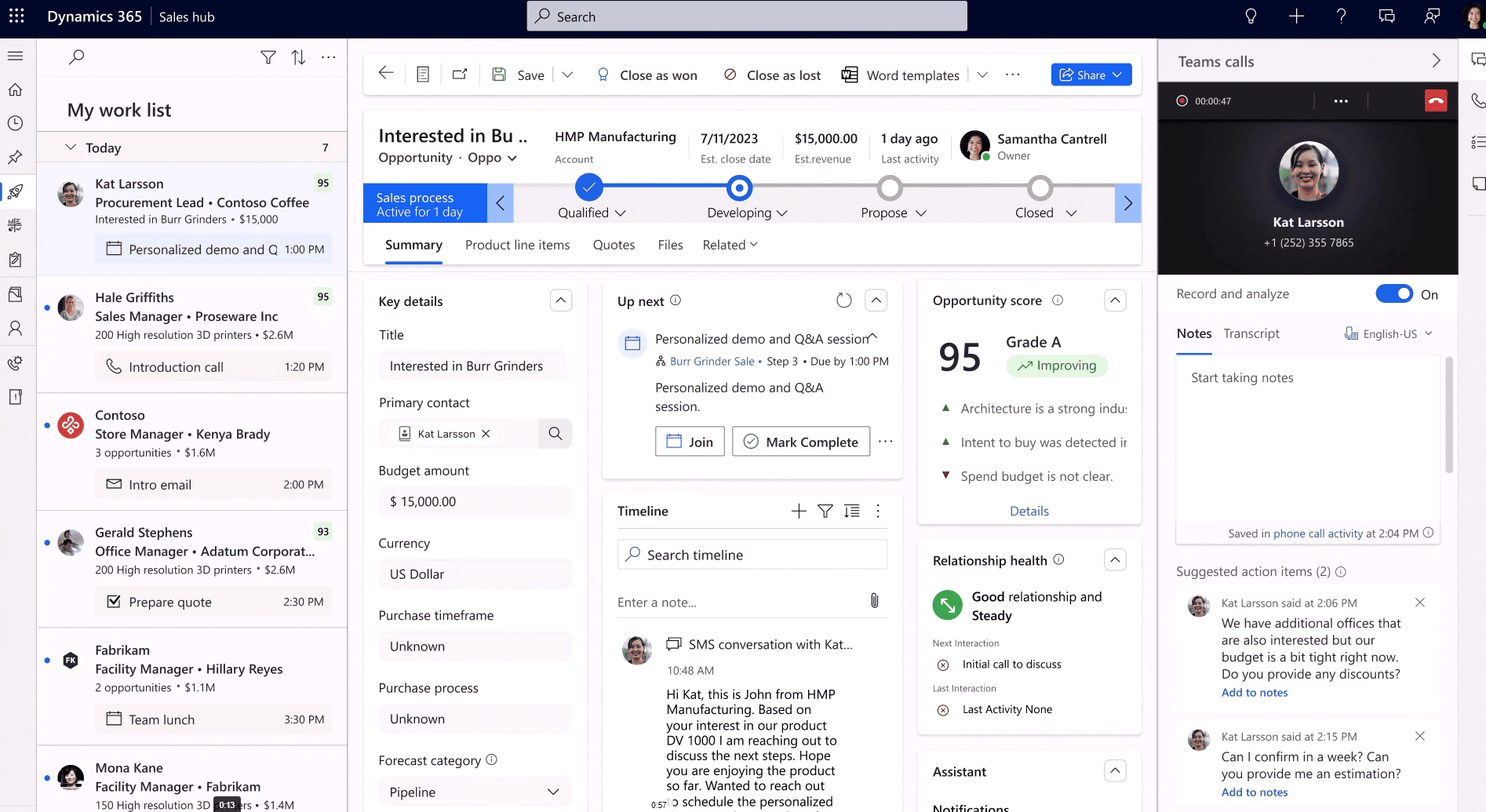
Microsoft Dynamics CRM is a powerful and versatile solution that offers modern tools and capabilities to streamline all CRM requirements. It is designed for businesses, including in Canada that seek a highly customizable platform. With Dynamics CRM, you can cater to the specific needs of businesses.
It provides a comprehensive suite of tools for sales, marketing, customer service, and operations. The solutions empower businesses with extensive customization options and robust data security features.
Additionally, it comes with in-built AI capabilities that help in automating tasks and provide valuable insight. The Microsoft Dynamics 365 scale as your business grows, making them the #1 CRM in Canada.
Key Features:
- Custom workflows
- Integration with the Microsoft ecosystem
- AI-driven insights
- Omni-channel engagement
- Advanced reporting and analytics
Zoho
– Best CRM to Scale Your Business
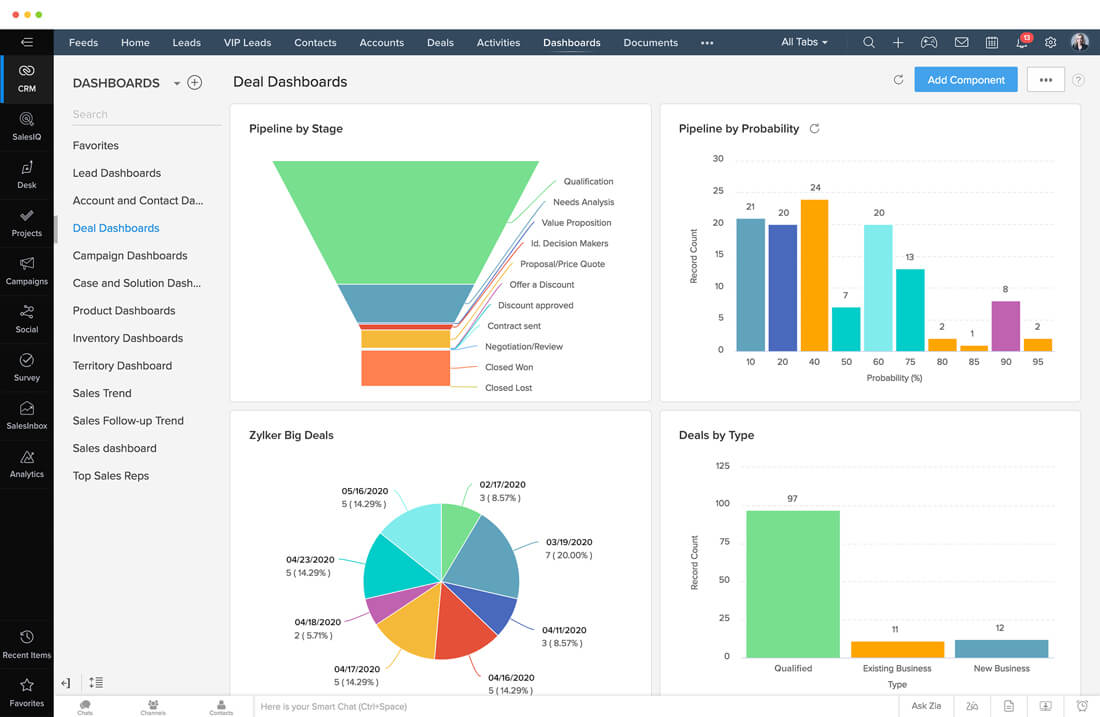
Zoho CRM is a versatile, cloud-based CRM solution designed for small to midsized businesses. It’s known for its ease of use and comprehensive feature set, which supports growth and scalability.
It offers a range of features to help companies manage customer relationships, automate workflows, and scale operations efficiently. Zoho CRM offers affordable pricing with a variety of plans, flexible customization features, and is easy to use.
However, customization can be time-consuming for users. If you have larger datasets, the performance of the solutions can be sluggish.
Key Features:
- Lead management
- Sales automation
- Customizable dashboards
- Email integration
- Multi-channel communication
Salesforce
– Optimize Your Entry-Level Operation
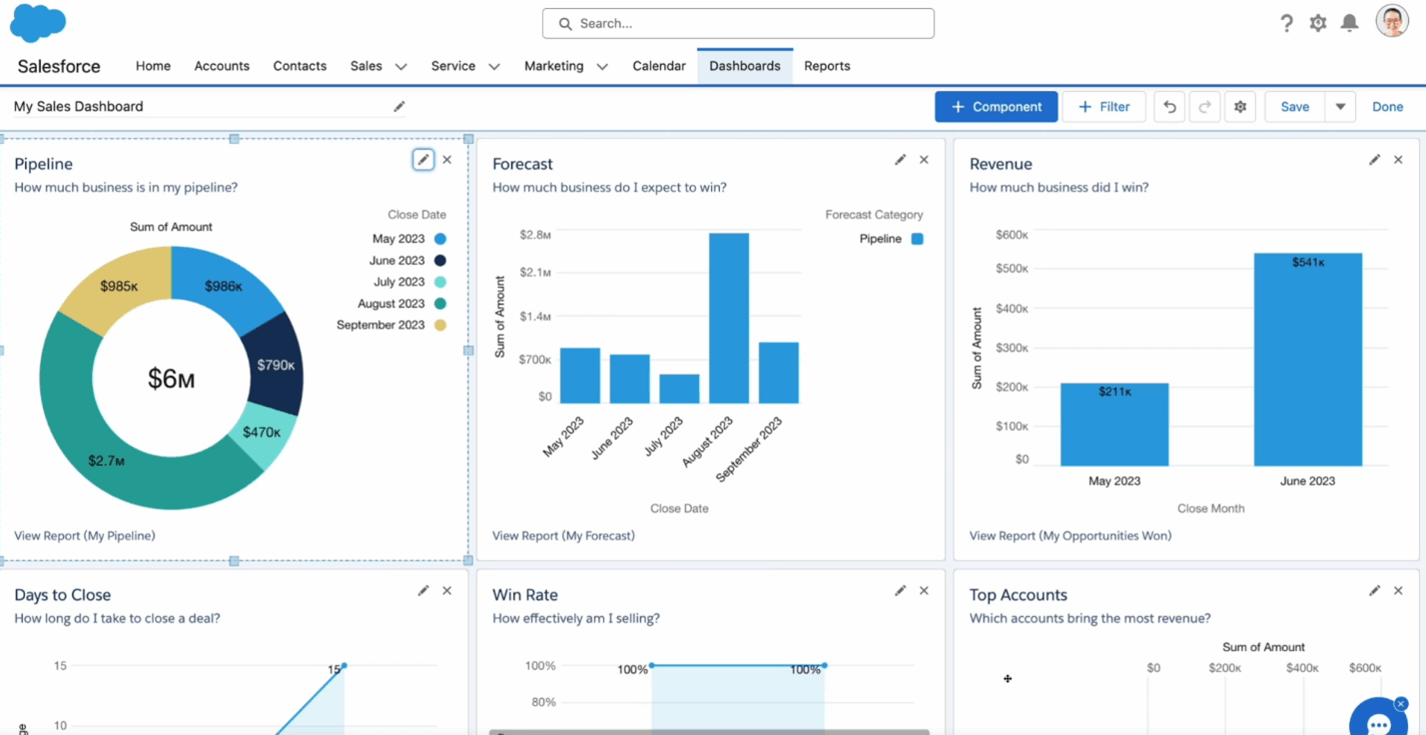
Salesforce, a renowned CRM, is known for its extensive capabilities and flexibility. It caters primarily to large enterprises but also provides options for small and midsized businesses.
The solutions are highly customizable to fit specific needs and provide a robust ecosystem. Its advanced AI capabilities provide actionable insights, enhancing decision-making.
However, it is a highly expensive CRM solution, which can be challenging for small businesses. A new user can be overwhelmed with various customization options.
Key Features:
- Manage sales pipelines
- Automates sales tasks
- Access to thousands of third-party apps
- Einstein AI, an AI-powered tool
- Build custom apps
Capsule CRM
– Best CRM for Small Sales Teams
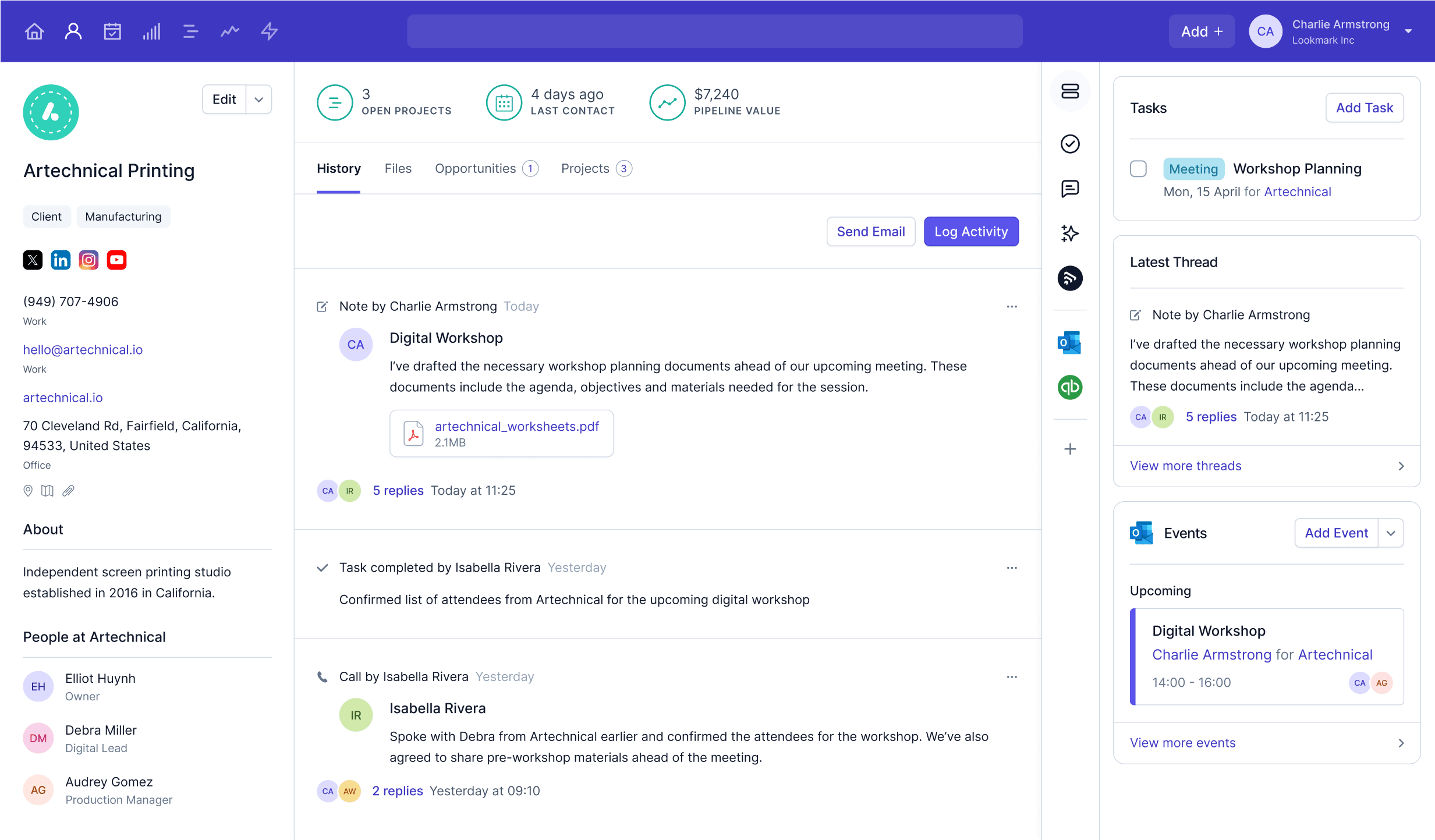
Capsule CRM is a simple, yet effective CRM solution designed with small sales teams in mind.
Capsule CRM is a simple and easy-to-use CRM tailored for small sales teams. It offers an intuitive interface that focuses on helping small businesses manage customer relationships and sales pipelines without the complexity of larger systems.
The solutions offer affordable pricing tailored for small businesses and require minimal customization. In addition to this, businesses can effectively manage their sales pipelines.
However, the solution has limited advanced features and is not suitable for larger or more complex organizations. Its customization options are relatively basic.
Key Features:
- Contact management
- Task management
- Sales pipeline management
- Third-party integrations
- Mobile access
Vtiger
– A Simple and Comprehensive Solution
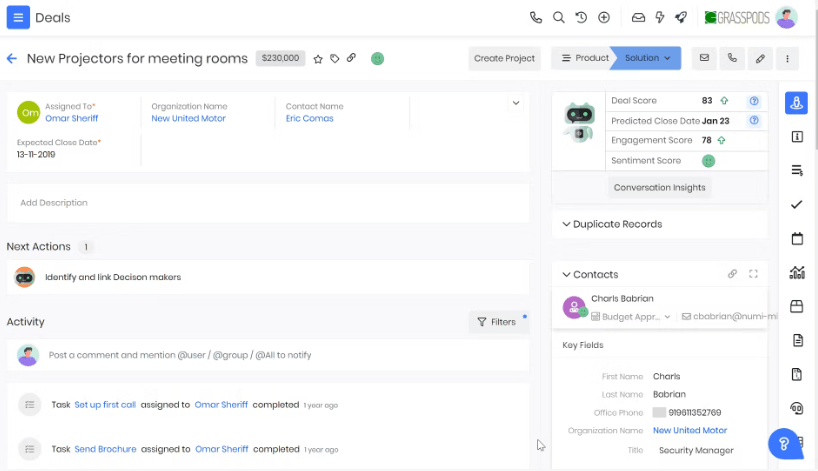
Vtiger CRM provides a unified platform that combines sales, marketing, and customer support. It’s an affordable option for small to midsized businesses looking for a comprehensive CRM solution.
However, it has limited customization options compared to higher-end CRMs. To leverage advanced features, you may require additional modules, which require additional pricing.
Key Features:
- Integrated sales and support
- Automates email campaigns, lead scoring, and more
- Manages products, pricing, and inventory
- Track orders, support tickets, and other interactions
- Telephony integration
Insightly
– Best CRM with Project Management Capabilities
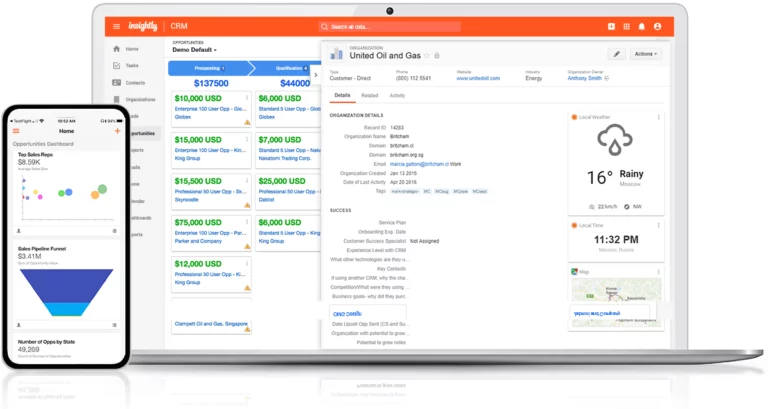
Insightly is a CRM solution that provides you with a complete view of your customer across the system, irrespective of their buying experience. It integrates all your customer relations needs and the existing system your team is using currently.
Using this solution, you can manage your sales pipeline, track customer relationships, and handle tasks efficiently. However, being a low-cost CRM for small businesses, it has limited customization capabilities. Users can face steep learning curves and also can’t create advance reports.
Key Features:
- Integration with Google Apps and Microsoft Office 365
- Project management capabilities
- Workflow automation
- Contact and task management
- Visual pipeline management
Freshsales
– Best for Intuitive User Interface
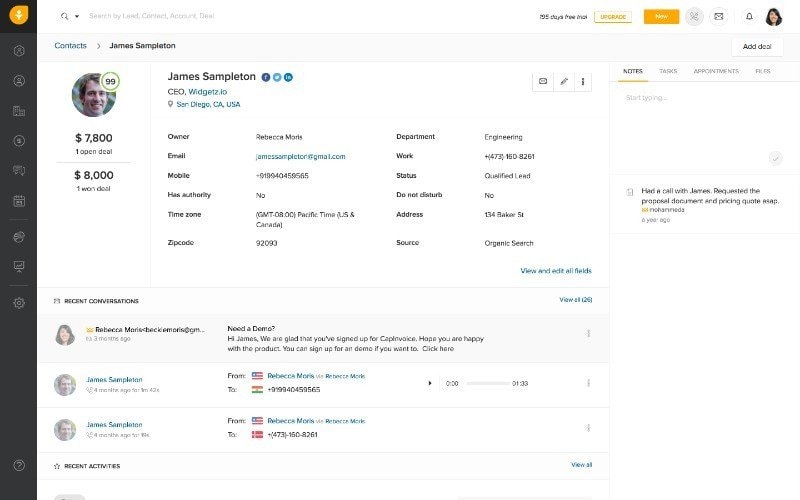
Freshsales is a user-friendly CRM solution designed for small businesses to manage their customer relationships and sales pipelines efficiently. It stands out for its AI-based lead scoring, which helps businesses prioritize leads based on engagement and likelihood to convert.
Businesses can also automate their repetitive tasks to improve productivity. It comes with various in-built features that help companies deal with contact and account management, contact lifecycle stages, and an activity timeline.
However, its free plan has a very restricted plan, like no report available. It might not suit businesses with complex business processes due to limited features and functionality.
Key Features:
- AI-powered lead scoring
- Built-in email and phone integration
- Visual sales pipeline management
- Workflow automation
Ideal Small Business CRM Software
When choosing customer relationship management software for small businesses, there are several factors to consider. The right CRM should be easy to use, customizable, affordable, and have automation features. Here are some key aspects you need to consider before choosing a solution:
Easy to Use
Small businesses often have limited resources and cannot afford to spend much time training their teams on complex software. Therefore, ease of use is a critical factor when selecting a CRM.
The best CRM programs for small business should have an intuitive interface that is easy to navigate. It must have features like drag-and-drop functionality, customizable dashboards, and straightforward data entry processes. This reduces the learning curve and increases adoption among team members.
Easy to Customize
The ideal CRM offers customization options that allow businesses to tailor the system to their specific requirements. The solutions should be able to create custom fields, design personalized workflows, and integrate with other tools and applications.
Automation
The solutions should automate repetitive tasks such as data entry, email marketing, and lead management to save time and reduce the risk of human error. Automation also allows businesses to maintain consistent communication with customers.
The best CRM for small businesses in Canada should offer robust automation features to meet the growing business demands.
Customer Support
Small businesses may not have the in-house expertise to troubleshoot technical issues or customize the software. Hence, CRM solutions offer access to a dedicated support team, online resources, training materials, and community forums.
Robust customer support ensures that any issues are quickly resolved, and the system is back on track. This minimizes downtime and ensures that the CRM continues to deliver value to the business.
Affordability
For small businesses, budget constraints are often a significant consideration when selecting software. The CRM pricing for the best solution should have numerous options, including affordable options that cater to small businesses.
How CRM Software can Help Small Businesses?
Implementing CRM tools for small businesses provides several advantages, such as centralizing customer data, streamlining communication, and automating key processes. However, benefits can vary depending on the solutions your team is using. Here are some of the core benefits:
Smoothen the sales process
A CRM system for small business helps streamline the sales process by tracking every customer interaction and automating repetitive tasks like follow-ups and reminders. This allows sales teams to focus more on selling, leading to quicker conversions and higher revenue.
Improved Business Process
The CRM systems for small businesses standardize workflows and enhance overall productivity. They help manage customer support efficiently and provide insights into customer behavior. It enables better decision-making and operational agility.
Enhanced Marketing Efforts
The CRM for small business improves marketing by providing insights into customer preferences and automating tasks like email campaigns. This enables more personalized marketing, better targeting, and consistent campaign execution, leading to higher ROI.
Tailored Customer Service
CRM systems centralize customer data, enabling personalized and responsive customer service. It provides features like live chat and email tracking to improve the customer experience and foster loyalty.
Optimized Pipeline Management
CRMs offer clear visibility into the sales pipeline, helping businesses track leads and prioritize high value opportunities. This ensures a steady revenue flow and better sales predictions.
CRM Software Comparison
Below is a comparison of the most suitable CRM systems for small and growing businesses:
| CRM Platform | Key Capabilities | Industry Focus | Business Size | Pricing (approx) | Best Suited For |
|---|---|---|---|---|---|
| Microsoft Dynamics 365 CRM | Sales automation, customer service, advanced analytics, AI insights, deep Microsoft integration | Cross industry, particularly Microsoft product users | SMB to Enterprise | Starts around ~$65/user/mo (Sales) | Businesses needing scalable, integrated CRM with advanced analytics and workflows |
| Zoho CRM | Lead & deal management, Zia AI automation, multi-channel support | Cross-industry, affordable SaaS CRM | Small to Mid-sized | ~$14–$52/user/mo | Small- to mid-sized businesses seeking flexible, cost-effective CRM |
| Capsule CRM | Contact management, opportunity tracking, simple pipelines, integrations with popular apps | Small teams and startups that want simplicity | Small | Free plan available: $18–$72+/user/mo | SMBs and startups that want simple workflows and clarity of integration. |
| Salesforce CRM | Enterprise-grade sales, marketing, service automation, advanced AI (Einstein) | Large enterprises & growing organizations | Medium to Enterprise | $25 to $100/user/mo | Businesses need high customization and advanced features of CRM. |
| Freshsales (Freshworks CRM) | In-built email/phone, lead scoring, automation of sales | Small to mid-market sales & support teams | Small to Mid | $9-$54+/user/mo | CRM with integrated communication and AI tools |
| Vtiger CRM | Sales and marketing automation, ticketing, inventory, analytics | Small to medium-sized businesses that require both CRM and service features | Small to Medium | ~$5+ up to ~$50+/user/mo (varies by edition) | Businesses wanting an all-in-one CRM + helpdesk solution |
| Insightly CRM | Contact and sales pipeline, project management, workflow automation, AI Copilot | Small and mid-sized companies with project needs | Small to Mid | ~$29-$99+/user/mo | Teams needing combined CRM + project management |
Selecting the right CRM for your Business
The selection of the appropriate CRM is dependent on assessing the needs of the business, usability, flexibility, security, and value in the long term. An organized selection strategy assists in making sure that the system facilitates improvement and not complication.
- Align with Business Needs: CRM is supposed to help your sales, marketing, and service operations. The selection is driven by clearly defined objectives. For example, the lead management or the customer engagement.
- Prioritize Ease of Use: User adoption is essential. A user-friendly system enhances efficiency and minimizes the training process. Like Dynamics 365 CRM is designed with a consistent and accessible user experience.
- Secure Flexibility and Scalability: We know business needs evolve. An appropriate CRM should be able to expand and personalize with the increase in users and data.
- Evaluate Integrations: A CRM must be integrable with the existing tools to ensure the consistency of data and simplify the workflow. Native ecosystem combinations can be of great help in enhancing efficiency.
- Security and Compliance Audit: Data protection, controls, and compliance are very important.
- Determine the Total Cost of Ownership: CRM pricing ought to consider licensing and implementation and maintenance. There are cloud solutions such as Dynamics 365 CRM that include predictable costs.
- Plan to Implement it Right: The success of the results relies on proper configuration, transfer, and training. Partnerships with seasoned partners will decrease the risk of deployment and enhance adoption.
CRM Implementation with Dynamics Square
Implementing CRM is not just a software rollout but a strategic effort where you ensure that your system before implementation agrees with the objectives of the business, its acceptance by the users, and its sustainability over time. At Dynamics Square Canada, we apply a structured approach to implementing Dynamics 365 CRM, focusing on alignment, accuracy, and scalability.
- Requirement Analysis and Planning: We will start with learning about your business processes, challenges, and goals. This helps in coming up with a clear implementation plan that suits your operations.
- Configuration and Customization: Our consultants design Dynamics 365 CRM to adapt to your sales, marketing, and service processes and make the required customizations, automation, and dashboards.
- Data Migration and Setup: We provide secure and correct customer data migration, integrity, and system coherence.
- Training and Adoption Support: CRM depends on the adoption of users. We offer hands-on training to enable teams to utilize the platform in a positive and sure way.
- Continuous Support and Optimization: Dynamic Square provides the ongoing support and the system upgrades to gain the maximum CRM value as requirements of the businesses change.
Moreover, as an expert in CRM implementation and the Microsoft ecosystem, Dynamics Square assists companies in the implementation of Dynamics 365 CRM with lower risk and higher success.
CRM Integration with Third-Party Tools
The modern small business is based on several applications to control the communication, finance, support, and operations. To get the highest possible value out of a CRM system, it should be integrated with these tools so that data flows in the same manner, less manual effort is done, and the overall productivity is enhanced.
Additionally, connected CRM systems guarantee the removal of data silos and provide teams with real-time, precise information on platforms. Common integrations are:
- Email and Calendar Synchronization: Connect with Outlook or Gmail to track conversations, meetings, and follow-ups automatically
- Accounting and Finance Systems: Match customer data in invoicing, payments, and financial records.
- Analytics and Reporting Tools: Integrates CRM insights with business intelligence to make a better decision.
- Automation of Workflow and Processes: Automate approvals, notifications, and routine tasks through automation platforms.
- Customer Support and Service Desk: Connect cases, tickets, and service history with customer records.
- Marketing and Campaign Management: Coordinate lead nurturing, segmentation, and engagement activities
- Document and File Management: Maintain centralized access to the proposals, contracts, and communications.
- E-commerce and Web Platforms: Synchronize customer interactions, orders, and inquiries.
Note: Third-party extensions are supported, enabling organizations to add functionality and interlink business applications that are specific to the business operation. This is because effective CRM integration does not only enhance operational efficiency but also the accuracy of data, productivity of the user, and customer experience, which are critical in growing a business.
Get the Ideal CRM Solution with Dynamics Square
CRM software is a valuable tool for small businesses. It helps them streamline operations, improve customer relationships, and drive growth. The key to maximizing the value of a CRM is choosing the right solution that aligns with the specific needs.
Therefore, Dynamics Square, a leading Microsoft Solutions Partner in Ontario, comes in picture. We are a team of 135+ Microsoft-certified consultants that help you choose a solution that suits your needs and implement it in the best possible methodology. With a 99% success rate across the globe, we help our clients tailor the CRM solution and achieve the business goal.
Get in touch with us now and choose the suitable CRM solution.
.png&w=3840&q=75&dpl=dpl_BnGNz8JT43TbqYbSRtMag9w2SNxR)