The ERP system for manufacturing helps businesses stay competitive and efficient by offering integrated tools such as production planning, inventory management, and quality control. The solutions provide real-time insights, process automation, and data-driven decision-making, ensuring efficient operations.
With a plethora of ERP System available across Canada, the task of choosing the right solution for your company may seem daunting. However, this decision is a powerful one, empowering you to manage production scheduling, improve inventory accuracy, and maintain quality control with confidence and control.
Table of Contents
- What Is Manufacturing ERP?
- How Does ERP Work in Manufacturing?
- Top Manufacturing ERP Systems in Canada
- Section 8
- Section 10
- Section 13
- Section 15
- ERP for Production and Planning
- Difference Between ERP and Manufacturing ERP
- What Are the Key Features of Manufacturing ERP?
- How Does Manufacturing ERP Affect Your Business?
- Benefits of Using an ERP System for Manufacturing
- Role of ERP Systems in Various Industries
- Selecting the Right ERP System
- Challenges with Implementing a Manufacturing ERP
- Best Practices for Implementing ERP Systems
- ERP Implementation with Dynamics Square!
This article will explore the top ERP software available to Canadian manufacturers in 2026, shed light on key features, and explain how to think about compliance with CRA, CFIA, and provincial tax rules when you're choosing a system.
Before this, let’s understand the meaning of an ERP system for manufacturing.
Table of Content
What Is Manufacturing ERP?
A manufacturing ERP is software built to run the parts of a factory or production business that a generic accounting package was never designed for, such as bills of materials, work orders, shop floor scheduling, and material requirements planning, alongside the usual finance, sales, and HR functions.
Think of it as the difference between a calculator and a control room. Standard business software can add up your sales and track your invoices. A system built for production does that too, but it also knows how many units of raw aluminium you have left, how long the next production run will take, which machine is free at 2 p.m., and what happens to your cost if a supplier price jumps. That's the part general-purpose accounting tools simply don't cover.
Let’s understand with an example:
A furniture maker in Winnipeg needs to know if there's enough engineered lumber on hand before confirming a delivery date. A precision parts supplier in Hamilton needs traceability data ready the moment an automotive customer asks for a quality audit.
A food processor outside Montreal needs lot-level tracking that satisfies the Canadian Food Inspection Agency (CFIA) the day a recall question comes in, not three days later. None of that happens reliably without a system purpose-built for production.
The strongest ERP systems for manufacturing also adapt to how you build things, not just what you build. Discrete manufacturers assembling distinct units, process manufacturers blending formulas and batches, and engineer-to-order shops building one-off custom jobs all need different scheduling logic, different costing models, and different quality checkpoints. A good system flexes to match the production model instead of forcing the business to work around the software.
How Does ERP Work in Manufacturing?
It helps to follow a single order through the system rather than think about ERP as an abstract concept.
A sales order comes in, a Toronto-based equipment maker confirms 200 units for a client. The ERP checks the bill of materials to see exactly which components and raw materials that build requires, then checks real-time inventory across every warehouse the company runs, whether that's a single site in Ontario or facilities split between Ontario and British Columbia. If stock is short, the system automatically flags what to reorder and from which supplier, factoring in lead times.
From there, the production planning module slots the job into the shop floor schedule, balancing it against machine capacity, labour availability, and other orders already in the queue. As work begins, shop floor data—units completed, hours logged, and scrap generated—flow back into the system in real time rather than getting entered on paper at the end of a shift.
Quality control checkpoints fire at the stages the business has defined, whether that's an in-process check or a final inspection before shipping.
Once the order ships, the financial side of the ERP picks it up automatically: invoicing, GST/HST calculation based on the province of supply, cost-of-goods-sold posting, and updated margin reporting, all without someone re-keying numbers into a separate accounting system.
That's the core loop, like sales, inventory, production, quality, and finance acting as one connected process instead of four separate tools that need manual reconciliation. It is also why these systems are judged less on any single feature and more on how cleanly that whole loop runs without human intervention at each handoff.
Top Manufacturing ERP Systems in Canada
When looking for the best ERP system for manufacturing companies, it’s essential to choose a solution that can scale and adapt to your industry’s specific needs. Here are the top ERP for manufacturing industry:
Business Central
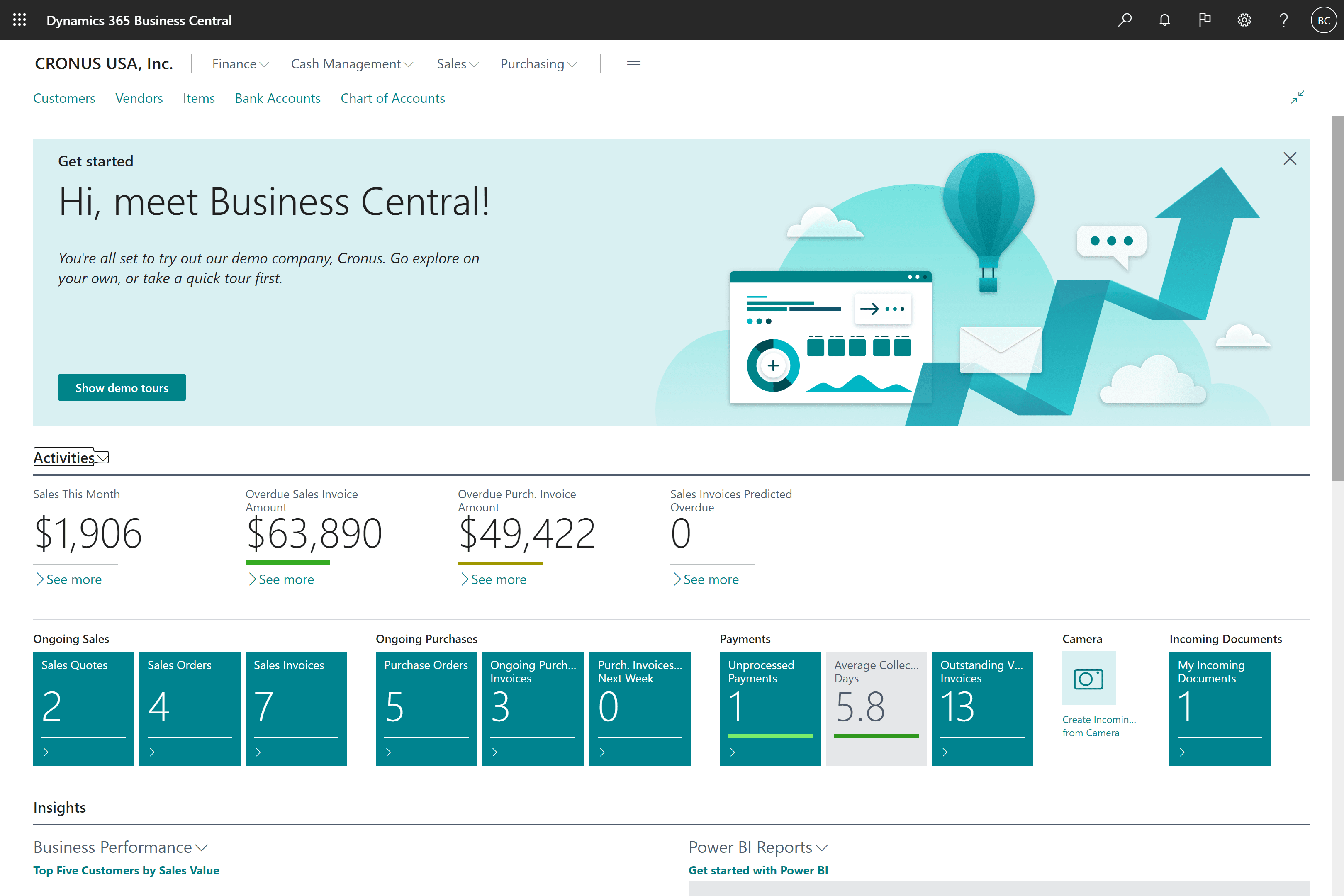
Dynamics 365 Business Central is the most practical starting ERP for Canadian SMB manufacturers. That means it runs production, inventory, finance, and procurement on one cloud platform that sits natively inside the Microsoft 365 stack most teams already use. Manufacturing capability requires the Premium license CAD $149.20/user/month; Essentials at CAD $108.50 excludes production modules, and built-in Copilot features surface live inventory and cash flow recommendations at no extra cost.
Key Features:
Production planning and capacity scheduling: Sequences work orders against actual machine and labour availability; a change on one job automatically ripples through the queue.
Multi-location inventory management: Tracks stock in real time across every warehouse and transit location, so the right purchase decision is made on current data, not yesterday's count.
Bill of materials (BOM) management: Handles multi-level BOMs with version control; an engineering update reaches production automatically without a manual handoff between departments.
Shop floor control: Operators log output, scrap, and downtime directly in the system, giving managers a live production order status without end-of-shift paper reports.
Integrated quality control: Checkpoints sit inside production order stages, so a failed check stops the job in the system rather than surfacing after the batch has moved on.
Also Read: Microsoft ERP
Pros:
- Native Microsoft 365 integration like Teams, Outlook, and Excel connects without middleware.
- Transparent per-user pricing; no surprise cost increases at renewal.
- Shorter implementation timeline than most enterprise-tier alternatives.
Cons:
- Budgeting for Essentials and needing Premium mid-project means an unexpected per-user cost jump.
- Multi-plant operations with heavy IoT data flows will outgrow it and need D365 Supply Chain Management.
- Significant process customization can get expensive quickly.
Epicor ERP
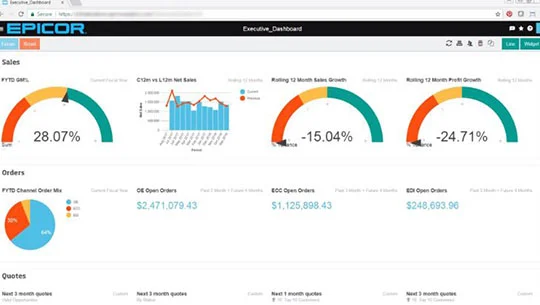
Epicor is purpose-built for discrete manufacturers running complex production environments, including multiple BOMs per product family, multi-plant operations, and the kind of quality documentation that automotive, aerospace, and precision fabrication customers demand. It's not a general business system with added manufacturing features; the shop floor logic is baked into its core.
Key Features:
Finite-capacity scheduling: Plans against real machine and operator skill constraints, flagging delivery conflicts before they happen rather than after a missed ship date.
Product lifecycle management (PLM): Tracks engineering changes from design through production release so a BOM revision reaches the floor before any material is cut, not after.
Integrated supply chain management: Connects purchasing and inbound logistics directly to the production schedule; a supplier delay shows on the planner's screen the same day it's reported.
Quality assurance with compliance documentation: Inspection plans, non-conformance records, and corrective actions are built into the production workflow, generating the audit trail regulated industries need without a separate QMS system.
Multi-plant management: Runs separate facilities as distinct units under one system, with material transfers, balancing workload, and consolidated corporate reporting.
Pros:
- Discrete manufacturing depth that mid-market systems can't match.
- Compliance documentation is a built-in discipline — critical for ISO-certified or OEM-supplier manufacturers.
- Mature multi-site visibility suitable for Canadian manufacturers with facilities across provinces.
Cons:
- Heavy implementation effort means needing an experienced partner or strong internal IT.
- More system than a single-plant, repeating-production operation will ever be used.
- Licensing and implementation costs are above mid-market, affecting ROI for smaller manufacturers.
SAP Business One
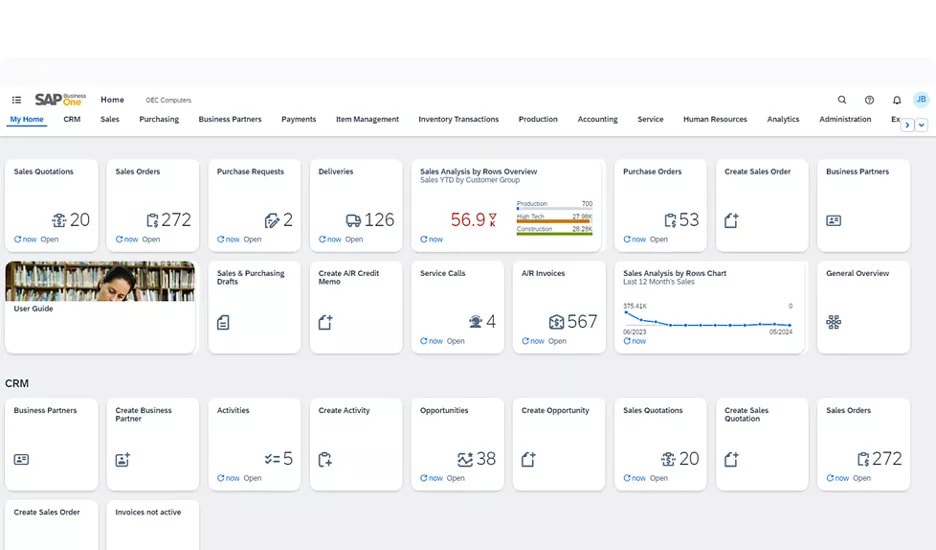
SAP Business One brings enterprise-level MRP and traceability to smaller manufacturers without the overhead of full SAP S/4HANA. Its material planning engine is its most respected capability — calculating what to buy, in what quantity, and by when, based on live production and inventory data — making it a credible choice for growing Canadian manufacturers that need reliable planning and a clear upgrade path.
Key Features:
Material requirements planning (MRP): Analyzes open orders, production schedules, and current stock simultaneously to calculate exactly what to procure and when, cutting both stockouts and over-purchasing.
Production order management: Tracks orders through every production stage, linking material consumption, labour, and machine time to each job for accurate costing.
Real-time analytics: Live dashboards across inventory, production, and purchasing that managers configure themselves without IT support.
Lot and serial number traceability: Traces every batch from supplier through production to customer, i.e., essential for CFIA compliance in food manufacturing and regulated customer requirements in other sectors.
Warehouse and inventory management: Bin-level stock management with barcode scanning and automated reorder alerts before a shortage stalls production.
Also Read: ERP for Small Business
Pros:
- MRP engine is reliable and well-tested, material planning alone often justifies the investment.
- Lot traceability depth supports CFIA audits and regulated-customer quality documentation.
- Large global partner ecosystem with a clear path to full SAP if the business outgrows it.
Cons:
- Configuration almost always requires a professional implementation partner—it's not self-serviceable.
- Higher upfront licensing cost than cloud-native alternatives at comparable company sizes.
- The interface feels dated next to newer cloud-first platforms, slowing user adoption.
Dynamics 365 Supply Chain Management
.jpg&w=3840&q=90&dpl=dpl_5LXoCh9tPBApVgwSwHKvAKDdFNPt)
Dynamics 365 Supply Chain Management is the system manufacturers reach for when Business Central has been outgrown, built for large, multi-facility operations running thousands of SKUs, IoT-connected equipment, and supply chains where a single planning error cascades across provinces. It sits on the same Microsoft stack as Business Central and Finance, so reporting and integration stay consistent as the business scales.
Key Features:
- AI-powered demand forecasting: Generates SKU-level demand predictions from historical sales, seasonality, and market signals, giving planners a data-grounded starting point they can adjust before it drives a purchase order.
- Warehouse automation and directed work: Assigns pick, put-away, and replenishment tasks based on location and priority rules, reducing manual decision-making and wasted movement in high-SKU warehouses.
- IoT integration for production monitoring: Connects to machine sensors to surface real-time throughput, uptime, and anomaly data, triggering maintenance before a breakdown stops the line.
- Advanced multi-site production scheduling: Handles finite and infinite capacity planning across facilities, with scenario comparison before any schedule change commits to supplier orders or delivery promises.
- Cross-functional resource planning: Coordinates materials, labour, equipment, and logistics across the enterprise in one view so a demand shift in one region doesn't create a planning blind spot elsewhere.
Pros:
- IoT, warehouse automation, and multi-site planning capability meaningfully exceed Business Central.
- Full Microsoft stack integration keeps reporting and upgrades straightforward.
- Enterprise-grade AI forecasting and predictive maintenance, not beta-stage features.
Cons:
- Significant licensing and implementation cost, plan for a multi-phase rollout, not a quick go-live.
- Overbuilt and overpriced for manufacturers below enterprise scale.
- Ongoing administration requires dedicated internal IT or a committed support partner.
Also Read: Supply Chain Management Software
Oracle NetSuite ERP
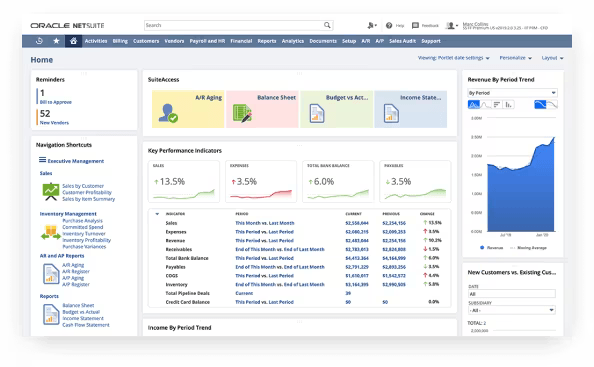
NetSuite earns its place when the manufacturing operation and the financial reporting complexity are equally demanding. A Canadian manufacturer consolidating subsidiaries, managing multi-currency supplier contracts, and running cross-border operations gets more from NetSuite's native financials than from most mid-market alternatives, but pure manufacturers with straightforward financials often find they're paying for sophistication they don't need.
Key Features:
Production planning and work order management: Converts sales orders and forecasts into work orders with linked material requirements, routing steps, and labour standards in one view.
Demand planning and inventory forecasting: Analyses historical patterns by item and location to recommend replenishment and production quantities, reducing both stockouts and excess inventory.
Unified financial and operational data: Production costs, purchase variances, and finished goods values posted to the general ledger in real time mean no overnight batch and no manual reconciliation.
Role-based operational dashboards: Production, finance, and executive teams each get a configured live view of the data relevant to their role without a separate BI tool.
Multi-subsidiary and multi-currency management: Intercompany transactions, consolidation, and currency conversion are handled natively, directly relevant for Canadian manufacturers with US entities or international operations.
Pros:
- Cloud-native from day one means no on-premises infrastructure, automatic updates, and reliable remote access.
- Financial consolidation and multi-currency capability exceed most mid-market ERPs without add-ons.
- Single platform covering production, financials, and direct-to-customer e-commerce.
Cons:
- Steeper learning curve than most mid-market alternatives, onboarding takes longer than expected.
- Total cost of ownership runs higher than Business Central or Acumatica at comparable company sizes.
- Shop floor manufacturing depth doesn't match Epicor or D365 SCM for complex production environments.
Acumatica ERP
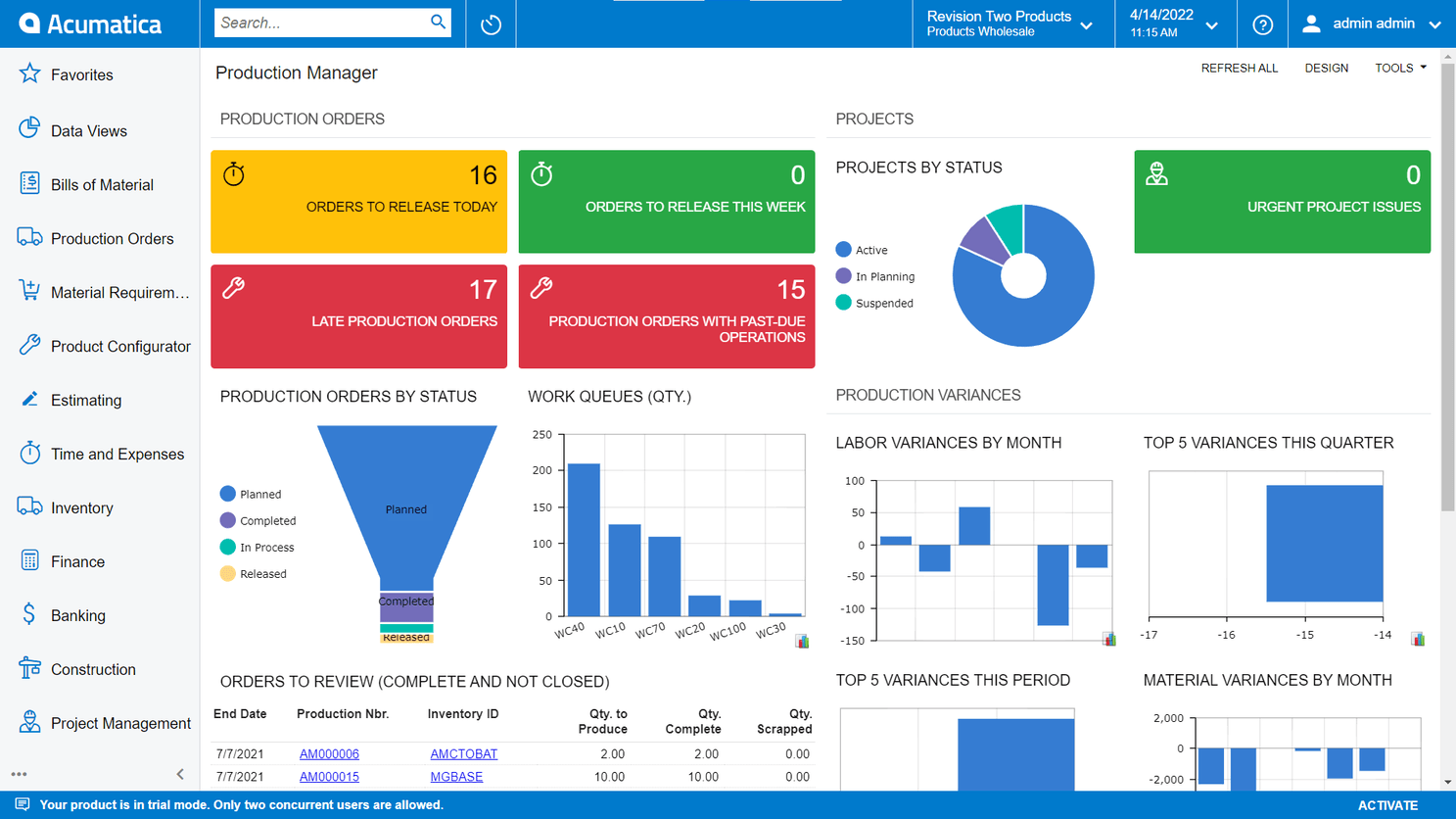
Acumatica consumption-based pricing, meaning it's charged on resources and transaction volume rather than per user, is the differentiator that puts it on the shortlist for growing SMB manufacturers. A plant can give every shop floor worker system access without each login inflating the bill. Beyond pricing, it handles standard discrete and light process manufacturing competently, with strong mobile capability for teams that aren't stationed at a desktop.
Key Features:
Job and project cost tracking: Tracks material, labour, and overhead at the work order level in real time, so managers catch a cost overrun while the job is still running, not after it closes.
Mobile production recording: Operators log completions, material use, and quality results from any device that is useful on production floors not built around desktop terminals.
Engineering change control: BOM and design changes go through version tracking and approvals, so revisions reach the floor with the correct effective date and don't hit the wrong active jobs.
Consumption-based scalable licensing: Cost grows with transaction volume, not headcount, removing the pressure to restrict system access to control the monthly bill.
Configurable dashboards: Role-specific live dashboards built by users without IT, giving each team the view they need.
Pros:
- Resource-based pricing is genuinely more favourable than per-user models for manufacturers expanding headcount.
- Mobile capability is practically built for shop floor use, such as fast input, and handles intermittent connections.
- Faster, lighter implementation than enterprise-tier systems.
Cons:
- Manufacturing depth falls short of Epicor or D365 SCM for complex multi-level BOMs and advanced scheduling.
- Smaller third-party integration ecosystem—can create friction connecting to legacy shop floor systems.
- Consumption pricing can become harder to predict as transaction volumes scale; model it carefully before committing.
Genius ERP
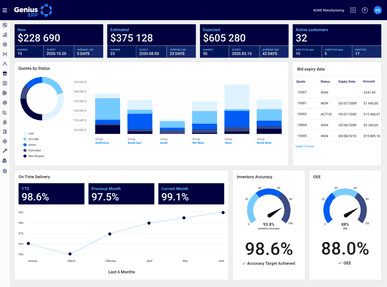
Genius ERP is built for one specific type of manufacturer: custom and engineer-to-order shops where no two jobs are alike, quotes must reflect real material and labour costs, and tracking actual versus estimated cost through every project stage is what keeps the business profitable. If that describes the operation, few platforms fit as precisely. If it doesn't, if the business runs high-volume repeat production, Genius is the wrong tool.
Key Features:
Engineer-to-order production management: Links engineering design, material procurement, and shop scheduling to a single job record so nothing falls through the gap between departments on a custom build.
Integrated quoting and estimating: Builds quotes from actual BOM templates and labour routing standards, not memory or spreadsheets, so the price given to a customer reflects real shop capacity and material cost.
Job costing with real-time variance tracking: Compares estimated versus actual costs at the component level while the job is live, giving project managers time to intervene before a loss is locked in.
Project-based production scheduling: Schedules floor resources against the specific operation sequence each custom job requires, not a generic production template.
Material and subcontract management: Tracks procurement tied to individual jobs, including subcontracted operations, with full visibility into what's arrived and what's still outstanding against each delivery commitment.
Pros:
- Purpose-fit for ETO and custom manufacturers, the system is designed around how this type of business runs.
- Quoting accuracy addresses the most common margin problem in custom manufacturing directly.
- Real-time job cost visibility during production, not only at project close.
Cons:
- Wrong system for repetitive or high-volume manufacturing: the ETO design works against that environment.
- Limited capability outside its core niche: advanced supply chain, multi-subsidiary financials, and high-volume warehousing are not its strengths.
- Post-go-live support and roadmap visibility can be less predictable than larger platforms with broader partner networks.
Infor ERP
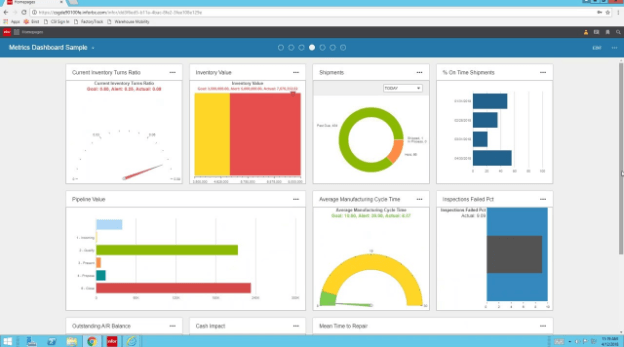
Infor manufacturing templates are pre-built around the documented requirements of specific industries, aerospace, automotive, and pharmaceuticals, rather than configured from a generic framework. For a regulated manufacturer, that means starting implementation with AS9100 quality structures, multi-level supplier traceability, and compliance workflows already in place, rather than building them from scratch.
Key Features:
Industry-specific manufacturing templates: Pre-configured workflows and compliance structures for target sectors reduce customization effort and keep the system aligned with evolving industry standards.
AI-driven predictive maintenance: Monitors equipment data and identifies failure patterns before they cause unplanned downtime, scheduling maintenance at a planned window rather than after a line has already stopped.
Embedded analytics and BI: Operational reporting sits inside production and supply chain workflows, throughput, quality, and cost variances visible without exporting to a separate BI tool.
Complex supply chain and ERP procurement management: Handles multi-tier supplier relationships, subcontracting, and global inbound logistics with procurement workflows built around regulated manufacturing lead times and tolerances.
Pros:
- Industry-specific configuration closes the gap between out-of-the-box behaviour and how the business operates, shortening implementation time.
- Predictive maintenance delivers real operational value for manufacturers running high-value equipment where unplanned downtime is costly.
- Compliance documentation structures match what aerospace, automotive, and pharma customers require, already built in.
Cons:
- Depth and cost make it a poor fit for manufacturers outside its primary target sectors.
- Too complex for smaller operations, implementation cost alone won't be recovered by a 50-person shop.
- Ongoing administration needs dedicated IT or a managed service partner; it doesn't run itself.
Syspro ERP
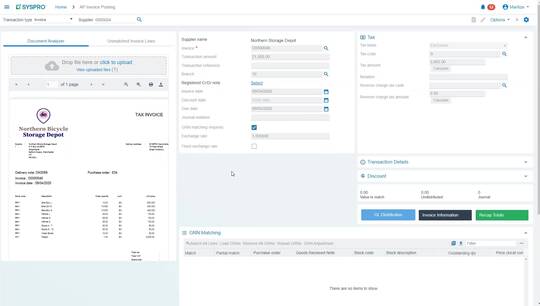
Syspro has a meaningful footprint among Canadian manufacturers in food processing, distribution-heavy manufacturing, and industrial equipment—sectors where inventory accuracy, lot traceability, and production costing are non-negotiable. It's particularly well regarded for businesses that have grown out of QuickBooks or Sage and need proper manufacturing controls without jumping to full enterprise complexity.
Key Features:
Serial and lot traceability: Tracks every lot or unit from supplier receipt through each production step to the customer, generating a complete audit trail that satisfies CFIA inspections and recall requirements in minutes, not days.
Inventory management with expiry and status control: Manages stock by status (quarantine, available, hold) and expiry date simultaneously which are essential for food, pharma, and chemical manufacturers where releasing expired or unapproved material is a compliance failure.
Production cost analysis and variance reporting: Compares standard versus actual costs across material, labour, and overhead at the work order level, so finance and operations see the same data rather than reconciling two different reports at month-end.
Customizable workflow engine: Configures document approvals, alerts, and process steps without code, so non-standard operating procedures are enforced in the system rather than living in a policy document no one opens.
AI-assisted demand and procurement insights: Surfaces purchasing recommendations and inventory risk flags from historical data, helping procurement teams get ahead of shortages before they stop production.
Pros:
- Lot and serial traceability depth is among the strongest in the mid-market—handles CFIA and regulated-customer requirements without expensive customization.
- Workflow customization without code lets the system reflect how the business operates, not the other way around.
- A meaningful installed base among Canadian manufacturers means available local implementation expertise.
Cons:
- Licensing reflects the full feature breadth whether those features are used or not—cost doesn't scale down for simpler operations.
- Workflow customization often still needs a partner to configure correctly, adding to project timelines and cost.
- UI and self-service analytics lag cloud-native competitors, though recent versions have improved.
ERP for Production and Planning
Production and planning are where a manufacturing ERP either earns its cost or becomes shelfware. This is the function that decides what gets built, in what order, with which materials, and on which machine, and it's the part that breaks first when a business outgrows spreadsheets.
A capable ERP production and planning module typically handles:
Master production scheduling: Sequencing jobs against real machine and labour capacity, not a static calendar
Material requirements planning (MRP): Calculating exactly what raw materials and components a production run needs, and when they need to arrive
Capacity planning: Flagging bottlenecks before they happen, rather than after a shift has already stalled
Work order management: Tracking each job from release to completion, with full visibility into status at any point
Demand forecasting: Using sales history and open orders to anticipate what production needs to ramp up for next
For Canadian manufacturers, this function carries an extra layer of complexity.
A plant might be running production across facilities in Ontario and British Columbia simultaneously, each with different labour availability, different shipping led times to the same customer, and different provincial tax treatment on the materials coming in.
ERP in production planning must reconcile all of that into one schedule that reflects reality on the floor, not an idealized version of it.
The payoff for getting this right is direct: fewer rush orders, less overtime spent firefighting a schedule that should have been visible weeks earlier, and materials arriving close enough to when they are needed that warehouse space is not tied up holding excess stock.
Manufacturers who treat production planning as a standing discipline, meaning it's reviewed weekly, not just set up once during implementation, consistently get more value out of their ERP system than those who configure it and leave it alone.
Difference Between ERP and Manufacturing ERP
An ERP system combines several corporate operations from various sectors, including manufacturing. However, manufacturing ERP is made specifically to meet the demands of industrial processes.
ERP has many aspects for supply chains, production, and finance. It can meet your needs outside of manufacturing. Specialized functions like quality control, bill of materials (BOM) management, and production planning are provided by manufacturing ERP.
The main difference between ERP and manufacturing:
Focus: Standard ERPs serve more general business operations such as sales, HR, and finance. Production processes, inventory management, and quality control are all heavily emphasized by manufacturing ERP software.
Functionality: Unlike a standard ERP, manufacturing ERP software contains specific features, including in-depth quality control systems, shop floor management, accurate production scheduling, and a Bill of Materials.
Customization: While a standard ERP for the manufacturing industry might require customization to fit a manufacturing business, a manufacturing ERP is built with the specific needs of a manufacturing company in mind, requiring less adaptation.
What Are the Key Features of Manufacturing ERP?
Businesses may easily create their products with the help of an ERP Manufacturing system's many capabilities. These are a few features:
➤ Planning and Scheduling for Production
This functionality can be used to distribute resources, optimize operations, and shorten lead times. You can also modify production schedules in response to unanticipated delays or shifts in demand due to its sophisticated capabilities, which include real-time updates.
➤ Inventory and Warehouses Management
You can optimize stock, streamline just-in-time inventory procedures, and keep an eye on inventory levels across many locations using this tool. Additionally, automatically alerting producers about to low stock levels helps them avoid delays caused by shortages of materials.
➤ Management of the Bill of Materials (BOM)
Gives manufacturers the ability to handle intricate, multi-level assemblies by providing comprehensive BOMs. This feature lowers production errors and guarantees that every component is present.
➤ Shop Floor Control
It offers real-time visibility in production processes, including machine performance and workforce productivity. It also supports tracking work-in-progress (WIP) and identifying bottlenecks to streamline operations.
➤ Quality Control
Integrates quality checks at every stage of production. Using this feature, you can also automate inspections, track defects, and ensure consistent product quality while adhering to industry standards.
How Does Manufacturing ERP Affect Your Business?
ERP for manufacturing drives transformation by providing real-time visibility, automating operations, and enabling data-driven decisions. It helps businesses:
Eliminate Production Bottlenecks: Guarantees the best possible equipment, supplies, and labor use. Smooth production flows are maintained via prompt interventions made possible by early bottleneck detection.
Enhance Product Quality and Compliance: Make sure that Canadian regulatory documentation is followed and put strong quality control procedures in place. This lowers flaws and increases consumer confidence in the product.
Boost client satisfaction: Guarantee reliable product quality, prompt deliveries, and improved service to increase client satisfaction and loyalty.
Make Scalability Possible: Adjust to changing business needs, such as expanding product lines and production volumes and entering new markets.
Reduced Operational Costs: This directly affects profitability by reducing waste, improving inventory control, and allocating resources more effectively.
Benefits of Using an ERP System for Manufacturing
Investing in a manufacturing ERP in Canada brings a multitude of benefits to any business operating across the industrial sector in Canada. They can manage their resources better, reduce costs, and improve supply chain visibility. Here are more details:
➤ Centralized Data Management
Manufacturing ERP solutions eliminate the need for different databases by unifying all data sources within the manufacturing company. This guarantees that all employees are operating from the same source of truth, improving decision-making.
➤ Streamlined Processes
ERP System for manufacturing simplifies intricate industrial processes. It automates repetitive tasks, such as tracking finished goods and managing raw supplies, which saves crucial time.
➤ Better Resource Management
Manufacturers across Ontario, Alberta, and British Columbia can efficiently allocate resources using ERP systems. This includes scheduling production, handling raw materials, equipment, and personnel. Businesses may minimize waste and ensure that production schedules are fulfilled by allocating resources optimally. ERP Software for manufacturing industry solutions particularly excels in improving resource allocation and minimizing inefficiencies.
➤ Improved Supply Chain Visibility
ERP and Manufacturing solutions aid businesses in effective supplier management, demand forecasting, and inventory tracking. This results in enhanced supplier relationships, fewer stock outs, and on-time deliveries.
➤ Cost Reduction
Enhanced resource management and automation assist businesses in cutting operating expenses. Reducing lead times, maximizing worker utilization, and avoiding downtime are just a few of the cost-saving measures where accurate data helps.
Role of ERP Systems in Various Industries
Different industries require different functionalities from their ERP systems. Let’s look at how ERP systems for manufacturing cater to Canada's industrial base.
➤ ERP System for Chemical Manufacturing
Businesses in the chemical manufacturing sector require solutions to handle hazardous materials, guarantee legal compliance, and keep an eye on production quality. The chemical industry can benefit from the use of ERP systems to handle huge quantities of raw materials and finished products, manage complex formulae, and keep track of safety precautions.
➤ ERP System for Custom Manufacturing
ERP systems for custom manufacturers support flexible workflows, material tracking, and job-specific costing. Manufacturers can effectively manage task orders, handle special projects, and keep precise pricing and delivery dates with the help of these tools.
➤ ERP System for Electronic Manufacturing
Manufacturing ERP provides intricate bill of materials management, industry regulatory compliance, and handling of challenging procurement procedures, ensuring top-quality electronic product manufacturing. Additionally, these systems increase traceability, which is crucial for monitoring the lifecycle of electrical components.
➤ ERP System for Food Manufacturers
Food manufacturers across Canada, from a processing plant outside Toronto to a beverage producer in Quebec, need to manage perishable inventory, hit quality standards consistently, and stay ready for a CFIA traceability request at any time.
ERP systems with lot-level tracking make that achievable without manual paper trails, and ERP for packaging lines specifically helps coordinate label compliance, lot codes, and case-pack accuracy as products move toward shipping.
➤ ERP System for Pharmaceutical Manufacturing
Tight compliance, traceability, and quality control rules are necessary in the pharmaceutical manufacturing industry. Manufacturing Resource Planning software helps pharmaceutical companies with its functionality for production management, regulatory documentation, and product safety and efficacy assurance.
Selecting the Right ERP System
Choosing the right ERP and manufacturing involves assessing your company’s size, industry, and specific operational challenges.
Company Size and Plans for Growth: Select a scalable manufacturing enterprise resource planning software that can support future development, such as expanded production capacity or geographic expansion, while meeting your present operating needs.
Features Particular to the Industry: Choose capabilities that are specific to the difficulties faced by your sector, such as BOM management for electronics production or regulatory compliance for medicines.
Budget analysis: Weigh long-term value against upfront investment, accounting for implementation, training, support, and ongoing update costs. Microsoft's Business Central pricing, for example, runs CA $108.50/user/month for Essentials and CA $149.20/user/month for Premium, but manufacturing functionality only comes with Premium, so build that into the comparison from the start.
Integration Capabilities: To avoid data silos and enhance cooperation, make sure to seamlessly integrate with your current tools and systems, such as supply chain management software or Dynamics CRM.
Vendor Experience: Select an ERP system provider with prior experience and Canadian tax and compliance familiarity specifically. Streamlining implementation and receiving ongoing assistance from an experienced partner is possible.
Customization and Flexibility: Use a system that adapts to your business's activities rather than enforcing rigid protocols to guarantee operational efficiency.
Services for Support and Reputation: Utilize references, assessments, and case studies to gauge a vendor's standing. Make sure the provider offers strong post-implementation support to handle issues promptly.
Seek Expert Advice: Engage a trusted implementation partner, like Dynamics Square Canada, to navigate the complexities of ERP deployment and avoid the most common missteps.
Challenges with Implementing a Manufacturing ERP
While ERP and manufacturing software offer immense value, they also come with challenges:
Complexity of Implementation: It can take a lot of time and resources to deploy ERP software for manufacturing. To prevent interruptions, careful preparation and knowledge are essential.
Change management: A new system's implementation necessitates a great deal of staff training and cultural adjustment. Adoption success may be hampered by resistance to change.
Cost considerations: ERP systems for manufacturing industry can be expensive up front, particularly regarding integration and customization. Businesses need to consider ROI carefully.
Needs for Customization: It can be challenging to ensure the system follows specific procedures, particularly for specialized businesses with particular operating needs.
Problems with Data Migration: Careful planning and error management are necessary when moving data from outdated systems to modern ERP software for manufacturing to avoid data loss.
Best Practices for Implementing ERP Systems
Consider the following best practices to guarantee a successful ERP and manufacturing implementation:
Perform a Comprehensive Needs Analysis: Identify operational pain points and rank features that address specific supply chain, inventory, or manufacturing issues.
Involve Stakeholders Early on: To guarantee alignment and buy-in, include team members from all pertinent departments, including IT, finance, and production.
Select the Proper Vendor: Choose an ERP for the industrial sector that meets your operational needs. Seek out suppliers who have worked in your industry before.
Make a scalable plan: As your company grows, be sure the system can accommodate more work, expansions, and new technology.
Put Training and Support First: Give your staff the skills and resources they need to get the most out of the system.
Track Development After Implementation: Establish and monitor key performance indicators (KPIs) to gauge the system's efficacy and identify areas for improvement.
Thorough Testing Before Deployment: Reduce mistakes and make sure your company's objectives are met after ERP Implementation.
Use Cloud-Based Products: Consider cloud ERP for more straightforward scalability, lower IT costs, and improved accessibility.
ERP Implementation with Dynamics Square!
Multiple ERP systems for manufacturing are available in Toronto, Ontario, each with unique strengths. Choosing the right solution can significantly improve efficiency and productivity for your business. Whether you’re a small custom manufacturer or a large enterprise,
Dynamics Square Canada offers tailor-made solutions to suit your manufacturing needs. Dynamics Square is a renowned name in Canada offering services for Microsoft Dynamics 365 for 14+ years. We have a team of 135+ consultants who are Microsoft certified.
This ensures your operations will run smoother, faster, and more cost-effectively.
Call our consultants at +1 778 381 5388 or write us an email at info@dynamicssquare.ca to implement top ERP systems for manufacturing.