Are you searching for top ERP systems that can streamline and centralize your business? If so, you have come to the right place.
ERP systems can help businesses connect different departments, which include HR, supply chain, finance, customer service, sales, and other departments as well. It can improve collaboration among your teams, facilitate better analytics, enhance productivity, boost customer satisfaction, and optimize inventory monitoring. Such ERP features are vital for your business because they lead you to make data-driven decisions and improve business efficiency.
Table of Contents
- When to Use ERP?
- Top ERP Systems for All Businesses
- Section 17
- When Should You Invest in an ERP System?
- Features You Can Use after ERP Implementation
- Advantages of ERP System Implementation
- Challenges in Implementing ERP Systems
- Use Case of ERP Systems in Different Industries
- Selecting the Right ERP Software for Your Business
- Choose the Perfect Solution with Dynamics Square
As per the current scenario, the ERP software market is expected to be worth 40.5 billion USD by 2025.
However, choosing the best systems for your business might be overwhelming, as the ideal solution varies from one business to another. Our team of researchers and ERP consultant has analyzed numerous systems and curated a list of the 11 top ERP system examples for different businesses.
Table of Content
Top ERP Systems Comparison
To have an in-depth and clear understanding about the capabilities and pricing of each ERP, we will explore this table. It encompasses the in-depth features of top examples of enterprise resource planning ERP systems and pricing structure of each ERP.
| ERP System | Features | Pricing |
|---|---|---|
| Microsoft Dynamics 365 Business Central |
| $95(CAD) per user/month (Essentials) $135.70(CAD) per user/month (Premium) |
| Microsoft Dynamics 365 Finance & Operations |
| $244(CAD) user/month (Essentials) $407.70(CAD) user/month (Premium) |
| Oracle Cloud ERP |
| Custom quote |
| Odoo |
| Free (Free tier) $44.61(CAD) per user per month (Standard plan) $67.13(CAD) per user per month (Custom plan) |
| SAP Business One |
| $80.33(CAD) per user per month (Limited) $154.92(CAD) per user per month (professional) |
| Epicor |
| Custom quote |
| SAP S/4HANA |
| Custom quote |
| Xero |
| $41.60(CAD) per month (Starter) $65.99(CAD) per month (Standard) $98.98(CAD) per month (Premium) |
| Infor CloudSuite |
| Custom quote |
| Acumatica |
| Custom quote |
| Intuit QuickBooks |
| $27.26(CAD) / month (Simple Start) $40.17(CAD) / month (Essentials) $57.38(CAD) / month (Plus) $109.02(CAD) / month (Advanced) |
What is ERP System?
An ERP meaning a software solution that helps businesses to manage their core business process using a single platform. It centralizes the data storage across all departments, like finance, supply chain, human resources, manufacturing, and customer relationship management, to ensure everyone is on the same page. In addition, it helps businesses gain transparency, streamline workflows, and reduce operational costs.
How Does ERP System Operate?
Enterprise resource planning systems perform several functions that will satisfy your business needs, including automation, customization, data accuracy, and so on.
Integrated System:
The idea is to integrate a number of discrete business functions, such as finance, sales, inventory, and human resources, into a single big system. This will help you achieve seamless data flow and collaboration between the different departments.
Automation:
ERP programs will automate repetitive jobs such as entering data, creating invoices, and calculating payrolls. It incorporates distinct works such as ticking out manual effort and improving operational efficiency.
Data Accuracy:
The ERP program would centralize all the information in a database that allows data to be accessed in real time. This will ensure better decision-making based on accurate information.
Modular Approach:
Most enterprise resource planning solutions follow a modular-based approach to help the business. It helps you select and implement only those modules that are relevant to your operations regarding sales management, inventory control, or project management.
Customization:
Though standardized, enterprise resource planning systems can be enabled for customization. It helps you meet specific industry requirements or adapt to unique business processes.
Examples of Enterprise Resource Planning ERP systems
- Microsoft Dynamics Business Central
- Odoo
- SAP Business One
- Epicor..
What Does the ERP System Do?
ERP systems unify disparate business operations into a cohesive framework. Key functionalities include:
Financial Management
Accounting procedures, including accounts payable, receivable, and ledger management, are made easier by financial management ERPs like Dynamics BC. Local and global financial standards are followed thanks to integrated compliance technologies.
Supply Chain and Inventory Control
Operational efficiency is increased through real-time tracking of items from procurement to delivery. Demand patterns are predicted by advanced analytics, reducing shortages or overproduction.
Human Resource Management (HRM)
From recruitment to payroll, ERPs like Oracle Cloud HRM automate HR tasks. Allow employees to access pay stubs, leave requests, and training modules independently.
Customer Relationship Management (CRM)
ERPs integrate CRM capabilities to centralize customer interactions, improving satisfaction. Data from an ERP system can drive personalized campaigns.
Production and Manufacturing
ERP systems enable precise production planning and scheduling. Integrated quality checks ensure that manufacturing meets industry standards.
When to Use ERP?
You should use an ERP system when your business is experiencing significant growth, needs to streamline multiple operational processes, or wants to centralize data.
➤ Multiple disconnected systems: If your business relies on several disparate software programs to manage different aspects of operations, an ERP can unify data and processes for better visibility.
➤ Fast Business Growth: An ERP can effectively scale operations and handle growing complexity when a company is growing rapidly.
➤ Process Inefficiencies: An ERP can automate and streamline workflows if current processes are disjointed or manual, resulting in mistakes and delays.
➤ Problems with Data Management: When data is scattered across multiple systems, it can be difficult to extract accurate insights. In these cases, an ERP provides a consolidated data repository.
➤ Regulatory Compliance Needs: By standardizing processes, an ERP may help businesses that have to follow stringent standards to guarantee compliance.
Top ERP Systems for All Businesses
Each ERP comes with distinctive features, and choosing one from them depends on your business requirements. We will compare these ERP systems on numerous factors, such as industry-specific solutions, deployment options, pricing, ease of use, advance reporting, ROI, and total cost of ownership. Let us jump to learn about ERP system examples in detail:
1. Dynamics 365 Business Central
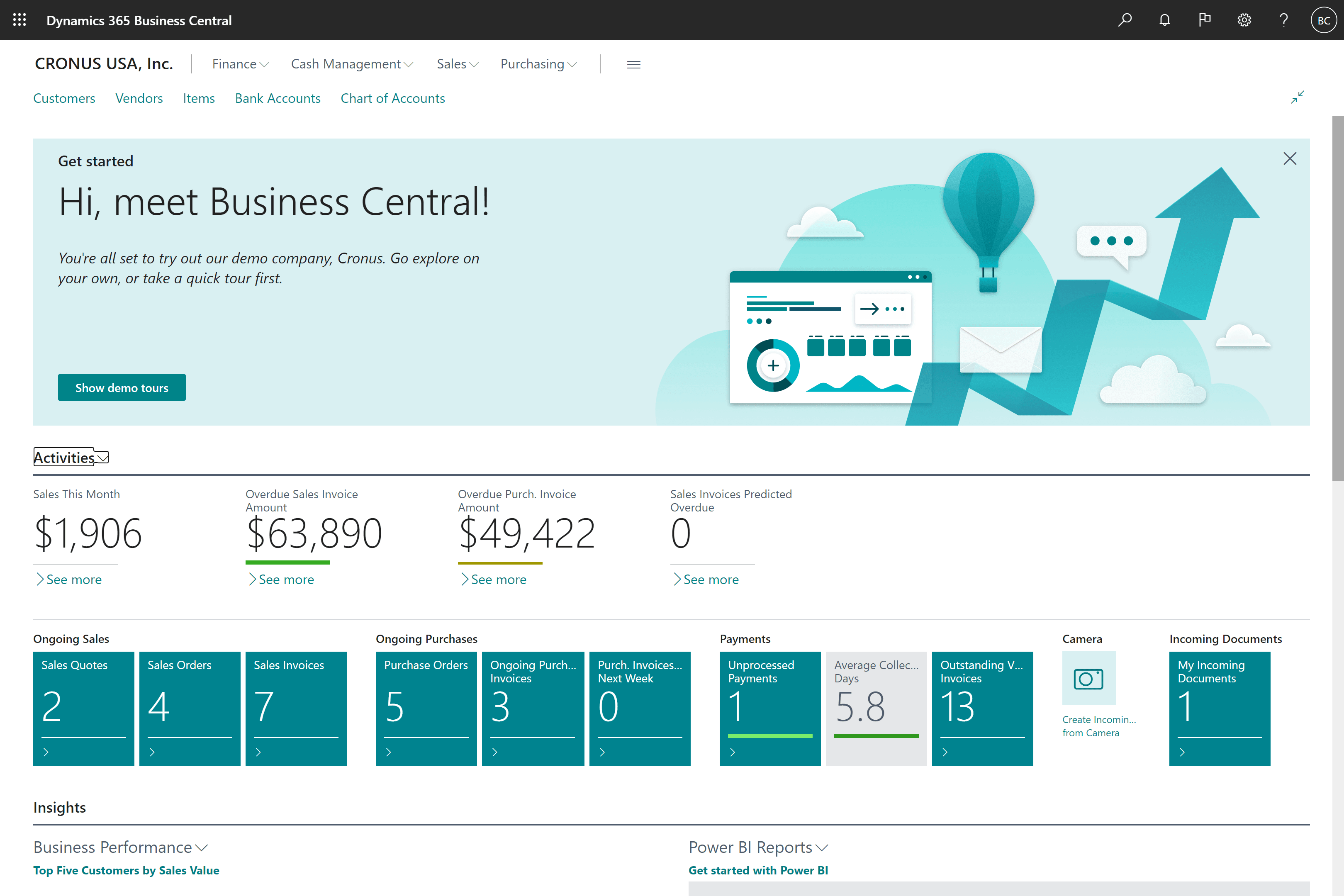
Business Central is one of the top ERP systems in Canada for SMBs, with Dynamics 365 capturing 24.62% market. This allows businesses to streamline and automate their business operations with its highly adaptable and rich features.
#1 ERP by Forbes Advisor
It empowers businesses to manage their finances, sales, manufacturing, projects, services, and supply chain. These comprehensive features allow businesses to adapt tailor-made solutions according to their needs.
Additionally, Business Central is embedded with modern technologies that include AI, BI, and ML to offer various business-centric features. Business Central with Copilot, which allows you to communicate through chats and resolve user queries in no time. You just need to open chat and add a prompt for any help.
Key Features:
- Strong financial control where reporting, budgeting, and cash flow are sound.
- In-built Copilot support enhances efficiency during analysis and data entry as well as user interactions.
- Scalable architecture that can support the growth of small and medium-sized businesses that have implemented modern ERP solutions.
Advantages:
- In the real-world SMB setting, this enterprise resource planning software is quite intuitive, especially when it comes to finance, sales, and simple day-to-day operations.
- The cloud-first architecture truly decreases ERP IT dependency and infrastructure expenses as well as upgrade concerns.
- It can be connected well with the Microsoft environment (Excel, Outlook, Teams) in the daily flows of work.
Disadvantages:
- Heavy processes within the industry may need third-party extensions or customization by partners.
- Complexity may be limiting functional depth to those organizations whose manufacturing or enterprise requirements are highly complex.
Pricing:
The standard cost per user, which is based on either the Essentials or Premium version, is between CAD 108 and CAD 150 per month.
2. Oracle Cloud ERP
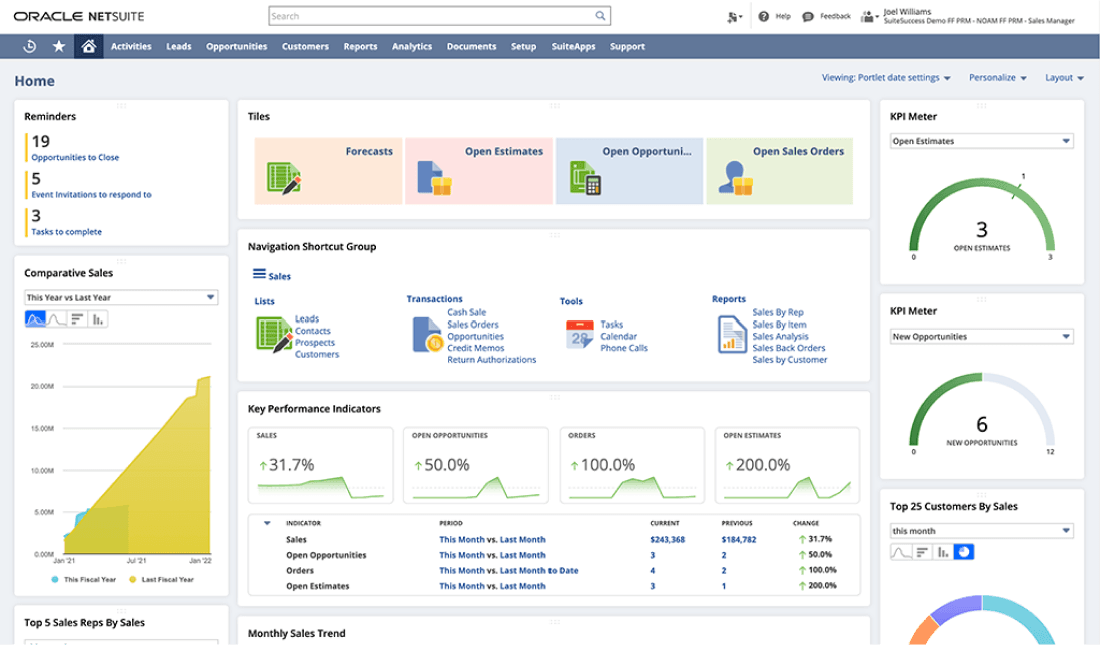
Oracle Cloud ERP offers advanced capabilities to businesses. It comes with AI capabilities that help businesses automate their manual processes, improving agility.
Oracle Cloud ERP can be complex to implement, requiring a specialized team for smooth deployment. Some users also face steep learning curves and vendor dependence.
Moreover, Oracle Cloud ERP might not facilitate some features, such as JSON data population, extended data types, and data-bound collation.
Key Features:
- Advanced risk management, security, and compliance frameworks.
- Artificial intelligence-oriented analytics and automation in finance and operations.
- Affordable cloud infrastructures that are highly scalable to support large organizations that demand enterprise-grade ERP software.
Advantages:
- Financial governance, controls, and compliance capabilities are very strong in enterprise environments that use advanced ERP systems.
- Both automation and AI features make a big difference by cutting down on the need for people to be involved in accounting and purchasing processes.
- It is designed to facilitate global operations that involve complicated regulatory and reporting needs.
Disadvantages:
- Implementation typically involves significant investment, planning, and specialized expertise.
- The complexity of the system may lengthen the user onboarding and training systems.
Pricing:
Enterprise subscription pricing commonly ranges from CAD 700 to CAD 1,750+ per user per month, reflecting its large-scale enterprise focus.
Also Read: NetSuite Alternative
3. Odoo
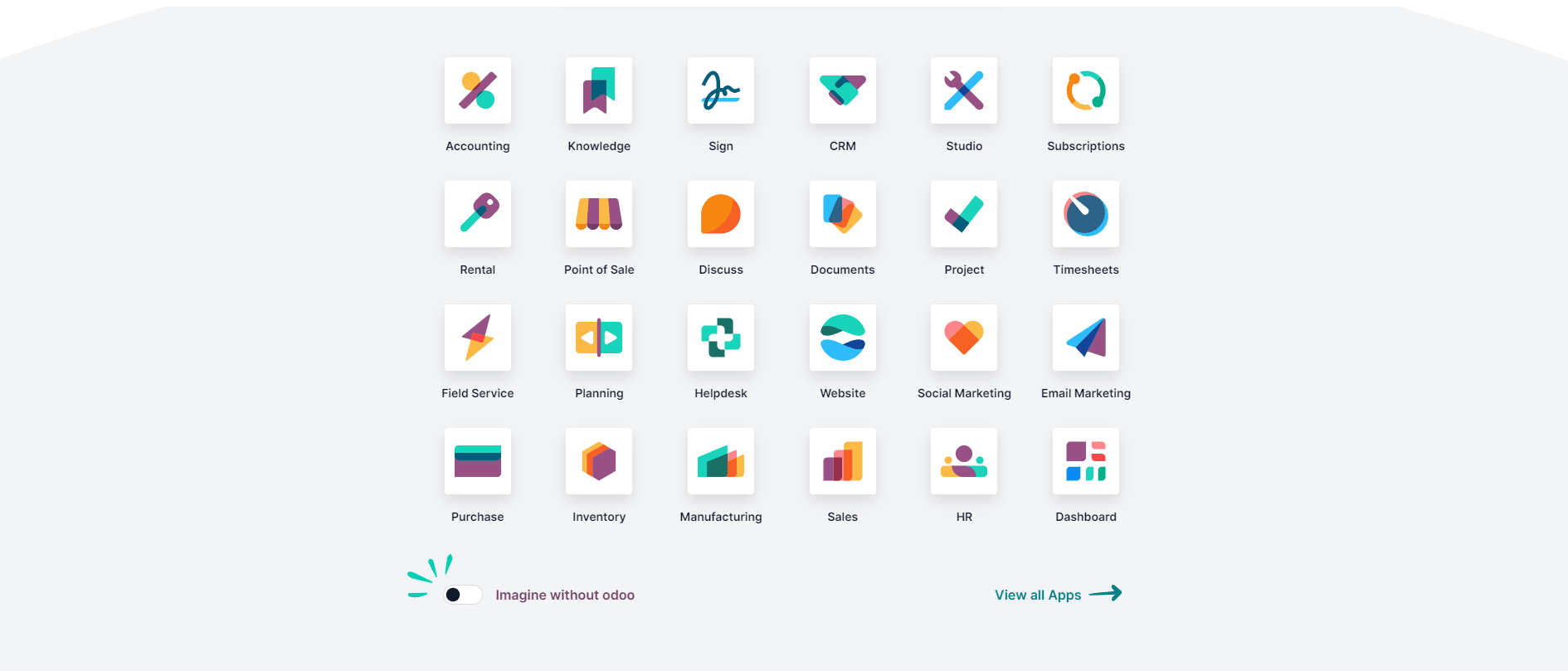
Odoo is a suite of open-source business management software tools that integrates many business applications into a single platform. It provides two licenses to users, consisting of Odoo Community and Odoo Enterprise. Furthermore, it also provides on-premises ERP solutions for businesses.
Odoo offers a freemium license option. The Odoo Community version is free for users; however, it comes with limited functionality. One needs to pay to get additional features.
Odoo ERP is difficult to customize and requires expert skills, resulting in increased implementation costs. Businesses require professional expertise to fulfill their customization requirements.
Additionally, it regularly releases updates, and businesses need to stay updated to ensure security and access to the latest features.
Key Features:
- Fully modular design to support custom ERP design.
- Open-source system that provides comprehensive system flexibility.
- Integrated applications, which are illustrations of viable enterprise resource planning software in various industries.
Advantages:
- An enterprise resource planning program is extremely flexible because it is designed in a modular way, which allows businesses to adapt features as they go.
- Low cost of entry, especially for startups and low-cost organizations.
- Broad comprehensive functionality in CRM, sales, inventory, accounting, and eCommerce.
Disadvantages:
- Technical expertise and choice of modules are of strong importance to customization and long-term stability.
- Heavy use of the third-party apps may create maintenance and compatibility dilemmas.
Pricing:
Licensing usually costs between CAD 55 and CAD 85 per user per month, based on the choice of applications and edition (Community vs. Enterprise).
Also Read: Odoo Alternatives
4. Microsoft Dynamics 365 Finance and Operations
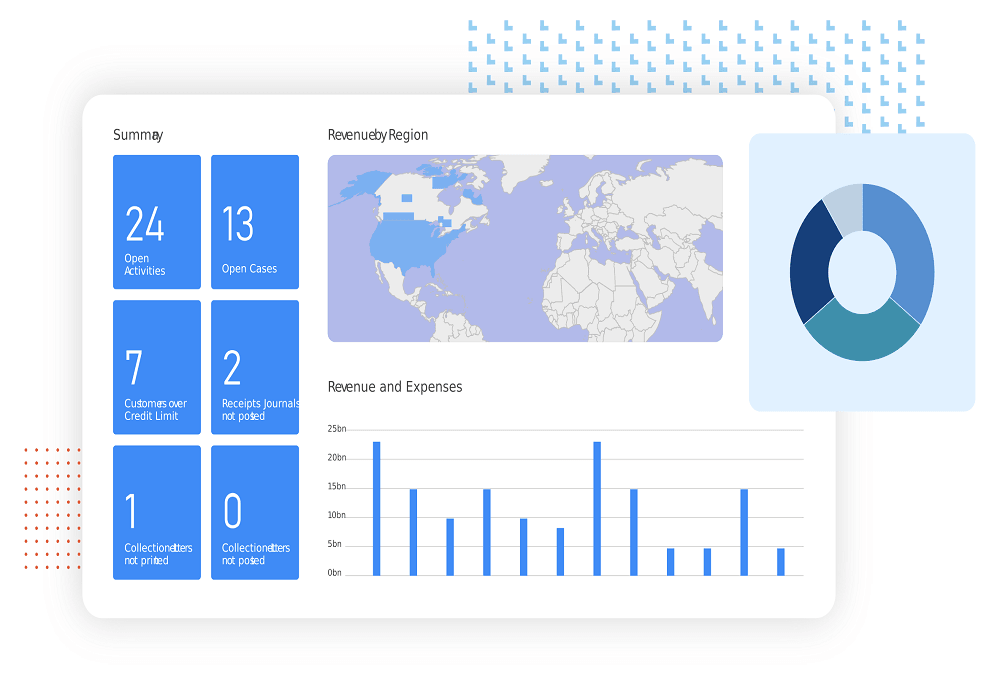
Finance and Operations is among the top ERP systems in Canada offering solutions to simplify the complex business processes of large enterprises. For example, you can manage your finances and supply chain to meet your business's evolving needs. The aim is to provide financial and operational visibility to organizations.
Dynamics 365 Operation and Finance allows users to actively monitor their cash flow, identify future trends, reduce write-offs, order management, pricing, warehouse management system and fulfillment, asset management & maintenance, and improve margins.
This allows you to make informed decisions with D365's AI-powered predictions. Businesses automate operations, scale globally, drive growth, and reduce expenses through in-depth details. Moreover, businesses can streamline procurement and sourcing with the help of in-built Copilot.
Key Features:
- Advanced finance, supply chain, manufacturing, and asset management modules.
- Artificial intelligence forecasts and smart automation of processes.
- Scalability and operational visibility that should be granted to modern ERP software.
Advantages:
- Works very well with multi-entity and global business models that have complex structures and need high levels of ERP solutions.
- Advanced reporting and in-built analytics provide a great contribution to decision-making.
- AI and automation simplify financial processes, supply chain processes, and operations.
Disadvantages:
- There are licensing, implementation, and maintenance costs that must be carefully checked in terms of ROI.
- Deployment of success heavily depends on structured planning and experienced implementation partners.
*Note: Previously offered as a unified application, Finance & Operations is now separated into Dynamics 365 Finance and Dynamics 365 Supply Chain Management.
Pricing:
The base cost of licensing is normally around CAD 300 to 450, per user per month, according to the user roles and functionality that is required. Attach licenses are often offered at a lower cost to organizations that have bought a base license (Finance or Supply Chain).
5. SAP Business One
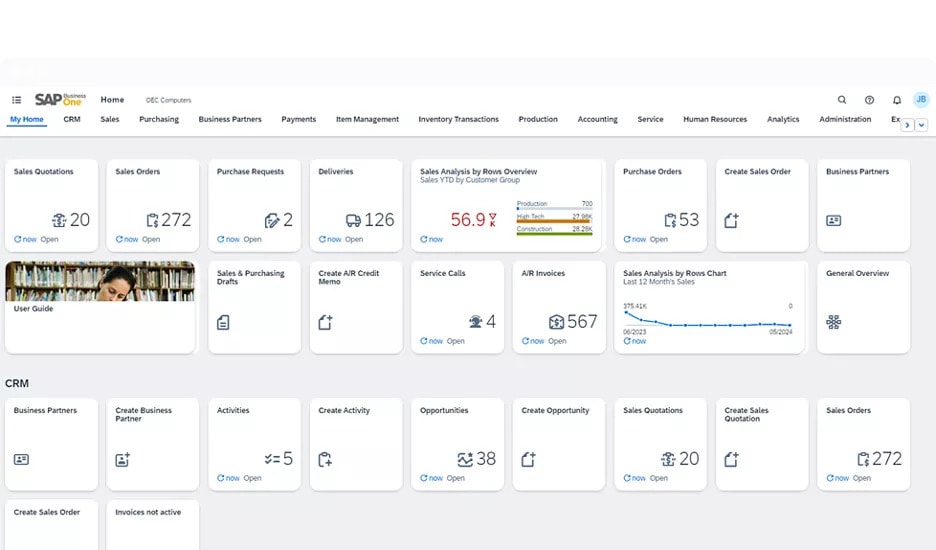
SAP Business One is one of the top ERP systems that offers comprehensive solutions for businesses to manage their finances, sales, inventory, customer relationships, reporting, and analytics.
These solutions help you get complete control over your business, driving profitability and business growth. Businesses can streamline their business processes and get data-driven insights.
Moreover, SAP Business One has limited integration capabilities, as it can only integrate with SAP HANA. It isn’t natively web-based, so businesses must host their systems privately. Business One lacks multi-entity management and does not provide automatic upgrades.
Key Features:
- Well-developed accounting, purchasing, and inventory management skills.
- Real-time reporting and analytics for business monitoring.
- Deployed in hosted and on-premises models.
Advantages:
- Gives a structured and reliable ERP platform to the small and mid-sized companies in evaluating what the ERP systems are that can make them grow.
- The fundamental financial and inventory operations are stable and fit best in operational control.
- Suitable for organizations transitioning from simple accounting systems.
Disadvantages:
- Non-SAP ecosystem flexibility can be limiting.
- User experience and interface might not be as modern as more recent cloud-native products.
Pricing:
User licensing usually falls between CAD 135 and CAD 210 per user per month, reflecting its positioning in the mid-market ERP segment.
6. Epicor
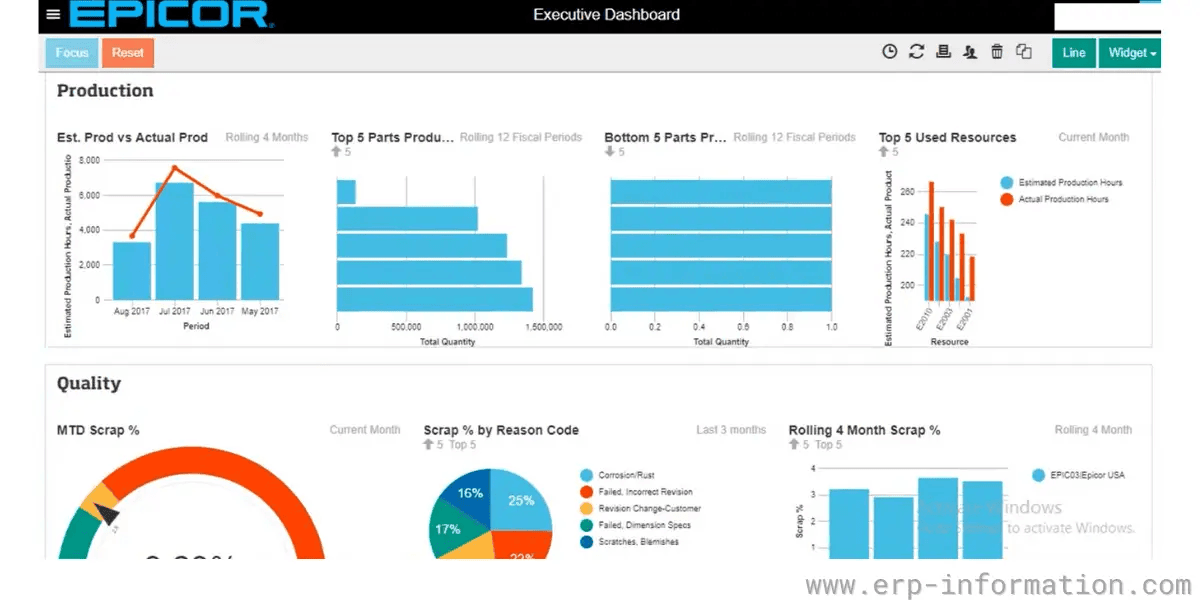
Epicor ERP focuses on manufacturers, retailers, building supplies, and distributors. It offers tailored solutions for manufacturing and distribution processes. It is one of the top ERP systems in Canada among mid-sized businesses.
However, Epicor ERP lacks functional alignment, system integration challenges, complex reporting features, a difficult interface, and limited web and mobile capability. This system can be challenging to integrate with finance and HR. Organizations might seek help from vendors to fulfill their unique needs.
Key Features:
- Tools in production planning, scheduling, and shop-floor management.
- Operational insights dashboards, which are customizable.
- Industry-based functionality that serves manufacturers and distributors.
Advantages:
- Well-aligned manufacturing and distribution-focused operational models that require specialized ERP solutions.
- Such tools as dashboards and production provide meaningful visibility into workflows.
- Flexible configuration supports industry-specific requirements.
Disadvantages:
- The complexity of the interface can slow down user adoption and can add training.
- The cost of the projects in general can be hiked by integrations and personalization.
Pricing:
Subscription pricing varies by industry configuration and can be between CAD 180 and CAD 350 per user in a month.
7. SAP S/4HANA
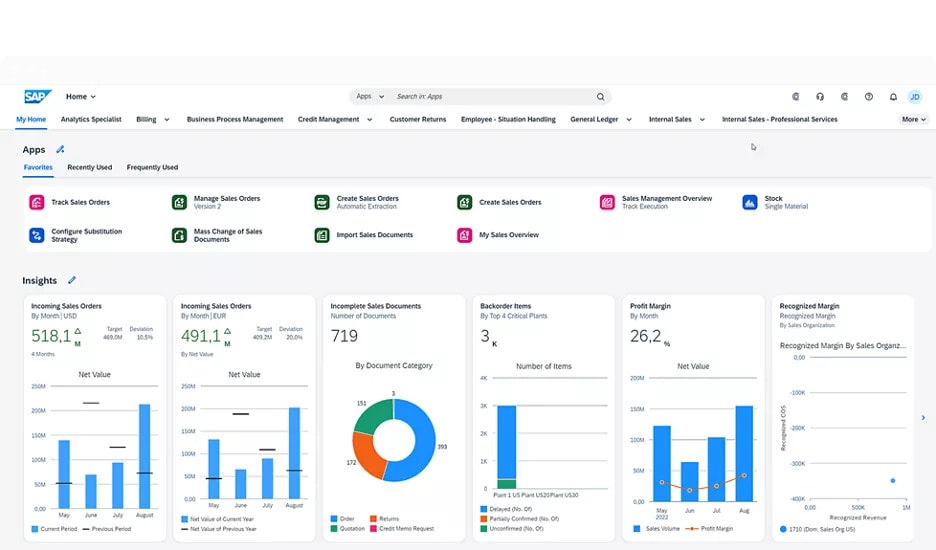
SAP S/4HANA is built on the SAP HANA in-memory database platform, offering a powerful and scalable solution. This system is a suitable option for large corporations looking to simplify their complex financial needs.
However, this system can be costly and demands IT expertise for implementation. Small business users might not find this solution user-friendly. SAP S/4HANA isn’t compatible with third-party databases, so converting to SAP S/4HANA can be challenging. Users face a steep learning curve due to its complicated UI.
Key Features:
- HANA database-based in-memory computing.
- Modern Fiori UX with role-based user experiences.
- Higher financial and operational management skills.
Advantages:
- Outstanding high-volume capacity and real-time analytics in enterprise-level environment enterprise resource management software.
- Suited to businesses with complicated, information-intensive business operations.
- The modern architecture improves the speed of processing and accuracy of reporting.
Disadvantages:
- Migration and implementation projects are quite expensive and consume a lot of resources.
- It needs skilled technical teams and organized transformation plans.
Pricing:
Subscription plans start at CAD 275 to CAD 650 per user per month, according to the type and modules used by the user.
Also Read: SAP Alternatives
8. Xero
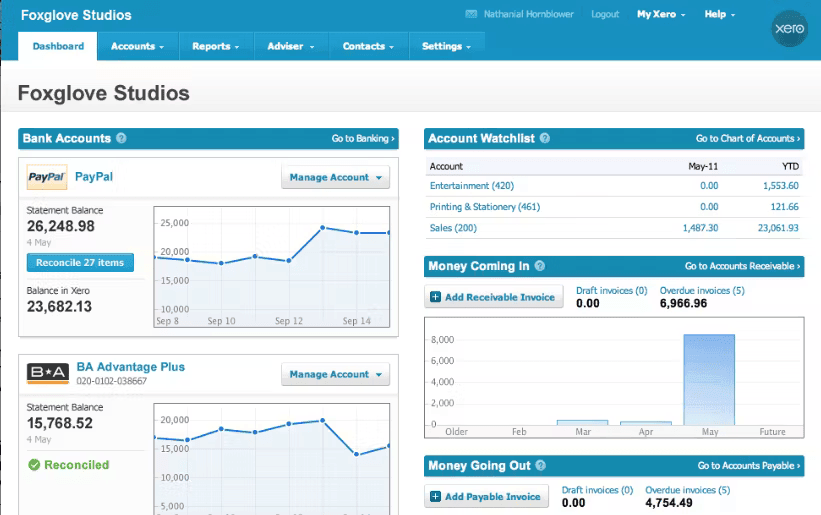
It is a cloud-based ERP accounting solution specially designed for small and medium-sized businesses. Xero can help you simplify your financial management with its core accounting functionalities. This solution is easy to use and affordable. Businesses can also integrate with other systems with Xero to fulfill their intended functionality.
Furthermore, Xero has limited ERP functionality, which is not suitable for complex business processes. It has limited customization options, project management, and delivery capabilities. Users require additional tools or software to fulfill their needs.
Key Features:
- Multi-currency support for international transactions.
- Extensive integration ecosystem for expanded functionality.
- Online invoicing, bank reconciliation, and expense tracking.
Advantages:
- Extremely user-friendly, thus being very convenient to small business owners considering lightweight ERP solutions.
- Comparatively simple accounting-related activities like invoicing and reconciliation are efficient.
- Cloud-based design assists in mobility and remote access.
Disadvantages:
- Functional scope remains limited beyond accounting needs.
- Multiple third-party integrations are usually necessary in growing organizations.
Pricing:
Subscription plans vary between CAD 25 and CAD 90 per month (per company file). Like QuickBooks, it is a company-based pricing as opposed to a per-user pricing.
Also Read: Xero vs QuickBooks
9. Infor CloudSuite
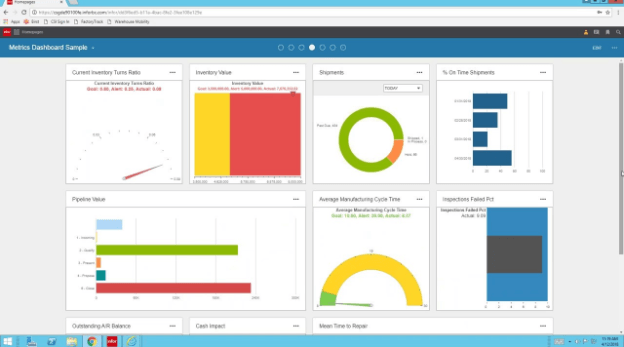
Infor CloudSuite also comes with basic ERP functionality, like any other ERP system examples. It offers customized solutions for specific requirements. However, implementation complexity and pricing vary depending on user requirements.
Various users say that the Infor CloudSuite user interface has an outdated look compared to our list of top ERP systems. It has limited integration capabilities, which might make it difficult to fulfill your needs.
Key Features:
- Standard and robust supply chain planning and industry-based modules.
- Document management tools and analytics tools.
- Cloud architecture that is scalable to business.
Advantages:
- Industry-specific configurations provide strong alignment with specialized operational requirements expected from enterprise resource planning solutions.
- Appropriate to businesses that require specific workflow and vertical functionality.
- The deployment of clouds facilitates scalability and accessibility.
Disadvantages:
- It is complex to implement based on the industry scope and customization levels.
- The user interface can be modernized less than some of its competitors are.
Pricing:
Pricing is often in the range of CAD 250 to CAD 500 per user per month, as the suite is optimized towards larger, industry-specific implementations.
10. Acumatica
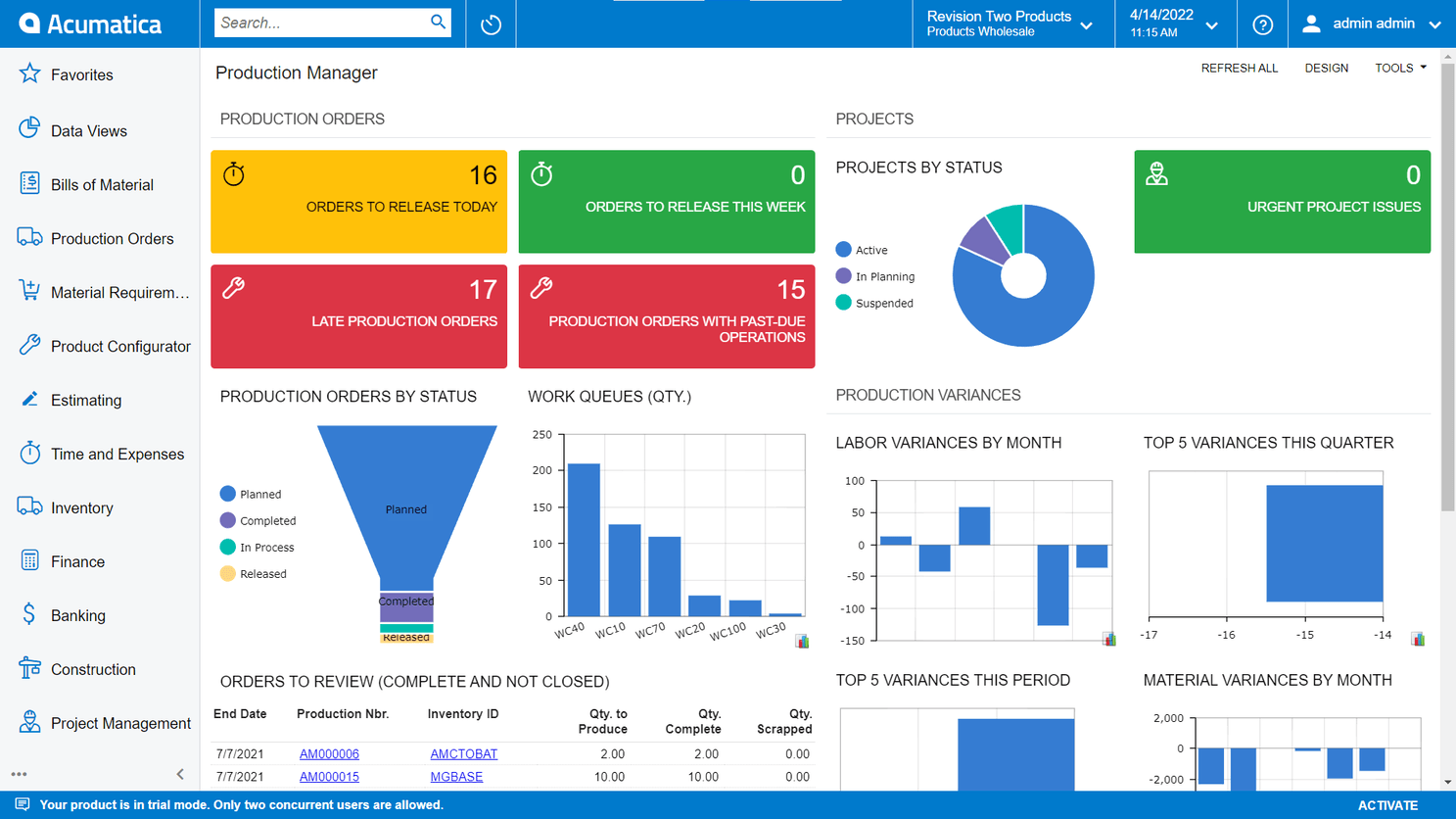
It is a user-friendly ERP solution that can be used in various industries, such as construction, distribution, and manufacturing. Acumatica facilitates various functionalities, such as inventory management, sales order management, procurements, financial data, and warehouse management. Furthermore, users can also access Acumatica using various devices.
However, its price is not publicly available, making it difficult for businesses to estimate the licensing cost. It might not suit industries like healthcare and education. Additionally, its extensive customization options might be challenging for businesses.
Also Read: Inventory Management Software
Key Features:
- Financial management, distribution, and inventory capabilities.
- Excellent remote access and mobile accessibility.
- Workflows and dashboards that are customizable.
Advantages:
- The usability of this enterprise resource planning software is therefore improved by the inclusion of a modern user interface and cross-device accessibility.
- Organizations with variable user volumes, such as growing ones, will find the licensing structure appealing.
- Flexibility satisfies a variety of industries and deployment requirements.
Disadvantages:
- Early assessment and budgeting might be tough due to transparency in pricing.
- Huge customization possibilities may add more implementation.
Pricing:
Acumatica does not apply the per-user licensing approach by adopting a resource/consumption-based pricing approach. Nevertheless, the approximate price of the effective cost is commonly located between CAD 150 and CAD 350 per month on a user basis.
11. Intuit QuickBooks
.png&w=3840&q=90&dpl=dpl_bppXUF3qvomyWFE2cZRfMEVY6fzf)
Intuit QuickBooks is one of the popular accounting software programs that comes with basic accounting features such as invoicing, expense tracking, and payroll. We have placed this solution in our list of top ERP systems because it is very affordable to use. However, it comes with limited functionality.
Organizations can’t access custom reports, leading to less transparency in your business's health. This solution is only limited to accounting and not suitable for large organizations. Hence, businesses require it to integrate with other software to unify their operations. For instance, you can go for Dynamics 365 QuickBooks integration that will enable you to improve financial operation, create in-depth financial reports, and faster order-to-cash process.
Advantages:
- It is very simple to implement with small businesses when comparing the examples of enterprise resource planning software and accounting-centered tools.
- Operates effectively in basic accounting, invoicing, and tracking of expenses.
- Low cost of entry by new organizations.
Disadvantages:
- Functional limitations are evident when there is an increase in the complexity of operation.
- Higher reporting and process management on the ERP level is still limited.
Key Features:
- Standard accounting, payroll, invoicing, and expense management tools.
- Wide third-party integration platform.
- Designed primarily for small business financial management rather than full enterprise resource planning solutions.
Pricing:
Typically, the pricing will be between CAD 30 and CAD 250 /month (per company file). It is not user-based and hence appealing to micro and small businesses that require predictable accountancy costs.
Also Read: Business Central vs QuickBooks
When Should You Invest in an ERP System?
You should use an ERP system when your business is experiencing significant growth, needs to streamline multiple operational processes, or wants to centralize data.
Multiple Disconnected Systems: If your business relies on several disparate software programs to manage different aspects of operations, an ERP can unify data and processes for better visibility.
Fast Business Growth: An ERP can effectively scale operations and handle growing complexity when a company is growing rapidly.
Process Inefficiencies: An ERP can automate and streamline workflows if current processes are disjointed or manual, resulting in mistakes and delays.
Problems with Data Management: When data is scattered across multiple systems, it can be difficult to extract accurate insights. In these cases, an ERP provides a consolidated data repository.
Regulatory Compliance Needs: By standardizing processes, an ERP may help businesses that have to follow stringent standards to guarantee compliance.
Features You Can Use after ERP Implementation
ERP system implementation offers a comprehensive suite of features that integrate and streamline various business processes.
➤ Unified Database Management
ERP systems eliminate data silos and guarantee consistency by combining data from multiple departments into a single database. This makes it easier for everyone in the company to share and report on data.
➤ Advanced Automation Capabilities
Routine processes like order processing, payroll, and inventory tracking are automated by ERP system, which lowers human error and boosts productivity. It also automates workflows that allow businesses to streamline operations, reduce bottlenecks and improve productivity.
➤ Real-Time Analytics and Reporting
ERP systems provide real-time access to business metrics, enabling informed decision-making and strategic planning. This allows you to track key performance indicators continuously. It assists companies in evaluating performance and making proactive strategy adjustments.
➤ Modular Architecture and Scalability
ERPs provide modular components that may be scaled and modified to meet evolving needs and business expansion. Because they offer flexibility, reduced upfront expenses, and simpler update access, many contemporary ERP system are cloud-based.
➤ Comprehensive Integration Capabilities
ERPs can readily interact with other software applications, including CRM solutions, to enhance overall functionality. It also enables support for APIs, which enable functionality to be expanded and tailored to meet specific business needs.
Advantages of ERP System Implementation
ERP Implementation helps a company in a number of ways, such as enhanced data accuracy, streamlined workflows, and better operational efficiency. Let's take a closer look.
Higher Operational Efficiency
ERPs increase operational speed and efficiency by automating and integrating corporate processes, which decreases manual involvement. Additionally, it makes resource optimization possible, improving insight into resource usage. Better planning and lower operating expenses are made possible by this.
More Effective Decision-Making
Decisions may be made quickly and intelligently, thanks to the availability of real-time data. The advanced analytics capabilities of ERPs make trend research and forecasting easier, which aids with strategic planning.
Cutting Expenses
ERP lowers operating costs through automation and better process management. In order to reduce stockouts & overstocking and save holding costs, you can also monitor and control inventory levels in real-time.
Assurance of quality
Customer satisfaction is increased via integrated quality management modules, which support the maintenance of product and service standards.
Scalability and Adaptability
ERP systems are scalable to new divisions, markets, and processes as a business grows. Businesses can customize ERP capabilities to meet their unique requirements without completely redesigning the system thanks to modular architectures.
Challenges in Implementing ERP Systems
ERP systems have many advantages, but putting them into practice might present difficulties that companies must overcome to succeed:
➤ High Initial Investment
Implementing ERP entails expenses for hardware, customization, license, and training. Large-scale systems like SAP S/4HANA, for instance, could come with hefty upfront costs.
➤ Complicated Implementation Procedures
Complex data and workflow integration are frequently required when migrating from legacy systems. Poorly implemented integrations may seriously disrupt business operations.
➤ Resistance to Change
Employees may resist new systems due to a lack of familiarity or fear of job disruption. Resistance can slow down adoption and reduce system efficiency.
➤ Problems with Data Migration and Quality
Although labor-intensive, ensuring data correctness during migration is crucial. Inaccurate reports and decisions might result from poor data quality. The migration procedure may be more difficult due to the incompatibility of legacy systems with modern ERPs.
➤ Over-Customizations
Over-customizing ERP systems can lead to maintenance challenges, reduced scalability, and higher costs. These customizations can also complicate future upgrades.
Use Case of ERP Systems in Different Industries
1. Manufacturing: Fully Automate Supply Chain and Production Processes
Manufacturing companies rely on enterprise resource planning systems to manage the complexities of operations from procurement, production, and distribution. A well-functioning Manufacturing ERP enables a seamless integration between supply chain management, production scheduling, and quality management.
How ERP Improves Manufacturing Process:
Production Planning and Scheduling: Automate materials requirements planning (MRP) to ensure raw materials are available for production to mitigate running out of stock.
Inventory Optimization: Tracks stock levels in real-time to prevent overstocking or shortages.
Improved Supply Chain: Ensuring proper communications with suppliers and vendors for seamless procurement.
Quality Control and Compliance: Ensuring production functions according to industry standards and safety regulations.
Machine and Equipment Maintenance: Predictive maintenance features minimize unexpected downtime.
For example, in automotive manufacturing, the ERP system is connected to customer demand to shift production and assign resources under demand mitigation. In situations where this model is quite dynamic, the system will suggest an adjustment to the supply chain to secure the raw material necessary.
2. Retail: Enhances Inventory Management and Customer Experience
Retail utilizes ERP Supply Chain solutions to manage omnichannel retailing, optimize inventory, and improve customer engagement.
How ERP Helps Retail:
Centralized Inventory Management: Tracking of inventory levels across stores and warehouses.
Omnichannel Sales Integration: Merging online sales data with offline allows retailers to reconcile these two sales for a seamless shopping experience.
Customer Relationship Management: Understand consumer preferences so that targeted marketing can be promoted.
Point-of-Sale Integration: A fast checkout process with real-time inventory integration.
Demand Forecasting: AI-driven analysis for trend prediction and inventory control.
A clothing retailer utilizes enterprise resource planning tools to record regional sales trends. For example, if a jacket is trending in Vancouver and not in Toronto, the system recommends an appropriate transfer of stock.
3. Healthcare: Improves Patient Data Management and Compliance
Healthcare organizations need ERP solutions to manage patient records, ensure regulatory compliance, and improve operational efficiency.
How ERP Helps Healthcare:
EHR Integration: It centralizes patient information, thereby reducing paperwork.
Regulatory Compliance and Data Safety: Monitors compliance with HIPAA, GDPR, and other healthcare-related compliance requirements.
Resource Allocation: Manages staffing, medical equipment, and availability of hospital beds.
Billings and Insurance Processing: Automates invoicing process and back-end claims to prevent revenue leakage.
Supply Chain and Pharmacy Management: Keeps track of medical supplies and reduces waste, guaranteeing that supplies are available whenever needed.
An ERP-using hospital enables administrators to manage patient admissions using instant access to various lifesaving clinical reports. Usually, such an enterprise resource planning solution points out the tests or prescriptions that must be passed for a patient admitted with a chronic illness already on previous records.
4. Finance: Streamlines Accounting and Regulatory Reporting
Today, financial institutions and business enterprises are seeking assistance from ERP to run their transactions, comply, and take care of business analytics.
How ERP Helps Finance:
Automated Accounting Activities: Manual errors occurring from bookkeeping are reduced, and financial reporting is automated.
Regulatory Compliance and Audits: Maintain organization compliance with tax laws and financial regulations.
Real-time Financial Analysis: Enables real-time tracking of revenue, expenses, and profitability.
Multi-Currency and Tax Compliance: Work with global financial transactions due to automated currency conversions and tax calculations.
Expenditure and Budget Management: Facilitates expenditure tracking and future needs forecasting.
For instance, a multinational corporation using an ERP can compile financial reports from applications across multiple regions and ensure compliance with country-specific tax laws. If any changes happen in any tax rates in specific countries, the Enterprise Resource Program automatically runs altered calculations.
Selecting the Right ERP Software for Your Business
Choosing the most suitable ERP system requires a detailed assessment of business needs and market offerings:
Assess Business Requirements
Identify essential features, like financial reporting and inventory management, that are relevant to your industry. A structured ERP software comparison at this stage helps ensure that shortlisted solutions truly align with operational needs. Tailor the ERP to align with your unique workflows.
Evaluate ERP Deployment Models
On-Premises: Offers greater control, security, and customization options but requires significant IT infrastructure and higher upfront costs.
Cloud-Based: Ensures scalability, remote access, and reduced upfront costs. Leading providers like Microsoft Dynamics 365 and Oracle Cloud ERP deliver secure, flexible cloud solutions.
Hybrid Models: Combine the benefits of both cloud and on-premises deployments for businesses needing partial data localization.
Vendor Reputation and Support
Assess vendor reliability, customer reviews, industry expertise, and after-sales support. Conduct interviews with existing clients or ask for proof-of-concept demonstrations.
Total Cost of Ownership (TCO)
Consider licensing fees, implementation costs, training, long-term maintenance, and upgrade expenses. Include hidden costs such as downtime during implementation and potential consultant fees.
Long-Term Strategy Alignment
Make sure the ERP supports your long-term strategy objectives, such as global expansion or digital transformation. These objectives can be efficiently supported by contemporary technologies that provide AI-driven insights and IoT integrations.
Choose the Perfect Solution with Dynamics Square
In this article, we have gone through a list of the top ERP systems and analyzed different aspects in detail. However, you need to choose one from the list that matches your business requirements.
In such a scenario, our team of experts can help you choose the perfect solution for your business, offering the intended results.
We, Dynamic Square, are a renowned name in the ERP market that is helping businesses grow with the right ERP implementation in Ontario and nearby areas. With decades of experience and being a reliable Dynamics 365 partner in Canada, we are ready to take your business to the next level.
In case of need, reach out to our certified Dynamics 365 consultant at info@dynamicssquare.ca or call us directly at +1 778 381 5388 to get instant support.
Frequently Asked Questions
1. What is the most widely used ERP system?
Microsoft Dynamics is the widely used system globally, including Canada with 24.62% of market share, and known for its comprehensive suite of applications. The solutions help businesses to manage their core business processes, including finance, inventory, human resources, and supply chain management. Its versatility and scalability make it a popular choice across various industries.
2. Which ERP is most used in Canada?
Microsoft Dynamics 365 is one of the most widely used ERP systems in Canada. From large enterprises to SMBs, Microsoft ERP is favored due to its extensive features. In addition to this, it also integrates with the Microsoft ecosystem and third-party solutions, tailoring to Canadian business needs.
3. Which ERP is most used in Canada?
Dynamics 365 is among the most widely used ERP systems in Canada with 24.62%, while the second ERP system has a market share of 14.41%. Microsoft Business Central also made their robust grip on the SMBs with 3.25%.
4. What is the best ERP tool?
The best ERP tool depends on the specific needs of the business. For large enterprises, Dynamics 365 Finance and Operation is considered one of the best solutions that comes with extensive features to simplify the complex business process. For SMBs, Dynamics 365 Business Central can be a good option because it offers all-in-one solutions in a single place.
5. What is the fastest-growing ERP system in the world?
Microsoft Dynamics 365 is currently one of the fastest-growing ERP systems globally. Its rapid adoption is driven by its integration with other Microsoft products, cloud-based flexibility, and ability to cater to businesses of all sizes. The platform's continuous innovation and strong support network also contribute to its accelerating growth.
6. What is the Cost of ERP Systems?
The cost of ERP systems depends on various factors, such as deployment model, number of licenses required, and maintenance & training fee. Size of your business plays a huge role in the overall ERP pricing because you need to pay for the number of licenses.
7. ERP vs CRM: What’s the Difference?
To see the difference between ERP vs CRM, we need to check their functionality at granular level. ERP systems focus on internal processes like finance and supply chain, while CRM systems are designed to manage customer relationships. Both can work together to enhance overall business efficiency, with ERP handling backend operations and CRM driving customer engagement.