Why Printing and Label Manufacturers Trust Us
60+
Implementations in Manufacturing
35+
Manufacturing and Supply Chain Consultants
14+
Years Serving Canadian Manufacturers
Dynamics 365 ERP for Printing and Label Manufacturing: Business Central or Supply Chain Management
Dynamics 365 connects job estimates, customer orders, material purchases, production, quality checks, inventory, deliveries, and accounting in one system. It helps printers track paper, film, ink, and finished labels while monitoring job costs.
Dynamics Square offers two options, Business Central and Supply Chain Management. The right choice depends on your production methods, order complexity, and number of factories.

Dynamics 365 Business Central
Business Central is a good option for digital printers, sheetfed printers, label manufacturers, and print finishers operating from one or a few factories. It helps manage production orders, material lists, production steps, machine schedules, material planning, batch tracking, expiry dates, outsourced work, customer product codes, and quality inspections.
Explore Business Central
Dynamics 365 Supply Chain Management
Supply Chain Management is designed for larger printing businesses with several factories, complex label options, or more demanding production processes. It helps manage custom product choices, in-house ink mixing, large reel cutting, production schedules, design changes, machine maintenance, and warehouse operations.
Explore Supply Chain ManagementYour quality team and customers remain responsible for approving colours, checking proofs, and meeting regulatory requirements. Dynamics 365 maintains the material, production, and batch records that support these checks.
See Which Product Fits My ShopWhat Compliance Requirements Must Plastics Manufacturing ERP Meet in Canada?
Canadian printing and label manufacturers must maintain records showing which approved artwork was used, which materials went into production, and which customers received finished labels. These records help suppliers meet customer requirements and support traceability during audits.
Food and Drug Regulations
The Food and Drug Regulations cover labelling requirements for medicines sold in Canada. Pharmaceutical companies expect their label suppliers to control approved artwork versions and record how many labels they print. Printers should link each production run to its approved design, material batch, printed quantity, and customer delivery for reliable traceability.
Safe Food for Canadians Regulations
Food businesses must trace products one step back to their suppliers and one step forward to their customers. Food labels often carry lot codes that support this process. Printers supplying food brands should connect each label production run with its approved artwork, material batches, printed quantities, and customer shipments for easier tracking.
Consumer Packaging and Labelling Act
The Consumer Packaging and Labelling Act requires many prepackaged consumer products sold in Canada to display specific information. This includes product details, net quantity, and required English and French labelling. Printers should maintain separate approved artwork versions for both languages and link each version to its production orders and customer deliveries.
WHMIS and the Hazardous Products Regulations
Workplace labels for hazardous chemicals must display required information, including product identifiers, hazard symbols, signal words, and safety statements. These details must appear in English and French. Printers should maintain approved artwork versions and connect each design to its production orders, printed quantities, and customer deliveries to support accurate records.
Buyer Requirements
Retailers, pharmaceutical companies, and brand owners often audit printing suppliers for artwork control, material traceability, and delivery records. They may ask which design version was printed, which materials were used, and where the labels were shipped. Connecting production batches, quality checks, and customer deliveries helps teams retrieve this information quickly during audits.
What Dynamics 365 for Printing and Label Manufacturing Needs to Do
Dynamics 365 for printing and label manufacturing helps printers identify the materials and artwork used for each job, monitor press performance, and compare estimated costs with actual spending. These records make it easier to answer customer questions, investigate production issues, and understand each order's profitability.
Business Central and Supply Chain Management provide different levels of production control, depending on your operation's size and complexity.
Estimating, Quoting and Job Costing
Dynamics 365 helps printers prepare quotes using costs from similar completed jobs. Material lists show the paper, film, and ink required, while production steps account for press time, finishing, and outside services. Once production starts, the order records actual material use, machine hours, and supplier charges. Cost reports compare these figures with the original estimate, showing where expenses changed. Specialist print estimating apps can handle sheet layouts and imposition calculations, then share their figures with Dynamics 365.
Press and Finishing Schedules
Dynamics 365 helps plan work across presses, cutters, laminators, slitters, and other finishing equipment. Each machine can have its own working calendar and production capacity. Both Business Central and Supply Chain Management use material planning to suggest what to purchase and produce from customer orders and forecasts. For demanding schedules, Supply Chain Management plans jobs around actual machine capacity and displays them on a visual production board. Operators can also record job start and finish times from the shop floor.
Paper, Ink and Substrate Lots
Dynamics 365 records paper, board, film, foil, ink, adhesives, plates, and other supplies as stock items. Each delivery can receive a lot number, while unit conversions let teams purchase by roll, store by metre, and issue materials by sheet. Expiry dates can be recorded for inks and adhesives. If a customer reports a problem, teams can trace a finished pallet back to its material batches. They can also identify every customer shipment affected by a supplier's recalled lot.
Waste and Scrap
Dynamics 365 helps printers plan for material losses during machine setup, printing, cutting, and finishing. Material lists and production steps can include expected waste allowances, while operators record actual scrap and select a reason. This helps managers separate setup losses from running waste and machine defects. Supply Chain Management can return usable leftover rolls or offcuts to stock and account for their value. Reports show waste by job, press, and cause, helping teams improve estimates and reduce avoidable losses.
Custom and Repeat Labels
Dynamics 365 helps printers manage repeat orders using customer product codes, approved specifications, and scheduled releases. Product variants can record different sizes and materials, while blanket orders help organise recurring deliveries. Approved material lists can be version-controlled, and proofs can be attached to products or orders. For labels with many options, Supply Chain Management configuration models check whether customer selections work together and create production details. Engineering change controls show when an approved design revision replaces an earlier version.
Outside Services
Printing businesses often send work outside for foil stamping, embossing, laminating, binding, and other finishing services. Dynamics 365 can record each supplier as an outside work centre within the production process. This keeps the outsourced step connected to the original job, rather than tracking it separately. Teams can record materials sent to the supplier, work received, and related charges against the production order. This gives managers a clearer view of the full cost and progress of each printing job.
Quality and Warehouse
Business Central's Quality Management module, introduced in the 2026 release wave, supports inspections when materials arrive and finished goods are recorded. Suspect stock can be held while teams investigate. Supply Chain Management adds quality orders, sampling plans, equipment maintenance based on usage counters, and advanced warehouse tools for directed picking of reels and pallets. Power BI and Excel can use Dynamics 365 data to report job margins, material yield, and delivery performance, giving managers a consistent view of operations.
Business Central vs. Supply Chain Management for Printing and Label Manufacturing
The cards above provide a quick comparison. This table explains the differences in more detail, helping you identify which system matches your production needs and discuss the options with your team.
| Aspects/Parameters | Business Central | Supply Chain Management |
|---|---|---|
| Best suited to | Printers and converters selling a settled range from a plant or two | Groups with several plants, label makers with long option lists, converters that blend ink or slit master rolls |
| Quotes | Cost assembled from BOM and routing, with AppSource estimating add-ons for layout math | Configuration models that price and build each configured item, with the same add-ons available |
| Job costing | Production orders collect issued stock, machine time, labour and vendor charges | The same collection, extended by cost accounting across a group |
| Scheduling | MRP with machine and work centre calendars | Finite capacity scheduling, Gantt view and shop floor terminals |
| Lots | Item tracking codes issue lot numbers and expiry dates | Batch attributes for width and shade, with reservation by attribute |
| Ink | Bought ready to use or built as a sub-assembly | Blended from formulas that also yield co-products and by-products |
| Revisions | The certified BOM version is the live one | Each revision passes through engineering change management |
| Storage | Locations, bins and simple picking | Wave picking and location directives |
| Inspections | Quality Management with lot quarantine | Quality orders, sampling plans and non-conformance cases |
| Press upkeep | Fixed asset records or a third-party maintenance tool | Asset Management plans triggered by usage counters |
| Scale | One mid-sized company | A group spanning plants, legal entities and currencies |
| Starting licence (Canada) | Premium at $149.20 CAD/user/month | Standard at $284.90 CAD/user/month |
Business Central Premium is a natural choice for printers with a standard product range, repeat customers, and one or a few factories. Supply Chain Management is better suited to businesses with many product options, in-house ink mixing, frequent design changes, or several legal entities.
Presses, prepress tools, colour management software, and online print stores usually remain separate systems connected to Dynamics 365. During discovery, Dynamics Square reviews these systems and defines how they exchange information. This helps every team work with consistent job details across the business.
Get a Platform RecommendationHow Does Dynamics Square Help You Find the Right Fit
Every printing business has different production needs. A digital printer handling same-day orders, a label manufacturer producing repeat jobs, and a litho business running several factories may need different ERP capabilities. Dynamics Square looks at how customer orders move through production, from initial estimates to finished goods and delivery, before recommending a system.
The assessment considers job sizes, repeat orders, ink handling, outsourced finishing, the number of factories, and customer audit requirements. Choosing a system with more features than your business needs can increase costs and implementation time. A system with fewer capabilities may leave teams relying on spreadsheets for estimates, production schedules, and waste records.
Book Your Free Fit Assessment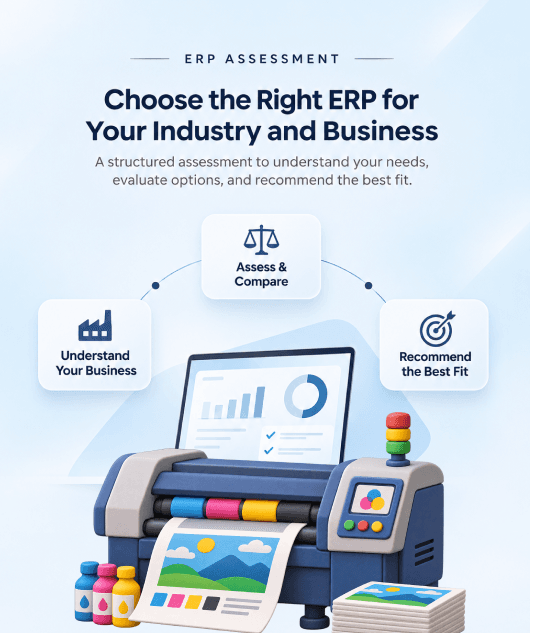
Printing ERP Implementation in Canada: How Dynamics Square Does It
Dynamics Square follows Microsoft's Success by Design method across five phases when implementing Dynamics 365 for Canadian printing businesses. The process begins by understanding how a job moves through your plant, from the first estimate to the final delivery.
Discover
Dynamics Square follows live jobs from the estimating desk through production and dispatch to understand how work moves across your factory.
1
2
Initiate
Next, we define the project scope, recommends Business Central or Supply Chain Management, and assigns responsibility for maintaining product details, material lists, and production steps.
Implement
Dynamics Square configures products, material tracking, production steps, scrap records, and costing. The team also connects press, prepress, and estimating systems, then transfers customer, product, and open order records.
3
4
Prepare
Dynamics Square trains estimators, planners, and machine operators using actual production jobs. The team checks whether a material reel can be traced from goods receipt to every label produced from it.
Operate
Dynamics Square provides support after launch as your business adds presses and handles customer audits. The team also agrees on how to record setup waste, running waste, and repeat orders, so costing and reports use consistent information.
5
Dynamics 365 ERP Pricing for Plastics Manufacturing
The table shows the current Microsoft list prices in Canadian dollars. Your final cost depends on the licences your team needs, the size and scope of the implementation, and any additional tools for estimating, barcode scanning, or machine integration.
Business Central
Essentials
From $108.50CAD/user/month
Accounting, order entry, purchasing and inventory for the office side of the shop
Premium
From $149.20CAD/user/month
Production orders, BOMs, routings, MRP and Quality Management for the press floor
Team Members
From $10.90CAD/user/month
Look-ups, approvals and small entries
Supply Chain Management
Standard
From $284.90CAD/user/month
Formulas, configuration models, finite scheduling and warehouse management
Premium
From $407.00CAD/user/month
Standard plus demand planning, capacity and storage planning, and Copilot Credits
Implementation costs are quoted separately. The number of presses and factories, the systems that need connecting to Dynamics 365, and the amount of product and job history to transfer all affect the final cost. Dynamics Square reviews these requirements during a scoping discussion and provides an estimate based on the work involved.
Get a Custom QuoteWhy Canadian Printers and Label Converters Choose Dynamics Square
We start by understanding your printing process, including setup waste, material cutting, and rework that affect production costs.
Next, we recommend the right Microsoft ERP system for your business and explain our choice, even when Business Central is all you need.
Our certified team has hands-on experience with Business Central and Supply Chain Management, supported by 60+ manufacturing ERP implementations and 35+ manufacturing and supply chain consultants.
We continue supporting your business after launch, helping with new presses, product changes, and customer requests for label production records.
With a decade of Canadian project experience, we understand GST, HST, provincial sales taxes, and English and French label requirements.
Frequently Asked Questions
ERP for printing and label manufacturing connects customer orders, estimates, purchasing, production, inventory, shipping, and accounting in one system. It helps printers track job costs, monitor material usage, and manage deliveries. Microsoft offers Business Central for many small and mid-sized printers and Supply Chain Management for larger, more complex operations.
Yes, Dynamics 365 helps Canadian printers and label manufacturers manage orders, materials, production, inventory, and finances. Business Central supports businesses with standard products and fewer plants, while Supply Chain Management handles complex production and multiple locations. Both can be configured for GST, HST, and applicable provincial sales taxes.
Yes, Dynamics 365 compares estimated job costs with actual spending on materials, press time, finishing, and outsourced work. Teams can use costs from similar completed jobs to prepare quotes, then record actual production expenses. Specialist estimating software handles sheet layouts and imposition calculations and shares the results with Dynamics 365.
Dynamics 365 helps manage repeat labels through customer product codes, approved material lists, product variants, and scheduled orders. Blanket orders organise recurring deliveries. For complex labels with many customer options, Supply Chain Management checks which combinations are allowed and creates the required material lists and production steps.
Yes, Dynamics 365 helps schedule work across presses, die cutters, laminators, and slitters using machine calendars and available capacity. Business Central supports production planning based on orders and forecasts. Supply Chain Management adds finite capacity scheduling to help prevent machines from being assigned more work than they can handle.
Know the Cost and Material History of Every Label You Ship
Track production costs, trace materials, and identify waste across every job. Make better production decisions and protect profit margins.
Book a Free Consultation Today